- Local time
- 12:41 AM
- Messages
- 394
Dear Forum,
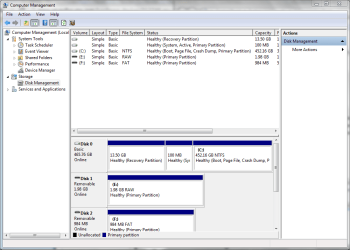
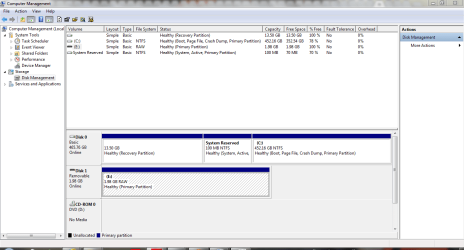
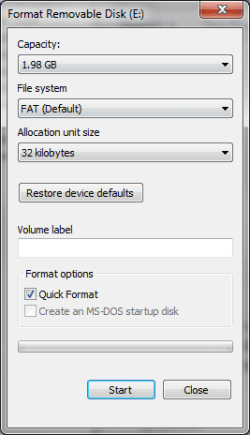
I have a Generic Flash External Disk Drive that I am having trouble formatting.
It has data that used to be on it before I changed the Storage Policies on the Control Set in the Registry Editor after reading on how to do it on the Microsoft Knowledge Base Formatting disks and drives: frequently asked questions
I have copied and pasted the data that was originally on the disk - I just want to know if there is a way of making the Generic External Disk Drive usable again.
I am unsure of the different names to change it to and just wish to utilise it again.
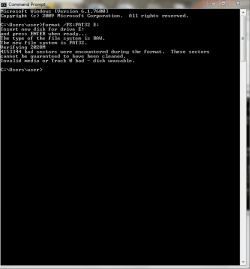
I tried to change the Format via this link How to Format FAT32: 7 Steps (with Pictures) - wikiHow - It came up that I had bad sectors.
Can someone please assist?
I have a Generic Flash External Disk Drive that I am having trouble formatting.
It has data that used to be on it before I changed the Storage Policies on the Control Set in the Registry Editor after reading on how to do it on the Microsoft Knowledge Base Formatting disks and drives: frequently asked questions
I have copied and pasted the data that was originally on the disk - I just want to know if there is a way of making the Generic External Disk Drive usable again.
I am unsure of the different names to change it to and just wish to utilise it again.
I tried to change the Format via this link How to Format FAT32: 7 Steps (with Pictures) - wikiHow - It came up that I had bad sectors.
Can someone please assist?
Attachments

My Computer
At a glance
Windows 7 Home Premium 64bitWindows 7 Service Pack 1 x86 NTFS4 GB
- Computer type
- Laptop
- Computer Manufacturer/Model Number
- Sony VAIO / E Series VPCEB46FG
- OS
- Windows 7 Home Premium 64bit
- CPU
- Windows 7 Service Pack 1 x86 NTFS
- Motherboard
- AMD E-350 Processor
- Memory
- 4 GB
- Hard Drives
- 500GB
- Other Info
- 1.6GHz