My HP Notebook is slow on start up, please help?

NENE

New member
Local time
12:58 AM
Messages
3
Hello, i'm very new here but i was hoping i could get help with my laptop? I'm not good with computers so i'll give as much information from my little knowledge as i possibly can. My PC would usually take about 6 seconds or so on the starting windows logo before completely loading. But since yesterday its been taking almost 5minutes for it to start. I havent downloaded or installed any new apps or software so i'm not sure whats causing this. I'd like to point out that i tried googling solutions for it first and came across a thread on this site that said you can fix this by running windows start up repair through the advanced boot option. But when i tried doing that by pressing F8 before the pc restarted itself it froze and started making beeping noises then went straight to the windows logo and booted itself. Is there any way for me to fix this so that it can start booting the way it used to?
 

My Computer My Computer

At a glance

Windows 7 Home Premium 64bitIntel(R) Core(TM) i5-2467M CPU @ 1.60GHz 1.60...4.00GB
Computer type
Laptop
Computer Manufacturer/Model Number
HP
OS
Windows 7 Home Premium 64bit
CPU
Intel(R) Core(TM) i5-2467M CPU @ 1.60GHz 1.60 GHz
Memory
4.00GB
Antivirus
Kaspersky Internet Security
Browser
Google Chrome
Hello and welcome Nene mate for starters run these
http://www.sevenforums.com/tutorials/1538-sfc-scannow-command-system-file-checker.html
http://www.sevenforums.com/tutorials/433-disk-check.html < if necessary include the /f and /r in the command line as per Option2
Run these in safe mode and the sfc often best run for two to three runs

if no fix then these

SUPERAntiSpyware | Remove Malware | Remove Spyware - AntiMalware, AntiSpyware, AntiAdware!
Malwarebytes | Malwarebytes Anti-Malware Premium
AdwCleaner Download
ADW download from bleeping computer delete any rubbish found with the malware scans
(NB If you are running Kaspersky as the main AV then it might need disabling it when trying ADW because it does not like it at times)

There is this too
http://www.sevenforums.com/tutorials/11728-optimize-windows-7-a.html

Plus running CCleaner would be a good idea CCleaner - Free Download - Piriform

Let us know how you go.
 

My Computer My Computer

At a glance

Desk1 7 Home Prem / Desk2 10 Pro / Main lap A...Desk1 i5 3750K / Laptop i7 GTX 860M / Desk2 i...Desk1 8GB (1866) / Desk2 16GB (1333) / Laptop...Desk 1& 2NVidia GTX 650 & Laptops on board Intel
Computer type
PC/Desktop
Computer Manufacturer/Model Number
Own build (new) Desk1 / Asus ROG Win 7 / Desk2 1st build
OS
Desk1 7 Home Prem / Desk2 10 Pro / Main lap Asus ROG 10 Pro 2 laptop Toshiba 7 Pro Asus P2520 7 & 10
CPU
Desk1 i5 3750K / Laptop i7 GTX 860M / Desk2 i5 2500
Motherboard
Desk1 Asus P877-V / Desk2 Gigabyte H67 UD3H / Laptop ?
Memory
Desk1 8GB (1866) / Desk2 16GB (1333) / Laptop 8Gb DDR3
Graphics Card(s)
Desk 1& 2NVidia GTX 650 & Laptops on board Intel
Sound Card
Desk 1 & 2 -XONAR DG Realtek High Def audio Laptop
Monitor(s) Displays
Desk 1 Benq HD 2450 / Desk2 Philips 24" / Laptop 17.5"
Screen Resolution
1920x1080 D1 & D2 & Laptop 1
Hard Drives
Desk1 Samsung 120GB 830 SSD
Asus ROG 256GB 850 Pro SSD
Desk2 Samsung 840 256 SSD
Toshiba 120GB EVO
PSU
Desk 1 Corsair HX 1050/ Laptop ? / Desk 2 Corsair HX 650
Case
Desk 1 Cooler HAF XM ? Toshiba laptop / Desk2 Coolermaster
Cooling
Fans on all Desk1 -2 Desk2 - all Coolermasters 5 Laptop ?
Keyboard
Desk 1 MS Sidewinder X6 Desk 2 MS Sidewinder X 4
Mouse
Desk 1&2 - Gigabyte MS 900 gamer - laptop - Logitec wireless
Internet Speed
ADSL2+
Other Info
One other Desktop (tester) and spare Toshba laptop both with SSD's
Running Kaspersky 2016 ISS on all machines config'd identically
Logitec audio stereo systems on each machine (x3)
Canon MG5250MFC
Router/modem TP-Link running WPA2SK
Okay here's an update from the instructions you gave me..
i tried to do the System File Checker thing in safe mode following option two like you stated but when ever i tried the scan would freeze at 27% and say "windows resource protection could not perform the requested operation"... I'm not sure why its doing this because my Windows Modules Installer service is running and set on manual.

I tried this three times and it did not work so i tried other options like running system restore but when ever i try it keeps telling me system restore failed because it couldnt extract files from restore point.

So i tried using the ADW Cleaner and Super Antispyware, they both dictated problems and solved them but didnt solve the slow start up problem. I also have Ccleaner on my pc but that isnt solving the problem either.
So i finished off with the last option you gave me to optimize windows 7, i couldnt really understand some of the options like the SSD one and it seemed like i needed 20GB of free disc space but i only have 14GB so i decided to try the ones i could including turning off unneeded visual effects, unnecessary animations, disabling unwanted start up programmes, degragmenting it and all the other simple stuff but none of them worked either.. When ever i'd change something i'd restart my pc to see if it worked but it would stay on the windows logo longer than the previous time, it went from 5minutes staying stuck on the windows logo to 7minutes

Are there any other options available for me?
 

My Computer My Computer

At a glance

Windows 7 Home Premium 64bitIntel(R) Core(TM) i5-2467M CPU @ 1.60GHz 1.60...4.00GB
Computer type
Laptop
Computer Manufacturer/Model Number
HP
OS
Windows 7 Home Premium 64bit
CPU
Intel(R) Core(TM) i5-2467M CPU @ 1.60GHz 1.60 GHz
Memory
4.00GB
Antivirus
Kaspersky Internet Security
Browser
Google Chrome
Nene I might ask for some help because the sfc running like that in safe mode because safe mode loads only the very basic files.

The SSD option in that Optimise tutorial that was only a recommendation to use one because of the speed the point that would have made a bit of a difference is point 9 the start up tab and I only keep the very minimum to none of anything ticked .

Just one option comes to mind is to test the drive other than the chkdsk - SeaTools for Windows | Seagate lets see what thta brings up then ask for help.
 

My Computer My Computer

At a glance

Desk1 7 Home Prem / Desk2 10 Pro / Main lap A...Desk1 i5 3750K / Laptop i7 GTX 860M / Desk2 i...Desk1 8GB (1866) / Desk2 16GB (1333) / Laptop...Desk 1& 2NVidia GTX 650 & Laptops on board Intel
Computer type
PC/Desktop
Computer Manufacturer/Model Number
Own build (new) Desk1 / Asus ROG Win 7 / Desk2 1st build
OS
Desk1 7 Home Prem / Desk2 10 Pro / Main lap Asus ROG 10 Pro 2 laptop Toshiba 7 Pro Asus P2520 7 & 10
CPU
Desk1 i5 3750K / Laptop i7 GTX 860M / Desk2 i5 2500
Motherboard
Desk1 Asus P877-V / Desk2 Gigabyte H67 UD3H / Laptop ?
Memory
Desk1 8GB (1866) / Desk2 16GB (1333) / Laptop 8Gb DDR3
Graphics Card(s)
Desk 1& 2NVidia GTX 650 & Laptops on board Intel
Sound Card
Desk 1 & 2 -XONAR DG Realtek High Def audio Laptop
Monitor(s) Displays
Desk 1 Benq HD 2450 / Desk2 Philips 24" / Laptop 17.5"
Screen Resolution
1920x1080 D1 & D2 & Laptop 1
Hard Drives
Desk1 Samsung 120GB 830 SSD
Asus ROG 256GB 850 Pro SSD
Desk2 Samsung 840 256 SSD
Toshiba 120GB EVO
PSU
Desk 1 Corsair HX 1050/ Laptop ? / Desk 2 Corsair HX 650
Case
Desk 1 Cooler HAF XM ? Toshiba laptop / Desk2 Coolermaster
Cooling
Fans on all Desk1 -2 Desk2 - all Coolermasters 5 Laptop ?
Keyboard
Desk 1 MS Sidewinder X6 Desk 2 MS Sidewinder X 4
Mouse
Desk 1&2 - Gigabyte MS 900 gamer - laptop - Logitec wireless
Internet Speed
ADSL2+
Other Info
One other Desktop (tester) and spare Toshba laptop both with SSD's
Running Kaspersky 2016 ISS on all machines config'd identically
Logitec audio stereo systems on each machine (x3)
Canon MG5250MFC
Router/modem TP-Link running WPA2SK
Is it necessary for me to run the chkdsk in safe mode? I was wondering if i could try it using the normal way, maybe it might work?

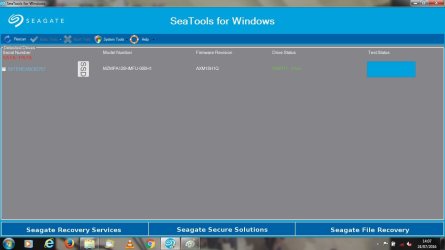
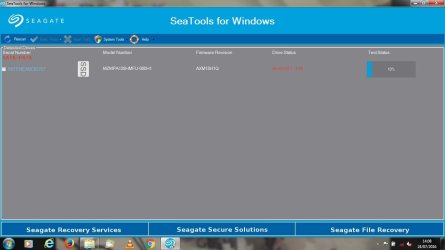
i tried using the seatools for windows but when ever i tried using the short and long generic tests it would freeze my pc. I tried this five times so i just stopped. But i did try the other tests, i've taken screen shots of the results

I saw a video on youtube that was talking about using msconfig to boost the time your pc takes to boot but when i tried searching for the msconfig on search it wasnt there. I dont know if this information is important but i figured i should point it out
 

Attachments

  • `1.jpg
    `1.jpg
    54.1 KB · Views: 2
  • 2.jpg
    2.jpg
    53.5 KB · Views: 2
Last edited:

My Computer My Computer

At a glance

Windows 7 Home Premium 64bitIntel(R) Core(TM) i5-2467M CPU @ 1.60GHz 1.60...4.00GB
Computer type
Laptop
Computer Manufacturer/Model Number
HP
OS
Windows 7 Home Premium 64bit
CPU
Intel(R) Core(TM) i5-2467M CPU @ 1.60GHz 1.60 GHz
Memory
4.00GB
Antivirus
Kaspersky Internet Security
Browser
Google Chrome
Back
Top