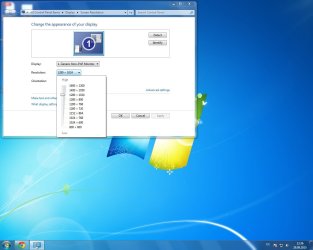
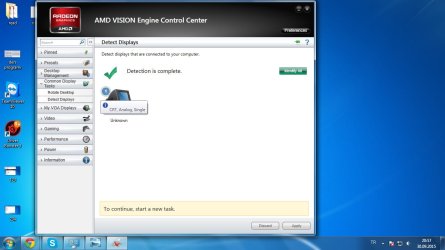
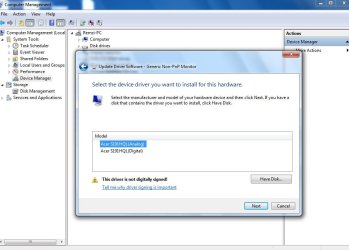
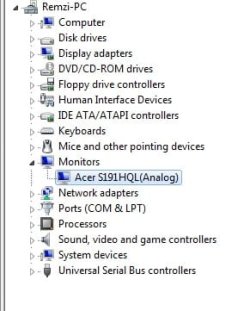
Hello guys, I was using a 4:3 monitor before, then I bought this widescreen monitor. It was showing too wide, I mean when i choose 1024x768 in options, it fills perfectly(which it shouldn't). I tried somethings and didn't work. At last I formatted my pc, then it was ok.
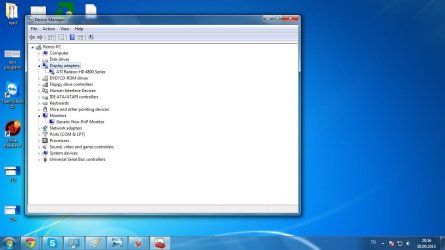
I didn't install the graphic card driver my self, but it looked like installed when i saw the device manager. I was using 1280x720 resolution(I guess it should be 1366x768 tho, it's better than having the other issue).
Few days later, I wanted to play another game(which needs high graphic card, but i used to play it in my old 4:3 monitor). Game couldn't start, because my graphic card doesn't support. I was suprised because, I used to play it on my old monitor. Then I downloaded the graphic cards manually from amd's website. I installed it, then boom, the same exact issue I had before.....
Now I can play the game but, it's so annoying to do everything with this issue.
I appreciate the support. Thanks for reading.
I didn't install the graphic card driver my self, but it looked like installed when i saw the device manager. I was using 1280x720 resolution(I guess it should be 1366x768 tho, it's better than having the other issue).
Few days later, I wanted to play another game(which needs high graphic card, but i used to play it in my old 4:3 monitor). Game couldn't start, because my graphic card doesn't support. I was suprised because, I used to play it on my old monitor. Then I downloaded the graphic cards manually from amd's website. I installed it, then boom, the same exact issue I had before.....
Now I can play the game but, it's so annoying to do everything with this issue.
I appreciate the support. Thanks for reading.
My Computer
At a glance
Windows 7 Ultimate x64Ati Radeon HD 4850
- Computer type
- PC/Desktop
- Computer Manufacturer/Model Number
- Custom build
- OS
- Windows 7 Ultimate x64
- Graphics Card(s)
- Ati Radeon HD 4850