
Schumacher92
New member
- Local time
- 7:06 AM
- Messages
- 12
I have a strong wish to remove the windows 7 taskbar from its stratup. But I need that 'start button' left. Also I'd appreciate the opportunity to get it back by some hotkey (Win+W, etc.). I'e tried like 6 different programs but not a single works like I want.
'Taskbar hider' 1.0/1.1/1.2 - doesn't work at all.
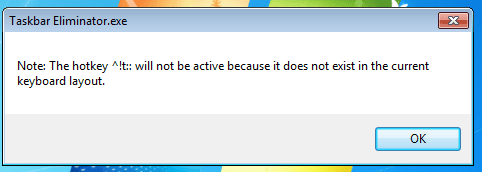
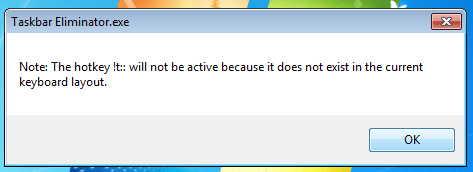
'Taskbar Eliminator' (latest version) - removes everything (including 'start button') and has neither any window nor hotkeys working due to the following errors (see images at the bottom)
Other tries either remove everything including 'start button' or it's needed to push some hotkey every time after windows is loaded.
The best thing I've found is
Hide Taskbar in Windows 8 | 7 with a hotkey
But I need it to be launched atomatically without my pressing Ctrl+Esc combination after each windows startup. Also when there is a 'check' mark on the auto-hide mode of the taskbar setting, it has a number of issues with showing 'start button' orb. Also the taskbar is shown again from time to time after launching full screen apps.
And, yes, I've read this thread all along http://www.sevenforums.com/customization/79667-remove-taskbar-100-a.html
This version by Generator http://www.sevenforums.com/customization/79667-remove-taskbar-100-a.html#post696027
Has two different .exe to switch it on/off and removes also 'start button'. But it works properly (always hidden).
So what I need is
1) Always removed taskbar
2) Always present 'start button' orb
3) Auto launch on windows startup
4) Showing/hiding taskbar by pressing some hotkey combination
I deadly wish someone could edit it... Please, help me!
'Taskbar hider' 1.0/1.1/1.2 - doesn't work at all.
'Taskbar Eliminator' (latest version) - removes everything (including 'start button') and has neither any window nor hotkeys working due to the following errors (see images at the bottom)
Other tries either remove everything including 'start button' or it's needed to push some hotkey every time after windows is loaded.
The best thing I've found is
Hide Taskbar in Windows 8 | 7 with a hotkey
But I need it to be launched atomatically without my pressing Ctrl+Esc combination after each windows startup. Also when there is a 'check' mark on the auto-hide mode of the taskbar setting, it has a number of issues with showing 'start button' orb. Also the taskbar is shown again from time to time after launching full screen apps.
And, yes, I've read this thread all along http://www.sevenforums.com/customization/79667-remove-taskbar-100-a.html
This version by Generator http://www.sevenforums.com/customization/79667-remove-taskbar-100-a.html#post696027
Has two different .exe to switch it on/off and removes also 'start button'. But it works properly (always hidden).
So what I need is
1) Always removed taskbar
2) Always present 'start button' orb
3) Auto launch on windows startup
4) Showing/hiding taskbar by pressing some hotkey combination
I deadly wish someone could edit it... Please, help me!
Attachments
Last edited:
My Computer
At a glance
Windows 7 Ultimate x64
- Computer type
- Laptop
- Computer Manufacturer/Model Number
- Asus
- OS
- Windows 7 Ultimate x64
 Can any1 fix it?