ShyBar - an automatic Windows 7 taskbar hider

ShyBar updated to version 2.03 - this is a minor update, if you're using version 2.02 and are happy with it then there is no need to upgrade. I only enabled Alt-Tab hiding with this release plus some experimental Windows 8 compatibility tweaks. Download link in the first post.
 

My Computer My Computer

OS
Windows 7 Home Premium 64 bit
Hey jykelly,

I just tried the latest version linked in your first post, and it appears to be working on Windows 8.1!

If I get any bugs I'll let you know, but it's working great so far!

Thanks so much for developing this and keeping up with bugfixes!
 

My Computer My Computer

Computer type
PC/Desktop
OS
Windows 8.1 Pro x64

Attachments

  • Shybar.jpg
    Shybar.jpg
    42.5 KB · Views: 1

My Computer My Computer

Computer type
PC/Desktop
Computer Manufacturer/Model Number
Customs, Dell, Gateway, HP, Toshiba, Acer, ASUS
OS
Windows 7 Ultimate 64-bit, Windows 8.1 64-bit, Mac OS X 10.10, Linux Mint 17, Windows 10 Pro TP
Keyboard
Microsoft
Mouse
Microsoft

My Computer My Computer

Computer type
PC/Desktop
Computer Manufacturer/Model Number
Custom Build
OS
Windows 8.1 Ultimate x64
CPU
i7-2600K 4.5 Ghz HyperThreading Disabled
Motherboard
ASUS P8P67 3.0
Memory
8GB DDR3 1866 Mhz
Graphics Card(s)
GEFORCE GTX 770
Hard Drives
120 GB SSD
640 GB HDD
Antivirus
Common Sense 2.0
Browser
Firefox
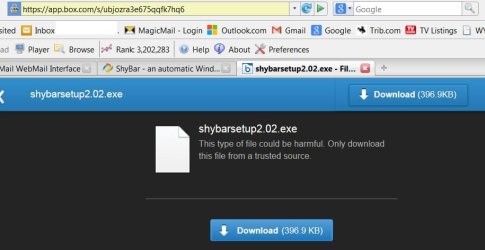
It seems that when you click on it you get to this link -> https://app.box.com/s/ubjozra3e675qqfk7hq6

You need to get to this link instead -> https://app.box.com/s/wq49rc3xso2cw4drvzvv
It seems that OP has edited the description of the shortcut to the download but not the actual link where it leads to.
(sorry if that didn't make any sense)


Ah sorry. Bad cut and paste. I've fixed the link. Thanks for alerting me to the problem.
 

My Computer My Computer

OS
Windows 7 Home Premium 64 bit
It seems that when you click on it you get to this link -> https://app.box.com/s/ubjozra3e675qqfk7hq6

You need to get to this link instead -> https://app.box.com/s/wq49rc3xso2cw4drvzvv
It seems that OP has edited the description of the shortcut to the download but not the actual link where it leads to.
(sorry if that didn't make any sense)


Ah sorry. Bad cut and paste. I've fixed the link. Thanks for alerting me to the problem.
Thanks for the program and for fixing the link on a such quick notice.
 

My Computer My Computer

Computer type
PC/Desktop
Computer Manufacturer/Model Number
Custom Build
OS
Windows 8.1 Ultimate x64
CPU
i7-2600K 4.5 Ghz HyperThreading Disabled
Motherboard
ASUS P8P67 3.0
Memory
8GB DDR3 1866 Mhz
Graphics Card(s)
GEFORCE GTX 770
Hard Drives
120 GB SSD
640 GB HDD
Antivirus
Common Sense 2.0
Browser
Firefox
Can it delay reappearance of autohidden taskbar?

I'm on Windows 7 with autohide of taskbar on the right. Works fine. But if I accidentally move cursor all the way to the right edge, the taskbar pops out quickly. I would like to set a delay between cursor going to the right edge and the taskbar reappearing. Previously I used Taskbar Activate, which does delay the popping out of the taskbar. But it hasn't been updated in some time, and now is buggy on Win 7. Does ShyBar have this functionality? If no, I'll be happy to donate if that will help it happen.
 

My Computer My Computer

Computer type
PC/Desktop
Computer Manufacturer/Model Number
custom build
OS
Windows 7 Home Premium 64bit
CPU
Intel Core i7-3770K
Motherboard
ASUS P8Z77-V LK
Memory
Corsair 16GB Vengeance 2x8 1866MHz
Graphics Card(s)
ASUS NVIDIA GeForce GTX660
Hard Drives
Crucial 256GB SATA III m4 2.5"
Antivirus
Avira
Browser
Firefox
delay the popping out of the taskbar... Does ShyBar have this functionality? If no, I'll be happy to donate if that will help it happen.

Hi cmarcus,

No, ShyBar doesn't have a "delay-of-taskbar" function. Have you tried setting the hotspot to "low"? However, with your taskbar positioned to the right, I understand why that might not be satisfactory to you - what with accidentally getting the taskbar when you meant to hit a close button.

I can foresee integrating a delay function into the app sometime in the future. It's a reasonable request and should be not too difficult to do. But it may take some time as I am quite busy. As for donations, while I don't want people to start thinking that's the only way to get me to work on the app, I have to admit that I feel indebted to anyone who donates and it does boost your feature request higher on my to-do list.
 

My Computer My Computer

OS
Windows 7 Home Premium 64 bit
Thank you for your reply. I hope to see the enhancement soon. Please tell me how to donate. The "delay" I would like is the length of time that the mouse must hover over the edge of the screen before the taskbar reappears. It should be user-settable, probably in the 200 to 700 msec range.
 
Last edited:

My Computer My Computer

Computer type
PC/Desktop
Computer Manufacturer/Model Number
custom build
OS
Windows 7 Home Premium 64bit
CPU
Intel Core i7-3770K
Motherboard
ASUS P8Z77-V LK
Memory
Corsair 16GB Vengeance 2x8 1866MHz
Graphics Card(s)
ASUS NVIDIA GeForce GTX660
Hard Drives
Crucial 256GB SATA III m4 2.5"
Antivirus
Avira
Browser
Firefox
Thank you for your reply. I hope to see the enhancement soon. Please tell me how to donate. The "delay" I would like is the length of time that the mouse must hover over the edge of the screen before the taskbar reappears. It should be user-settable, probably in the 200 to 700 msec range.

Hi cmarcus,

If you click on the Paypal logo in the ShyBar window it will open your browser to the donation page. Thanks for your support!
 

My Computer My Computer

OS
Windows 7 Home Premium 64 bit
Problem with 2.03

Just downloaded 2.03. It executes, then it ends without showing any screen. Am on windows 7 Home Premium.
 

My Computer My Computer

Computer type
PC/Desktop
Computer Manufacturer/Model Number
custom build
OS
Windows 7 Home Premium 64bit
CPU
Intel Core i7-3770K
Motherboard
ASUS P8Z77-V LK
Memory
Corsair 16GB Vengeance 2x8 1866MHz
Graphics Card(s)
ASUS NVIDIA GeForce GTX660
Hard Drives
Crucial 256GB SATA III m4 2.5"
Antivirus
Avira
Browser
Firefox
Ignore previous post. My fault - didn't d/l the C++ pgms.
 

My Computer My Computer

Computer type
PC/Desktop
Computer Manufacturer/Model Number
custom build
OS
Windows 7 Home Premium 64bit
CPU
Intel Core i7-3770K
Motherboard
ASUS P8Z77-V LK
Memory
Corsair 16GB Vengeance 2x8 1866MHz
Graphics Card(s)
ASUS NVIDIA GeForce GTX660
Hard Drives
Crucial 256GB SATA III m4 2.5"
Antivirus
Avira
Browser
Firefox
Issues with 2.03

Now 2.03 executes, but it has a serious problem for me: Have Windows 7 Home Premium, up to date. I have my taskbar on the right, set to AutoHide. It is fairly wide. After I start Shybar, and move cursor to the right edge so that the taskbar shows, then I move cursor to the left side of the shown taskbar, the taskbar hides. I have not moved the cursor off the taskbar, just to the left 1/3 of it. Therefore I cannot click on some taskbar items that are on the left side of the taskbar. I have to manually kill Shybar to fix this.
 

My Computer My Computer

Computer type
PC/Desktop
Computer Manufacturer/Model Number
custom build
OS
Windows 7 Home Premium 64bit
CPU
Intel Core i7-3770K
Motherboard
ASUS P8Z77-V LK
Memory
Corsair 16GB Vengeance 2x8 1866MHz
Graphics Card(s)
ASUS NVIDIA GeForce GTX660
Hard Drives
Crucial 256GB SATA III m4 2.5"
Antivirus
Avira
Browser
Firefox
The only setting in Shybar that is not greyed out is "Autostart with Windows". Everything else is greyed and I cannot adjust anything.
 

My Computer My Computer

Computer type
PC/Desktop
Computer Manufacturer/Model Number
custom build
OS
Windows 7 Home Premium 64bit
CPU
Intel Core i7-3770K
Motherboard
ASUS P8Z77-V LK
Memory
Corsair 16GB Vengeance 2x8 1866MHz
Graphics Card(s)
ASUS NVIDIA GeForce GTX660
Hard Drives
Crucial 256GB SATA III m4 2.5"
Antivirus
Avira
Browser
Firefox
The only setting in Shybar that is not greyed out is "Autostart with Windows". Everything else is greyed and I cannot adjust anything.

Please check that "Auto-hide the taskbar" is selected in Windows' "Taskbar and Start Menu Properties".
 

My Computer My Computer

OS
Windows 7 Home Premium 64 bit
Thank you. Got it to work. Donation made.
 

My Computer My Computer

Computer type
PC/Desktop
Computer Manufacturer/Model Number
custom build
OS
Windows 7 Home Premium 64bit
CPU
Intel Core i7-3770K
Motherboard
ASUS P8Z77-V LK
Memory
Corsair 16GB Vengeance 2x8 1866MHz
Graphics Card(s)
ASUS NVIDIA GeForce GTX660
Hard Drives
Crucial 256GB SATA III m4 2.5"
Antivirus
Avira
Browser
Firefox
I really like this! I was getting really annoyed at that one column of pixels on my nice background :p thanks a lot!

only i have a few small problems:
-I am running 2 screens, however I have my taskbar on my secondary screen. but shybar doesn't pick up on this, and when i drag the hotspot and coldspot sliders, it will mark the right areas, but on my primary screen instead of on my secondary screen.
-When I move my mouse away from the taskbar too quickly, it will not play the taskbar hiding animation from windows, and in turn also not play the taskbar appearing animation :(

thanks again for making this program ;D it is so awesome, and thanks for reading my reply.

edit: I wanted to point out that this works fine on multiple monitors, that is, if you have the taskbar on the bottom. but i have my taskbar on the left of my screen ;D and for some reason it doesn't detect that properly, but when i move the taskbar to the bottom of my secondary screen it works fine.

note that I have my primary screen on the right, and my secondary screen on the left. I have the task bar on the left hand side of my left, secondary screen. Works fine if i move the taskbar to the bottom side of the secondary screen

 
Last edited:

My Computer My Computer

Computer type
PC/Desktop
OS
Windows 7 Home Premium 64 bit
I just wanted to say you are an absolute legend.
This program works perfectly on windows 8.1

Edit: It seems to draw focus away from other software when starting.
I have it starting with Kodi (formerly xbmc) to hopefully lock down the computer as much as possible for a HTPC. Kodi starts before Shybar and it steals the focus.
 
Last edited:

My Computer My Computer

Computer type
PC/Desktop
OS
Windows 8.1 x64
Hi,

do this have a silent install switch when installing.

Lord3: use xbmc launcher as that will do what you would like in HTPC environment.

Thanks
 

My Computer My Computer

Computer type
PC/Desktop
OS
Windows 7 x64 Pro
Back
Top