Hi there.
I posted this on microsoft answers before, but no one comes with an appropriate solution, and many seems to treat as this was a common recurrent installation problem.
So, please take note of these before answering:
* I've searched thoroughly for similar problems, no one ever had this exact problem with .NET 4 installer.
* I'm using a fresh and optimized installation of Windows 7 Professional 32-bit, all drivers installed and everything is functional (including the buil-in .NET Framework versions).
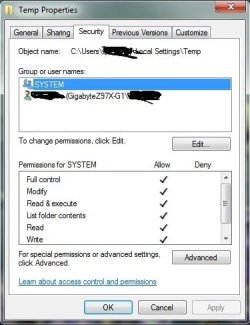
* I've already checked the installer integrity (i'm using the offline installer), the file system health, and all the permission issues on the hard drive and registry, everything is ok.
* The installation log is not being created, so the only thing i have is the windows report information.
* According to this information and to similar problems, it could be either a registry permission issue or an issue with the previous .NET version on the system, but, the previous version was built-in, so i had to purge it manually, there was no way to uninstall it.
* I wiped out every single trace of the previous .NET framework on the system, both from the hard drive and the registry, using every key related, like "netfx" "netframework" ".NET\" "aspnet" "asp.net" "net_framework" "net framework" "microsoft.net\" etc, and i complemented this manual purging with Wise Registry Cleaner, to remove any registry entries related to the deleted ones, and to solve any other issues created by this.
* The installer still refuses to install after all of this (yes, I'm surely executing it as administrator, and msiexec service is working fine, other similar installers work normally too).
*Edit: I've enabled Windows Update service too, once it may be required, but the installer still doesn't work.
*Edit: The process fails and roll back when trying to install the net framework 4 client profile
I had a similar problem trying to install Microsoft Office 2010, after the previous office installtion got corrupted, and i had to purge it manually, same thing, installer started, and then rolled back everything, and claimed to have registry issues, even after i purged everything i could from the system. I couldn't solve it, I had to re-install the whole operational system.
Here's the Windows Report data:
Problem Event Name: VSSetup
Problem Signature 01: Microsoft .NET Framework 4 Setup
Problem Signature 02: 4.0.30319
Problem Signature 03: 10.0.30319.1
Problem Signature 04: 1
Problem Signature 05: netfx_Core_x86.msi
Problem Signature 06: Install_I_Interactive_Error
Problem Signature 07: 1603
Problem Signature 08: 1406
Problem Signature 09: WriteRegistryValues
OS Version: 6.1.7600.2.0.0.256.48
Locale ID: 1046
Thanks.
I posted this on microsoft answers before, but no one comes with an appropriate solution, and many seems to treat as this was a common recurrent installation problem.
So, please take note of these before answering:
* I've searched thoroughly for similar problems, no one ever had this exact problem with .NET 4 installer.
* I'm using a fresh and optimized installation of Windows 7 Professional 32-bit, all drivers installed and everything is functional (including the buil-in .NET Framework versions).
* I've already checked the installer integrity (i'm using the offline installer), the file system health, and all the permission issues on the hard drive and registry, everything is ok.
* The installation log is not being created, so the only thing i have is the windows report information.
* According to this information and to similar problems, it could be either a registry permission issue or an issue with the previous .NET version on the system, but, the previous version was built-in, so i had to purge it manually, there was no way to uninstall it.
* I wiped out every single trace of the previous .NET framework on the system, both from the hard drive and the registry, using every key related, like "netfx" "netframework" ".NET\" "aspnet" "asp.net" "net_framework" "net framework" "microsoft.net\" etc, and i complemented this manual purging with Wise Registry Cleaner, to remove any registry entries related to the deleted ones, and to solve any other issues created by this.
* The installer still refuses to install after all of this (yes, I'm surely executing it as administrator, and msiexec service is working fine, other similar installers work normally too).
*Edit: I've enabled Windows Update service too, once it may be required, but the installer still doesn't work.
*Edit: The process fails and roll back when trying to install the net framework 4 client profile
I had a similar problem trying to install Microsoft Office 2010, after the previous office installtion got corrupted, and i had to purge it manually, same thing, installer started, and then rolled back everything, and claimed to have registry issues, even after i purged everything i could from the system. I couldn't solve it, I had to re-install the whole operational system.
Here's the Windows Report data:
Problem Event Name: VSSetup
Problem Signature 01: Microsoft .NET Framework 4 Setup
Problem Signature 02: 4.0.30319
Problem Signature 03: 10.0.30319.1
Problem Signature 04: 1
Problem Signature 05: netfx_Core_x86.msi
Problem Signature 06: Install_I_Interactive_Error
Problem Signature 07: 1603
Problem Signature 08: 1406
Problem Signature 09: WriteRegistryValues
OS Version: 6.1.7600.2.0.0.256.48
Locale ID: 1046
Thanks.
My Computer
At a glance
Windows 7 Professional 32-bitIntel i54GBIntel
- Computer type
- Laptop
- Computer Manufacturer/Model Number
- HP
- OS
- Windows 7 Professional 32-bit
- CPU
- Intel i5
- Memory
- 4GB
- Graphics Card(s)
- Intel
- Hard Drives
- HP 250GB SATA
- Browser
- Firefox (newest)