I do understand you pulled the CMOS battery to reset the bios, but when you were in there did you check to make sure the boot setting for the network stack was set to disabled? The disabled setting will defeat any attempt to try and boot by using settings from a network.

I know you're not having any boot up problems but if it is enabled it might be confusing the boot order.
If you go to the
FAQS page for the Z170-A There are suggestions on page two and three respectively, for
can't connect and
irregular connections of a wired network, both links offer a way to set-up a new
broadband (PPPoE) connection using the built-in win7 wizard. I offer this so you can make sure of the steps you've already taken, and a new connection may help.
In researching your problem I did see where others had the same file description as yours:
"Intel(R) Ethernet Connection (2) I219-V" It has been my experience that a parentheses 2, 3 or 4 and so on means that, that file is a copy of the original file.
Your notice of other :warn: icons may be the root cause of your problem, if you want to take this further, make sure any instance of Intel(R) Ethernet Connection I219-V
and Intel(R) Ethernet Connection
(2) I219-V are removed from your machine before you go and try a re-install of Intel(R) Ethernet Connection I219-V. Try looking in and for a file similar to
%systemroot%\system32\setupapi.dll
Note
Try to correct the (2) situation before you create a new PPPoE connection as mentioned above.
Go to Device Manager and right click on the troublesome network adapter, I believe it is the
Intel(R) Ethernet Connection (2) I219-V then properties >Advance tab; Look for Link Speed and Duplex in the property box, make sure the value is set to Auto-Negotiation, if that is not available then 100Mbps-Full duplex.
Related:
I created the above snip from the
Z170-A Product page; Manual & Documents link, then found at the bottom of this link:
https:// Version E10611 Description Z170-A User's manual (English) | www.asus.com If that is the wrong source please advise.
There was mention on one site,
third post down, of having the Intel Serial IO driver
before the network drivers, I am unsure in re-reading your posts if you have done this because their already installed, right? But, it may help to re-install it, then the network drivers. The order would be: IO driver, network drivers, new PPPoE connection.
As far as the 651 error, it looks like you've covered most of the steps in the link you provided except for #3 and creating a new PPPoE connection would cover that, then #4, 5, and possibly 7.



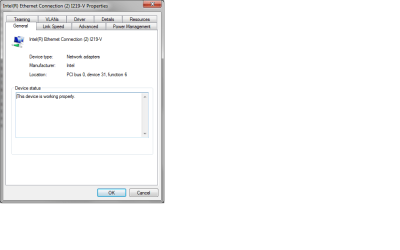
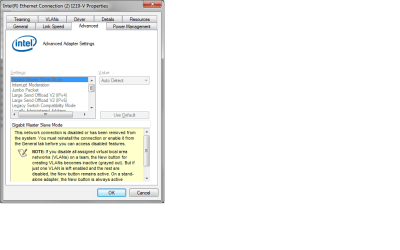
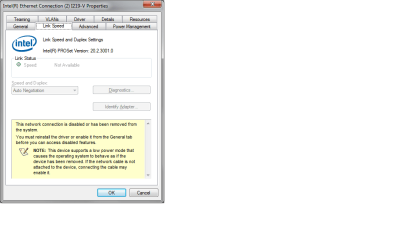

 I see their different, there may be a clue in the wording.

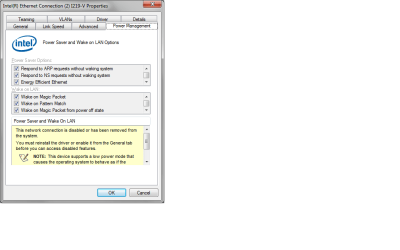

 .
.