I'm having some problems with my network connection. Few time ago I was connected via cable connection,or wireless. Now, I moved out to another location where I have another cable connection. I created a new connection and the internet is working properly.
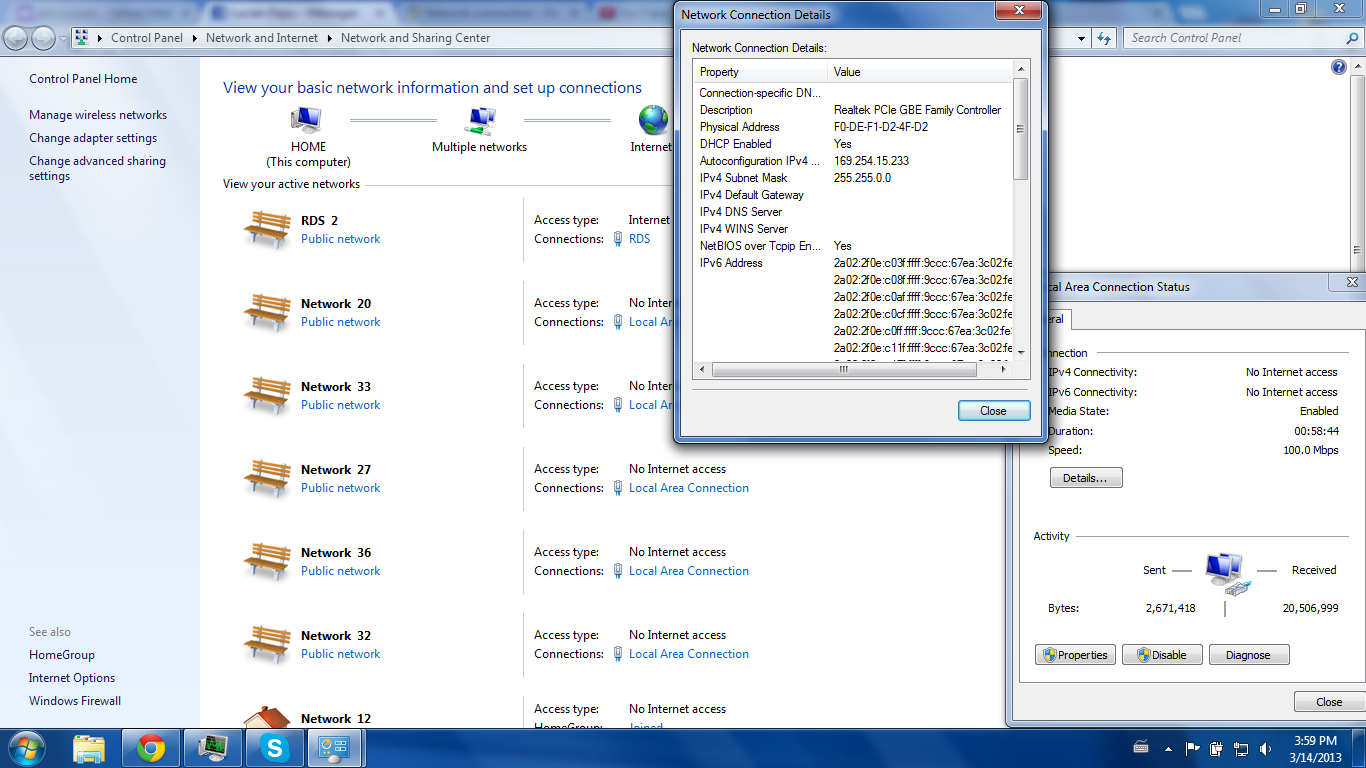
However I get some annoying pop up like is showing in the picture below:

In "network and sharing center" window, those public network connections are appearing and disappearing all the time. And I see that there is a lot of activity(sent and received) even if I don't downloading anything.
What can I do in order to stop getting that popup with over 20 networks, all with "no internet access" ?
Thanks
However I get some annoying pop up like is showing in the picture below:
In "network and sharing center" window, those public network connections are appearing and disappearing all the time. And I see that there is a lot of activity(sent and received) even if I don't downloading anything.
What can I do in order to stop getting that popup with over 20 networks, all with "no internet access" ?
Thanks
Last edited:
My Computer
- OS
- Galati