JavaScript is disabled. For a better experience, please enable JavaScript in your browser before proceeding.
You are using an out of date browser. It may not display this or other websites correctly.
You should upgrade or use an
alternative browser .
Network performance throttling
The cable from the card to the monitor. VGA or DVI or what ever you have.
Windows 7 Ultimate 64-bit Intel Core 2 Duo E6550 @2.33GHz 4GB DDR" NVIDIA GeForce 8600 GS PC/Desktop Dell / Lenovo g550 Windows 7 Ultimate 64-bit Intel Core 2 Duo E6550 @2.33GHz foxconn g33m02 4GB DDR" NVIDIA GeForce 8600 GS HDD 1 = 150GB 450W Stock fan 12Mb AVG Internet Security
New member
Member
Thread Starter
MM, how can that help? I don't follow? I don't have a replacement cable.
Windows 10 Home Edition 64 Bit SandyBridge 2500K (oc @ 4.2 GHz) 8GB 1600MHz Gainward NVidia GTX680 PC/Desktop Home Made Windows 10 Home Edition 64 Bit SandyBridge 2500K (oc @ 4.2 GHz) MSI P67-GD53 (B3 stepping) 8GB 1600MHz Gainward NVidia GTX680 Samsung SyncMaster S23A700 120 Hz LED backlit Crucial M4 500GB SSD CoolerMaster 750W 85% Antec 3 Corsair H50 in push-pull configuration CM Storm Quickfire TK Cherry MX red Razer Abyssus mouse, Razer Sphex mousemat
It could be a cable problem. Anyways just check to see if your driver is update so.
Windows 7 Ultimate 64-bit Intel Core 2 Duo E6550 @2.33GHz 4GB DDR" NVIDIA GeForce 8600 GS PC/Desktop Dell / Lenovo g550 Windows 7 Ultimate 64-bit Intel Core 2 Duo E6550 @2.33GHz foxconn g33m02 4GB DDR" NVIDIA GeForce 8600 GS HDD 1 = 150GB 450W Stock fan 12Mb AVG Internet Security
New member
Member
Thread Starter
I don't understand how it could be the cable. The cable is very new, how can a cable be the culprit. I have never moved or detached the cable since it was attached about three months ago. I'm running a 120 Hz monitor so am using a dual DVI cable.
Windows 10 Home Edition 64 Bit SandyBridge 2500K (oc @ 4.2 GHz) 8GB 1600MHz Gainward NVidia GTX680 PC/Desktop Home Made Windows 10 Home Edition 64 Bit SandyBridge 2500K (oc @ 4.2 GHz) MSI P67-GD53 (B3 stepping) 8GB 1600MHz Gainward NVidia GTX680 Samsung SyncMaster S23A700 120 Hz LED backlit Crucial M4 500GB SSD CoolerMaster 750W 85% Antec 3 Corsair H50 in push-pull configuration CM Storm Quickfire TK Cherry MX red Razer Abyssus mouse, Razer Sphex mousemat
I'm just saying it could be a possibilty. Anyways did you check your driver?
Windows 7 Ultimate 64-bit Intel Core 2 Duo E6550 @2.33GHz 4GB DDR" NVIDIA GeForce 8600 GS PC/Desktop Dell / Lenovo g550 Windows 7 Ultimate 64-bit Intel Core 2 Duo E6550 @2.33GHz foxconn g33m02 4GB DDR" NVIDIA GeForce 8600 GS HDD 1 = 150GB 450W Stock fan 12Mb AVG Internet Security
New member
Member
Thread Starter
The driver is the latest NVidia driver.
Windows 10 Home Edition 64 Bit SandyBridge 2500K (oc @ 4.2 GHz) 8GB 1600MHz Gainward NVidia GTX680 PC/Desktop Home Made Windows 10 Home Edition 64 Bit SandyBridge 2500K (oc @ 4.2 GHz) MSI P67-GD53 (B3 stepping) 8GB 1600MHz Gainward NVidia GTX680 Samsung SyncMaster S23A700 120 Hz LED backlit Crucial M4 500GB SSD CoolerMaster 750W 85% Antec 3 Corsair H50 in push-pull configuration CM Storm Quickfire TK Cherry MX red Razer Abyssus mouse, Razer Sphex mousemat
Hello nevica. Are you facing the problems with online games only? Have you tried a game that is installed in your computer?
Also can you upload your MSINFO32.nfo file?
Click on the start button
Type "msinfo32" (without quotes) in the search bar of the start menu, click the resulting link. It will open the System Information window.
File>Save. In the "File Name" filed, put "MSINFO32" (without Quote), give the save location to desktop, and click the "save" button.
Give the time for processing, it will save a .nfo file on your desktop.
Zip it, and upload it following the instruction
Microsoft Windows 10 Pro Insider Preview 64-bit Intel(R) Core(TM) i3-4130 CPU @ 3.40GHz Corsair Vengence 4GB x2 (8.00GB Dual-Channel ... 2047MB GeForce GTS 450 (ZOTAC International) PC/Desktop Self Assembled Microsoft Windows 10 Pro Insider Preview 64-bit Intel(R) Core(TM) i3-4130 CPU @ 3.40GHz Gigabyte Technology Co., Ltd. B85M-D3H Corsair Vengence 4GB x2 (8.00GB Dual-Channel DDR3 @ 798MHz) 2047MB GeForce GTS 450 (ZOTAC International) Onboard (Realtek High Definition Audio) LG Flatron E2040T 1600x900 Western Digital 1 TB Corsair VS550 Cooler Master K380 Cooler Master Seidon 120V Plus Logitech MK260r Logitech MK260r PMPL Broadband Windows Defender + MBAM Firefox Dell Studio 15" Laptop
New member
Member
Thread Starter
Do you not know how a DVI cable can fail? That's all I'm asking. Are DVI cables known to fail or is it the electronics on the video card. I'm just trying to understand this? I can't find anything on Google about DVI cable failures.
Windows 10 Home Edition 64 Bit SandyBridge 2500K (oc @ 4.2 GHz) 8GB 1600MHz Gainward NVidia GTX680 PC/Desktop Home Made Windows 10 Home Edition 64 Bit SandyBridge 2500K (oc @ 4.2 GHz) MSI P67-GD53 (B3 stepping) 8GB 1600MHz Gainward NVidia GTX680 Samsung SyncMaster S23A700 120 Hz LED backlit Crucial M4 500GB SSD CoolerMaster 750W 85% Antec 3 Corsair H50 in push-pull configuration CM Storm Quickfire TK Cherry MX red Razer Abyssus mouse, Razer Sphex mousemat
New member
Member
Thread Starter
Hello,
Windows 10 Home Edition 64 Bit SandyBridge 2500K (oc @ 4.2 GHz) 8GB 1600MHz Gainward NVidia GTX680 PC/Desktop Home Made Windows 10 Home Edition 64 Bit SandyBridge 2500K (oc @ 4.2 GHz) MSI P67-GD53 (B3 stepping) 8GB 1600MHz Gainward NVidia GTX680 Samsung SyncMaster S23A700 120 Hz LED backlit Crucial M4 500GB SSD CoolerMaster 750W 85% Antec 3 Corsair H50 in push-pull configuration CM Storm Quickfire TK Cherry MX red Razer Abyssus mouse, Razer Sphex mousemat
Update the following drivers:
Uninstall this program:
Code:
Start Menu\Programs\SUPERAntiSpyware
It sometimes blocks network resources which causes problems.
BTW, do you use Razer VJoystick at all? If you do, try to update the Razer drivers too.
Microsoft Windows 10 Pro Insider Preview 64-bit Intel(R) Core(TM) i3-4130 CPU @ 3.40GHz Corsair Vengence 4GB x2 (8.00GB Dual-Channel ... 2047MB GeForce GTS 450 (ZOTAC International) PC/Desktop Self Assembled Microsoft Windows 10 Pro Insider Preview 64-bit Intel(R) Core(TM) i3-4130 CPU @ 3.40GHz Gigabyte Technology Co., Ltd. B85M-D3H Corsair Vengence 4GB x2 (8.00GB Dual-Channel DDR3 @ 798MHz) 2047MB GeForce GTS 450 (ZOTAC International) Onboard (Realtek High Definition Audio) LG Flatron E2040T 1600x900 Western Digital 1 TB Corsair VS550 Cooler Master K380 Cooler Master Seidon 120V Plus Logitech MK260r Logitech MK260r PMPL Broadband Windows Defender + MBAM Firefox Dell Studio 15" Laptop
New member
Member
Thread Starter
Ralink 802.11n Extensible Wireless Driver: From MediaTek - Downloads Windows Where up to date
Windows 10 Home Edition 64 Bit SandyBridge 2500K (oc @ 4.2 GHz) 8GB 1600MHz Gainward NVidia GTX680 PC/Desktop Home Made Windows 10 Home Edition 64 Bit SandyBridge 2500K (oc @ 4.2 GHz) MSI P67-GD53 (B3 stepping) 8GB 1600MHz Gainward NVidia GTX680 Samsung SyncMaster S23A700 120 Hz LED backlit Crucial M4 500GB SSD CoolerMaster 750W 85% Antec 3 Corsair H50 in push-pull configuration CM Storm Quickfire TK Cherry MX red Razer Abyssus mouse, Razer Sphex mousemat
If all those are upto date, now observe the situation.
Microsoft Windows 10 Pro Insider Preview 64-bit Intel(R) Core(TM) i3-4130 CPU @ 3.40GHz Corsair Vengence 4GB x2 (8.00GB Dual-Channel ... 2047MB GeForce GTS 450 (ZOTAC International) PC/Desktop Self Assembled Microsoft Windows 10 Pro Insider Preview 64-bit Intel(R) Core(TM) i3-4130 CPU @ 3.40GHz Gigabyte Technology Co., Ltd. B85M-D3H Corsair Vengence 4GB x2 (8.00GB Dual-Channel DDR3 @ 798MHz) 2047MB GeForce GTS 450 (ZOTAC International) Onboard (Realtek High Definition Audio) LG Flatron E2040T 1600x900 Western Digital 1 TB Corsair VS550 Cooler Master K380 Cooler Master Seidon 120V Plus Logitech MK260r Logitech MK260r PMPL Broadband Windows Defender + MBAM Firefox Dell Studio 15" Laptop
Do you not know how a DVI cable can fail? That's all I'm asking. Are DVI cables known to fail or is it the electronics on the video card. I'm just trying to understand this? I can't find anything on Google about DVI cable failures.
I'm not saying it is a problem with the DVI cable. Even VGA there's not a problem, but the can cause problems like everything. But it isn't common, but it can happen. I would advise to always have a spare cable. It can save you a lot of troubleshooting
@Archie: Thanks for the help
Windows 7 Ultimate 64-bit Intel Core 2 Duo E6550 @2.33GHz 4GB DDR" NVIDIA GeForce 8600 GS PC/Desktop Dell / Lenovo g550 Windows 7 Ultimate 64-bit Intel Core 2 Duo E6550 @2.33GHz foxconn g33m02 4GB DDR" NVIDIA GeForce 8600 GS HDD 1 = 150GB 450W Stock fan 12Mb AVG Internet Security
@Archie: Thanks for the help
You are welcome Benjy
I must to help my friend in need
Microsoft Windows 10 Pro Insider Preview 64-bit Intel(R) Core(TM) i3-4130 CPU @ 3.40GHz Corsair Vengence 4GB x2 (8.00GB Dual-Channel ... 2047MB GeForce GTS 450 (ZOTAC International) PC/Desktop Self Assembled Microsoft Windows 10 Pro Insider Preview 64-bit Intel(R) Core(TM) i3-4130 CPU @ 3.40GHz Gigabyte Technology Co., Ltd. B85M-D3H Corsair Vengence 4GB x2 (8.00GB Dual-Channel DDR3 @ 798MHz) 2047MB GeForce GTS 450 (ZOTAC International) Onboard (Realtek High Definition Audio) LG Flatron E2040T 1600x900 Western Digital 1 TB Corsair VS550 Cooler Master K380 Cooler Master Seidon 120V Plus Logitech MK260r Logitech MK260r PMPL Broadband Windows Defender + MBAM Firefox Dell Studio 15" Laptop
New member
Member
Thread Starter
Yes, the graphics problem and rubberbanding problem (it has returned) only occurs for BF3 multiplayer online.
Windows 10 Home Edition 64 Bit SandyBridge 2500K (oc @ 4.2 GHz) 8GB 1600MHz Gainward NVidia GTX680 PC/Desktop Home Made Windows 10 Home Edition 64 Bit SandyBridge 2500K (oc @ 4.2 GHz) MSI P67-GD53 (B3 stepping) 8GB 1600MHz Gainward NVidia GTX680 Samsung SyncMaster S23A700 120 Hz LED backlit Crucial M4 500GB SSD CoolerMaster 750W 85% Antec 3 Corsair H50 in push-pull configuration CM Storm Quickfire TK Cherry MX red Razer Abyssus mouse, Razer Sphex mousemat
Breaking Bad
Guru
Gold Member
VIP
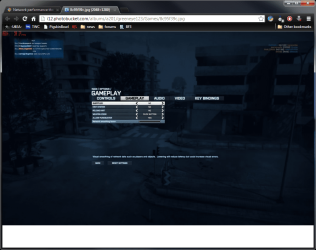
Try the network smoothing slider in BF3 options.
Windows 10 Pro X64 Intel(R) Core(TM) i5-3570K CPU OC@ 4.5GHZ Turbo 8.00 GB DDR3 1600Mhz MSI Gaming X GTX 1070 PC/Desktop Dude Build Windows 10 Pro X64 Intel(R) Core(TM) i5-3570K CPU OC@ 4.5GHZ Turbo MSI Z77A-G45 Gaming 8.00 GB DDR3 1600Mhz MSI Gaming X GTX 1070 Realtek High Definition Dell S23O9W, HP L1710 DELL-1920 x 1080 HP-1280 x1024 Crucial m4 256 SSD, WD 7200RPM 500GB WD 1TB Seasonic X650 GOLD Zalman Z12 Antec Kuhler 920 Logitech MSI DS100 Interceptor 50 down and 5 up MSE Chrome, IE 11 Logitech X-620 Speakers
New member
Member
Thread Starter
Try the network smoothing slider in BF3 options.
Where is it in BF3. Your telling fibs right?
Windows 10 Home Edition 64 Bit SandyBridge 2500K (oc @ 4.2 GHz) 8GB 1600MHz Gainward NVidia GTX680 PC/Desktop Home Made Windows 10 Home Edition 64 Bit SandyBridge 2500K (oc @ 4.2 GHz) MSI P67-GD53 (B3 stepping) 8GB 1600MHz Gainward NVidia GTX680 Samsung SyncMaster S23A700 120 Hz LED backlit Crucial M4 500GB SSD CoolerMaster 750W 85% Antec 3 Corsair H50 in push-pull configuration CM Storm Quickfire TK Cherry MX red Razer Abyssus mouse, Razer Sphex mousemat
After updating all the said drivers including teh mouse driver, observe the situation. Let us know if it is still problematic or not.
Microsoft Windows 10 Pro Insider Preview 64-bit Intel(R) Core(TM) i3-4130 CPU @ 3.40GHz Corsair Vengence 4GB x2 (8.00GB Dual-Channel ... 2047MB GeForce GTS 450 (ZOTAC International) PC/Desktop Self Assembled Microsoft Windows 10 Pro Insider Preview 64-bit Intel(R) Core(TM) i3-4130 CPU @ 3.40GHz Gigabyte Technology Co., Ltd. B85M-D3H Corsair Vengence 4GB x2 (8.00GB Dual-Channel DDR3 @ 798MHz) 2047MB GeForce GTS 450 (ZOTAC International) Onboard (Realtek High Definition Audio) LG Flatron E2040T 1600x900 Western Digital 1 TB Corsair VS550 Cooler Master K380 Cooler Master Seidon 120V Plus Logitech MK260r Logitech MK260r PMPL Broadband Windows Defender + MBAM Firefox Dell Studio 15" Laptop
Breaking Bad
Guru
Gold Member
VIP
Try the network smoothing slider in BF3 options.
Where is it in BF3. Your telling fibs right?
I would follow Arc and Benjy first, this is just for BF3
Windows 10 Pro X64 Intel(R) Core(TM) i5-3570K CPU OC@ 4.5GHZ Turbo 8.00 GB DDR3 1600Mhz MSI Gaming X GTX 1070 PC/Desktop Dude Build Windows 10 Pro X64 Intel(R) Core(TM) i5-3570K CPU OC@ 4.5GHZ Turbo MSI Z77A-G45 Gaming 8.00 GB DDR3 1600Mhz MSI Gaming X GTX 1070 Realtek High Definition Dell S23O9W, HP L1710 DELL-1920 x 1080 HP-1280 x1024 Crucial m4 256 SSD, WD 7200RPM 500GB WD 1TB Seasonic X650 GOLD Zalman Z12 Antec Kuhler 920 Logitech MSI DS100 Interceptor 50 down and 5 up MSE Chrome, IE 11 Logitech X-620 Speakers
Arc you seem to have the problem here
I'll leave you with this. The network problem is sorted.
Windows 7 Ultimate 64-bit Intel Core 2 Duo E6550 @2.33GHz 4GB DDR" NVIDIA GeForce 8600 GS PC/Desktop Dell / Lenovo g550 Windows 7 Ultimate 64-bit Intel Core 2 Duo E6550 @2.33GHz foxconn g33m02 4GB DDR" NVIDIA GeForce 8600 GS HDD 1 = 150GB 450W Stock fan 12Mb AVG Internet Security