- Local time
- 5:09 PM
- Messages
- 70
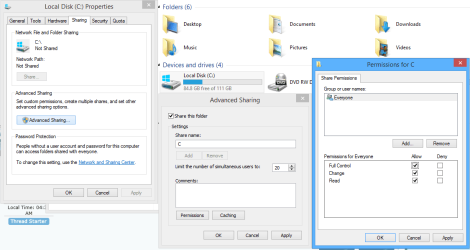
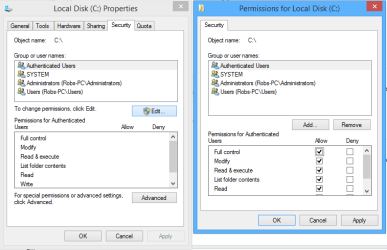
On an old computer running XP, I have designated the entire C: drive as being shared. It is "seen" by my other computer running Win 7, and when I doubleclick on the network C: drive, all of its subfolders and files open and are shown by Explorer, as usual. However, when I try to view any of the subfolders, I get an "access not allowed" message.
This is a private network, accessible by me, the administrator. How can I fix this? I was of the understanding that if the root directory was shared, that all of the subdirectories would be shared as well.
Thanks in advance.
This is a private network, accessible by me, the administrator. How can I fix this? I was of the understanding that if the root directory was shared, that all of the subdirectories would be shared as well.
Thanks in advance.
My Computer
- Computer type
- PC/Desktop
- Computer Manufacturer/Model Number
- custom build
- OS
- Win 7 64 bit Home Premium
- CPU
- AMD A6 6400K
- Motherboard
- Gigabyte
- Memory
- 8 bg
- Hard Drives
- SSD plus HDD