Solved New entry in Event Viewer; critical

AirPower4ever

New member
Member
VIP
Local time
8:59 PM
Messages
269
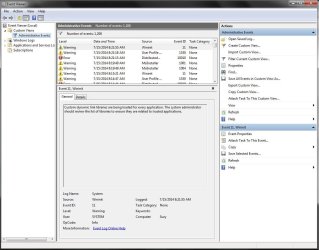
I got to reviewing my Event Viewer and I discovered this error

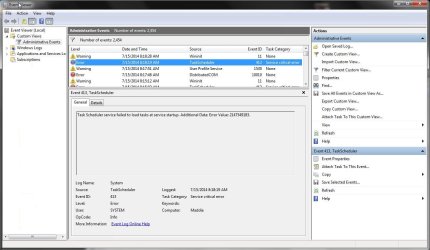
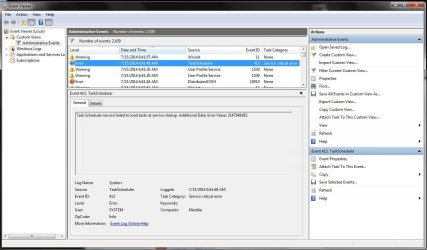
"Task Scheduler service failed to load tasks at service startup. Additional Data: Error Value: 2147549183"
Event ID: 413

So here is what I have done and checked:
* Event starts on 3-12-2014 and occurs every time I boot the computer
* I have another computer, exact parts, exact version of Windows, no error no event ID 413
* I checked my install logs and nothing was installed on or around the date of 3-12-2014
* I checked my Microsoft updates log and no updates on either system installed around date
* Both systems have the exact Microsoft updates per my logs
* I did find this thread talking about the same thing, but I cannot access the "Stop service" part
Task Scheduler service failed to load tasks at service startup. Additional Data: Error Value: 2147549183.
* I attached a pic of the error
* I compared "AutoRuns" on both systems and all looks well and the same

Both systems are a Windows 7 Home, 64-bit, same mobo (Asus P8P67 Pro ver 3.0), 8GB of memory on both systems, both have SSD's of the same manufacturer, PSU on both is 650W; again everything is the same.

So what do you guys think is going on and how do I fix this?
 

Attachments
  • Capture.JPG
    Capture.JPG
    104.2 KB · Views: 4

My Computer My Computer

Computer type
PC/Desktop
Computer Manufacturer/Model Number
Home Built
OS
Windows 10 Pro 64-bit
CPU
Core I7-6700
Motherboard
Asus Maximus VIII Hero
Memory
8GB Corsair Dominator
Graphics Card(s)
Asus STRIX GTX 980Ti
Monitor(s) Displays
Asus PG278Q, Dell U2410
Screen Resolution
2560 x 1440, 1920 x 1200
Hard Drives
1 x Samsung 950 Pro 512GB
1 x 1TB HGST
PSU
750W Seasonic
Case
Antec 900 v3
Cooling
Stock
Internet Speed
Cable Internet
Hello AirPower4ever,

Nice username just to let you know.

On Autoruns when you open it, is there some entries that are highlighted yellow? If so, please right-click them and then delete them.

You mentioned it happens every time you boot-up your computer and this seems to me, as if a third-party application is causing problems. Please perform a clean boot mode and let me know if it still appears in Event Viewer.
http://www.sevenforums.com/tutorial...ation-conflicts-performing-clean-startup.html

Hopefully this will resolve this issue.

Thank you,
VinnyBuxton
 

My Computer My Computer

Computer type
PC/Desktop
Be in control of what is allowed to run in your Task Scheduler. These are not mysteries decided by some invisible god, more likely spyware or unneeded updating tasks which also spy. Type in Start Search box and then open Scheduler, click on Library in left hand list, examine each task to see if it is one you want on your PC or not. If not rightclick to delete or suspend the task. If in doubt post back screenshots.
 
@Vinny - Both computers in AutoRuns have no yellow items. I checked and both have the same entries per tab in AutoRuns. I did the "Clean start" same error after reboot. Attached are the pics in the event viewer right after reboot with services shut off as per above.

@greg - Looked in there and compared each item against both systems. Both are completely identical. I went one by one and per folder. Any that need to be expanded I did and checked. I also looked at the Security options for each, both systems identical.

Thank you to both of you for the quick response. I attached pics from the bad computer and one from the good computer
 

Attachments

  • Computer no Problem.JPG
    Computer no Problem.JPG
    107.5 KB · Views: 2
  • Computer with Problem.JPG
    Computer with Problem.JPG
    105.4 KB · Views: 2

My Computer My Computer

Computer type
PC/Desktop
Computer Manufacturer/Model Number
Home Built
OS
Windows 10 Pro 64-bit
CPU
Core I7-6700
Motherboard
Asus Maximus VIII Hero
Memory
8GB Corsair Dominator
Graphics Card(s)
Asus STRIX GTX 980Ti
Monitor(s) Displays
Asus PG278Q, Dell U2410
Screen Resolution
2560 x 1440, 1920 x 1200
Hard Drives
1 x Samsung 950 Pro 512GB
1 x 1TB HGST
PSU
750W Seasonic
Case
Antec 900 v3
Cooling
Stock
Internet Speed
Cable Internet
The point was to determine what these tasks are because most dont' need to be run.

Step 15 in Troubleshooting Steps for Windows 7 show how to resolve repeat errors by googling the text and identifying number to see how others have resolved them. Someone here could do it for you but then you wouldn't be learning how to troubleshoot these issues or more about your PC.
 
Hello AirPower4Ever,

What anti-virus do you have installed on your computer? Can you post a screenshot also of your System and Application logs Please run a full scan with Malwarebytes, a trusted anti-malware product: https://www.malwarebytes.org/

Thank you,
VinnyBuxton
 

My Computer My Computer

Computer type
PC/Desktop
@Vinny - Both systems are using Avira Free. I run Avira and Malwarebyte's once a week, then once a month Kaspersky. I have done this for years and all my systems show nothing. I will get the logs in a bit, gotta go put a fire out.

@greg - I have already done that (see link), but many have a different code than specifically mine; 2147549183. Or they have a task mentioned which is definitely none of my programs ever loaded. Looks like someone here also tried and no final fix.
Task scheduler error - Windows 7 Help Forums

The two systems run like normal, no BSOD's or flickering of any kind; they run just fine. I just saw the one critical on the one system. Strange how the other is not having the issue.

These two systems are not used on a daily basis, they are HTPC's that connect to a NAS box. Basically, turn on, launch app and watch movies or TV shows. I would say they come on about 2-3 times a week for about 2-4 hours so each time; they are not used much compared to my other systems in the home. So these two do not get a lot of work on them at all. Just an FYI
 

My Computer My Computer

Computer type
PC/Desktop
Computer Manufacturer/Model Number
Home Built
OS
Windows 10 Pro 64-bit
CPU
Core I7-6700
Motherboard
Asus Maximus VIII Hero
Memory
8GB Corsair Dominator
Graphics Card(s)
Asus STRIX GTX 980Ti
Monitor(s) Displays
Asus PG278Q, Dell U2410
Screen Resolution
2560 x 1440, 1920 x 1200
Hard Drives
1 x Samsung 950 Pro 512GB
1 x 1TB HGST
PSU
750W Seasonic
Case
Antec 900 v3
Cooling
Stock
Internet Speed
Cable Internet

My Computer My Computer

Computer type
PC/Desktop
Please post a screenshot of your Task Scheduler showing all Library listings. I doubt if you need any of them. Even if you did you can suspend each to see which is causing the problem.
 
Back
Top