If you leave both of those checked, IE11 should install first and KB3124275 should install after that. KB3124275 applies to more than just IE8. You see IE8 in the title for the KB because IE8 was installed when the search for updates was made. If you had already installed IE11, then the title for KB3124275 would say IE11.I have two IE related KB's. Since Win will uninstall IE8, why do I need the IE8 KB? Or will it go away once I install IE11?
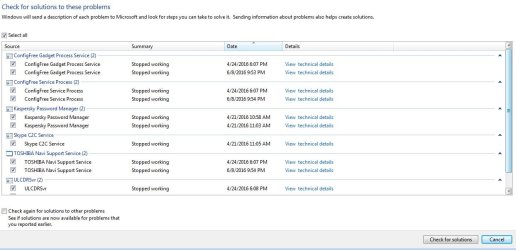
See attached.

MS16-001: Security update for Internet Explorer: January 12, 2016
View attachment 388224
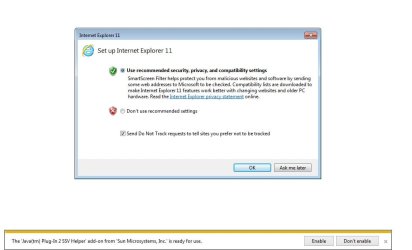
I installed IE11 update, and first time starting it, I got this window, should I use recommended settings and leave that tracking thing checked? What about the java thing, enable it? Thank you
Attachments
My Computer
At a glance
Windows 7 Home Premium 64Intel T6400 Core 2 Duo4GBIntel 4500MHD
- Computer type
- Laptop
- Computer Manufacturer/Model Number
- Toshiba
- OS
- Windows 7 Home Premium 64
- CPU
- Intel T6400 Core 2 Duo
- Memory
- 4GB
- Graphics Card(s)
- Intel 4500MHD