So after my prehistoric motherboard finally died, I bit the bullet and did a complete system overhaul, upgrading to my current listed specs in my profile along with a new Windows 7 Home Ultimate x64 install.
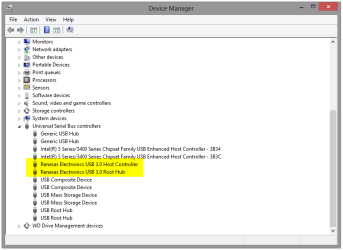
However, it has provided me with an unexpected issue. Windows no longer detects my Toshiba USB 3.0 external Hard drive. I know that the computer itself can detect it because my Asus Sabertooth Z77 motherboard's BIOS window lists it among the connected drives. However, despite the LED light on the drive itself coming on when I initially connect it, the light eventually goes off. It is not listed in the My Computer drive listing, nor is it detected within the Disk Management or Device Manager lists of devices or drives inside Windows and it worked perfectly on my old Windows OEM x32 OS with my old build.
Can anyone help? All of my precious work is located on there, including my major college assignments due next week and while I did do backups every several days, one of the assignments was hammered out in less than that in several all night sessions. Any help would be greatly appreciated. Thank you!
However, it has provided me with an unexpected issue. Windows no longer detects my Toshiba USB 3.0 external Hard drive. I know that the computer itself can detect it because my Asus Sabertooth Z77 motherboard's BIOS window lists it among the connected drives. However, despite the LED light on the drive itself coming on when I initially connect it, the light eventually goes off. It is not listed in the My Computer drive listing, nor is it detected within the Disk Management or Device Manager lists of devices or drives inside Windows and it worked perfectly on my old Windows OEM x32 OS with my old build.
Can anyone help? All of my precious work is located on there, including my major college assignments due next week and while I did do backups every several days, one of the assignments was hammered out in less than that in several all night sessions. Any help would be greatly appreciated. Thank you!
My Computer
At a glance
Windows 7 Home Ultimate x64.Intel i7 Quad Core (3.5Ghz)Corsair 2x 4gb DDR3NVIDEA Geforce GTX 460
- Computer type
- PC/Desktop
- Computer Manufacturer/Model Number
- Custom Build
- OS
- Windows 7 Home Ultimate x64.
- CPU
- Intel i7 Quad Core (3.5Ghz)
- Motherboard
- Asus Sabertooth Z77
- Memory
- Corsair 2x 4gb DDR3
- Graphics Card(s)
- NVIDEA Geforce GTX 460
- Sound Card
- Motherboard onboard
- Monitor(s) Displays
- AOC 831W & BenQ E900W (Digital)
- Screen Resolution
- 1440x900 & 1366x768 (respectively)
- Hard Drives
- Western Star Digital Internal SATA
Samsung Internal SATA
(Another unknown manufacturer) Internal SATA
Toshiba External USB 3.0
- Cooling
- Fan.
- Keyboard
- Logitech G510
- Antivirus
- AVG Free
- Browser
- Chrome