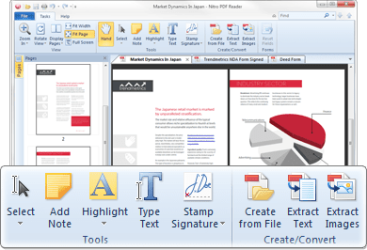
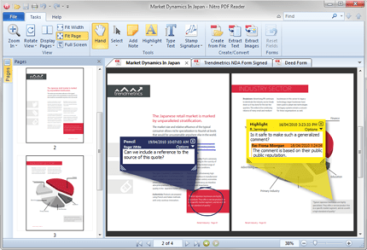
Create PDF files, comment and review, save PDF forms, extract text and images, type text directly onto the page, and more. Nitro's new free PDF reader takes the key features that you want in a PDF reader, a familiar interface, and smooth functionality and combines them into an eminently usable program that doesn't get in between you and your documents. Nitro has turned the free PDF alternative business model on its ear by providing you with a smart selection of watermark-free editing, drag-and-drop PDF creation, and tabbed PDF reading.
I just downloaded it yesterday. Looks interesting and I'm going to give it a try. I'm been using Nuance PDF Reader that I got when they offered a free download a couple of months ago.
My Computer
Computer type
PC/Desktop
Computer Manufacturer/Model Number
My Own Build
OS
Windows 10 64 bit
CPU
Intel i7 6700K
Motherboard
ASUS ROG Maximus VIII Hero
Memory
16GB Corsair Dominator
Graphics Card(s)
Intel CPU Graphics
Sound Card
RealTek
Monitor(s) Displays
27" Dell S2719dgf
Screen Resolution
2560X1440
Hard Drives
1 TB Samsung 850 EVO SSD for Win 10 Pro
500GB Samsung 850 EVO SSD for Win 10 Insider
2 TB drive for backup
PSU
EVGA Supernova 750G2
Case
BeQuiet Silent Base 600
Cooling
Deepcool Captain 120EX
Keyboard
Microsoft Wireless 2000
Mouse
Microsoft wireless
Internet Speed
100 MB/sec (Cable)
Antivirus
Microsoft Defender and Malwarebytes
Browser
Edge/Firefox
Other Info
Cakewalk (Sonar) by BandLab and Studio One 4.1 Pro recording studio software. MOTU 896Mk3 Hybrid recording interface, Frontier Tranzport wireless control unit, Behringer X-Touch Control Surface.
Five USB connected optical drives for CD Audio production using Nero BurningROM
Thanks for the shout-out guys! Just stumbled across this and thought I'd drop a note from the guys at Nitro... Always great to hear some positive feedback and even better when it's from a switched-on forum like this one. What good is a PDF reader that can't create PDF files?!
Would love to hear what you think (good and bad!) of Nitro Reader and what we should be doing before it comes out of beta later this year... Post here, PM me, or join the masses over in our community forums -- offering a link would be violating the rules here, but finding it isn't exactly rocket science
Got the update today
Beats Foxit and Adobe's Reader anyday!
@ Nick: I think the only thing needed to be worked on tis the interface. It takes far too much space, especially if I don't open PDFs maximized/full screen. I know i can hide it, but that's not exactly efficient if I'm actually working with PDFs instead of just reading.
Also, the ability to stretch the Search box.
Thanks again Gornot... I think we can help you out! You've effectively got three options with the UI -- full, minimized ribbon, and full-screen.
You can minimize the ribbon, leaving just the basics, and then stick any features/functionality you use regularly in the Quick Access Toolbar. See the attached screengrab for some detail (and some fantastic evidence of why I'm not a designer!)
Hopefully that gives you a little more real estate without needing to hit F11. If so, we probably need to work on making that process a little more intuitive!
Edit: Try again, this time without the contents of my inbox
True, there is always that
If only I wasn't so lazy, lol
But the point being is that the UI's resemblance to the office suite is very welcoming to consumers to actually use such a feature, since many of them probably already did so with the Office apps; it makes things much easier to work in a familiar envorinment, that is another thing that made up my mind about using this awesome piece of freeware