No audio while listening to certain streaming radio

levig14

New member
Local time
3:27 AM
Messages
5
Let me start this off by saying, i have been doing a lot of searching, and trial and error, and still can not hear the audio feed from one station(BWNR Lively Red Dirt Music) I have tried playing in both IE9 and Chrome with no luck. I am able to use youtube, pandora, slacker, etc all with no problem. Any ideas where to start on this? I have made sure flash is up to date.
 

My Computer My Computer

At a glance

Windows 7 64 bitIntel xeon
Computer type
PC/Desktop
Computer Manufacturer/Model Number
Dell Precision T3500
OS
Windows 7 64 bit
CPU
Intel xeon
Browser
Chrome & IE
I have I.E.11 and it plays OK for me. In fact, I closed that site from my browser and it continued to play. I had to completely close the browser to stop the music. I also have Windows Media Player set as my default.

On a side note, I'm a country musician (Pedal Steel Guitar) and what I heard was not "country". on that station.
 

My Computer My Computer

At a glance

Windows 10 64 bitIntel i7 6700K16GB Corsair DominatorIntel CPU Graphics
Computer type
PC/Desktop
Computer Manufacturer/Model Number
My Own Build
OS
Windows 10 64 bit
CPU
Intel i7 6700K
Motherboard
ASUS ROG Maximus VIII Hero
Memory
16GB Corsair Dominator
Graphics Card(s)
Intel CPU Graphics
Sound Card
RealTek
Monitor(s) Displays
27" Dell S2719dgf
Screen Resolution
2560X1440
Hard Drives
1 TB Samsung 850 EVO SSD for Win 10 Pro
500GB Samsung 850 EVO SSD for Win 10 Insider
2 TB drive for backup
PSU
EVGA Supernova 750G2
Case
BeQuiet Silent Base 600
Cooling
Deepcool Captain 120EX
Keyboard
Microsoft Wireless 2000
Mouse
Microsoft wireless
Internet Speed
100 MB/sec (Cable)
Antivirus
Microsoft Defender and Malwarebytes
Browser
Edge/Firefox
Other Info
Cakewalk (Sonar) by BandLab and Studio One 4.1 Pro recording studio software. MOTU 896Mk3 Hybrid recording interface, Frontier Tranzport wireless control unit, Behringer X-Touch Control Surface.
Five USB connected optical drives for CD Audio production using Nero BurningROM
Matters of opinion i suppose, what i hear on the the regular radio is darn sure not country music.
 

My Computer My Computer

At a glance

Windows 7 64 bitIntel xeon
Computer type
PC/Desktop
Computer Manufacturer/Model Number
Dell Precision T3500
OS
Windows 7 64 bit
CPU
Intel xeon
Browser
Chrome & IE
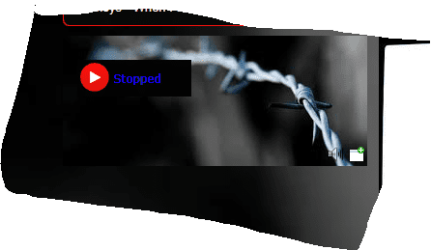
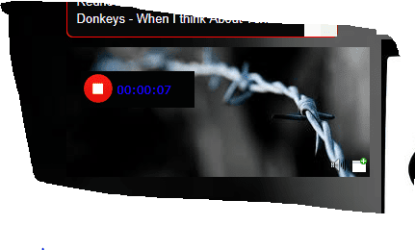
Are you clicking on the play button on the site? I had previously checked it with my Windows 8 system and it automatically played. I just now logged on with my Windows 7 system and I.E. 11 and I had to click on the "play" button.

(I mainly listen to Willie's Roadhouse on Sirius/XM)

Play Off (top) Play ON bottom)
 

Attachments

  • play button off.PNG
    play button off.PNG
    16.4 KB · Views: 9
  • Capture playing.PNG
    Capture playing.PNG
    16.8 KB · Views: 9

My Computer My Computer

At a glance

Windows 10 64 bitIntel i7 6700K16GB Corsair DominatorIntel CPU Graphics
Computer type
PC/Desktop
Computer Manufacturer/Model Number
My Own Build
OS
Windows 10 64 bit
CPU
Intel i7 6700K
Motherboard
ASUS ROG Maximus VIII Hero
Memory
16GB Corsair Dominator
Graphics Card(s)
Intel CPU Graphics
Sound Card
RealTek
Monitor(s) Displays
27" Dell S2719dgf
Screen Resolution
2560X1440
Hard Drives
1 TB Samsung 850 EVO SSD for Win 10 Pro
500GB Samsung 850 EVO SSD for Win 10 Insider
2 TB drive for backup
PSU
EVGA Supernova 750G2
Case
BeQuiet Silent Base 600
Cooling
Deepcool Captain 120EX
Keyboard
Microsoft Wireless 2000
Mouse
Microsoft wireless
Internet Speed
100 MB/sec (Cable)
Antivirus
Microsoft Defender and Malwarebytes
Browser
Edge/Firefox
Other Info
Cakewalk (Sonar) by BandLab and Studio One 4.1 Pro recording studio software. MOTU 896Mk3 Hybrid recording interface, Frontier Tranzport wireless control unit, Behringer X-Touch Control Surface.
Five USB connected optical drives for CD Audio production using Nero BurningROM
I have tried it both ways, nothing works for me. I have actually been emailing with the webmaster and he has tried several things for me as well. The station is also available at TuneIn: Listen to Online Radio, Music and Talk Stations and i am not able to listen to it there either. However i can listen to other streaming stations on tunein.com It has me very confused.
 

My Computer My Computer

At a glance

Windows 7 64 bitIntel xeon
Computer type
PC/Desktop
Computer Manufacturer/Model Number
Dell Precision T3500
OS
Windows 7 64 bit
CPU
Intel xeon
Browser
Chrome & IE
Do you have Windows Media Player set as the default player?

One other thing I missed (forgot to ask). Do you have the "System Mixer" set as the Default Recording device? That is needed to record streaming audio from the internet and may be a source of the problem.
 

My Computer My Computer

At a glance

Windows 10 64 bitIntel i7 6700K16GB Corsair DominatorIntel CPU Graphics
Computer type
PC/Desktop
Computer Manufacturer/Model Number
My Own Build
OS
Windows 10 64 bit
CPU
Intel i7 6700K
Motherboard
ASUS ROG Maximus VIII Hero
Memory
16GB Corsair Dominator
Graphics Card(s)
Intel CPU Graphics
Sound Card
RealTek
Monitor(s) Displays
27" Dell S2719dgf
Screen Resolution
2560X1440
Hard Drives
1 TB Samsung 850 EVO SSD for Win 10 Pro
500GB Samsung 850 EVO SSD for Win 10 Insider
2 TB drive for backup
PSU
EVGA Supernova 750G2
Case
BeQuiet Silent Base 600
Cooling
Deepcool Captain 120EX
Keyboard
Microsoft Wireless 2000
Mouse
Microsoft wireless
Internet Speed
100 MB/sec (Cable)
Antivirus
Microsoft Defender and Malwarebytes
Browser
Edge/Firefox
Other Info
Cakewalk (Sonar) by BandLab and Studio One 4.1 Pro recording studio software. MOTU 896Mk3 Hybrid recording interface, Frontier Tranzport wireless control unit, Behringer X-Touch Control Surface.
Five USB connected optical drives for CD Audio production using Nero BurningROM
The only thing listed on my screen fro default recording devices are "Microphone" & "Rear Input" Microphone is set as the default.
 

My Computer My Computer

At a glance

Windows 7 64 bitIntel xeon
Computer type
PC/Desktop
Computer Manufacturer/Model Number
Dell Precision T3500
OS
Windows 7 64 bit
CPU
Intel xeon
Browser
Chrome & IE
Okay, got that to show up, enabled it and made it default, however i still do not hear any audio.
 

My Computer My Computer

At a glance

Windows 7 64 bitIntel xeon
Computer type
PC/Desktop
Computer Manufacturer/Model Number
Dell Precision T3500
OS
Windows 7 64 bit
CPU
Intel xeon
Browser
Chrome & IE
Are you using the Dell supplied ADI198x Driver? That is the preferred driver. If you are just using the generic Windows installed HD Audio Codec, suggest installing the Dell driver.
Driver Details | Dell US

As no Stereo Mix (may also be called System Mixer) is displayed, in the Sound/Recording Panel, RIGHT click in a blank area in that panel and the LEFT click to display Disabled and Disconnected devices. Stereo Mix should now show up and you can enable it and make it the default recording device.
 

My Computer My Computer

At a glance

Windows 10 64 bitIntel i7 6700K16GB Corsair DominatorIntel CPU Graphics
Computer type
PC/Desktop
Computer Manufacturer/Model Number
My Own Build
OS
Windows 10 64 bit
CPU
Intel i7 6700K
Motherboard
ASUS ROG Maximus VIII Hero
Memory
16GB Corsair Dominator
Graphics Card(s)
Intel CPU Graphics
Sound Card
RealTek
Monitor(s) Displays
27" Dell S2719dgf
Screen Resolution
2560X1440
Hard Drives
1 TB Samsung 850 EVO SSD for Win 10 Pro
500GB Samsung 850 EVO SSD for Win 10 Insider
2 TB drive for backup
PSU
EVGA Supernova 750G2
Case
BeQuiet Silent Base 600
Cooling
Deepcool Captain 120EX
Keyboard
Microsoft Wireless 2000
Mouse
Microsoft wireless
Internet Speed
100 MB/sec (Cable)
Antivirus
Microsoft Defender and Malwarebytes
Browser
Edge/Firefox
Other Info
Cakewalk (Sonar) by BandLab and Studio One 4.1 Pro recording studio software. MOTU 896Mk3 Hybrid recording interface, Frontier Tranzport wireless control unit, Behringer X-Touch Control Surface.
Five USB connected optical drives for CD Audio production using Nero BurningROM
Back
Top