DAoCPirate
New member
- Local time
- 7:08 PM
- Messages
- 5
I just restored my laptop (Acer Aspire 7540) back to factory settings. Everything was working fine before, just slow after years of use. After the reset, the comp is much faster, but I've lost the ability to connect to the internet. I've tried to disable each the LAN and the Wireless setup to test individually. Neither can connect to the internet. Device manager did connect to download an updated driver for the wireless card (Atheros AR5B93 Wireless Network Adapter).
I have other computers/ps4's and other devices that still connect to the internet just fine. I can see the Acer laptop from my desktop computer thru the network and even move files back and forth. I've checked the properties of each LAN and Wifi that they're using TCP/IPv4 and that they are set to obtain ip address automatically as well as a lot more.
Below I'll post ipconfig /all for both the Acer and a working computer on the network, as well as some pings to show it's connected to the internet.
Acer laptop not connecting to internet:
Desktop connecting fine to internet:
below are some things I saw to ping from other sources to see if there's internet:
And lastly, a ping from the Acer (no internet) to the desktop to show the network itself isn't bothered by this.
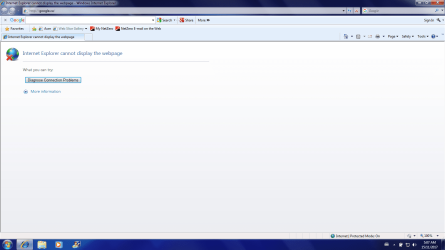
I'm really lost as to why it will ping things on the internet, but internet explorer keeps saying can't display webpage.
I have rebooted the laptop several times and rebooted the modem. There is no antivirus software on the laptop yet, and I disabled windows firewall to make sure that wasn't blocking it.
Any help would be greatly appreciated!
I have other computers/ps4's and other devices that still connect to the internet just fine. I can see the Acer laptop from my desktop computer thru the network and even move files back and forth. I've checked the properties of each LAN and Wifi that they're using TCP/IPv4 and that they are set to obtain ip address automatically as well as a lot more.
Below I'll post ipconfig /all for both the Acer and a working computer on the network, as well as some pings to show it's connected to the internet.
Acer laptop not connecting to internet:
Code:
Microsoft Windows [Version 6.1.7600]
Copyright (c) 2009 Microsoft Corporation.  All rights reserved.

C:\Users\Pirate>ipconfig /all

Windows IP Configuration

   Host Name . . . . . . . . . . . . : Pirate-PC
   Primary Dns Suffix  . . . . . . . :
   Node Type . . . . . . . . . . . . : Hybrid
   IP Routing Enabled. . . . . . . . : No
   WINS Proxy Enabled. . . . . . . . : No

Wireless LAN adapter Wireless Network Connection:

   Connection-specific DNS Suffix  . :
   Description . . . . . . . . . . . : Atheros AR5B93 Wireless Network Adapter
   Physical Address. . . . . . . . . : C4-17-FE-19-0F-FB
   DHCP Enabled. . . . . . . . . . . : Yes
   Autoconfiguration Enabled . . . . : Yes
   Link-local IPv6 Address . . . . . : fe80::cd35:8770:8b7a:33b7%14(Preferred)
   IPv4 Address. . . . . . . . . . . : 192.168.2.18(Preferred)
   Subnet Mask . . . . . . . . . . . : 255.255.255.0
   Lease Obtained. . . . . . . . . . : November-14-17 3:34:18 AM
   Lease Expires . . . . . . . . . . : November-15-17 3:34:18 AM
   Default Gateway . . . . . . . . . : 192.168.2.1
   DHCP Server . . . . . . . . . . . : 192.168.2.1
   DHCPv6 IAID . . . . . . . . . . . : 331618302
   DHCPv6 Client DUID. . . . . . . . : 00-01-00-01-21-9B-60-9C-00-26-2D-79-76-98

   DNS Servers . . . . . . . . . . . : 192.168.2.1
                                       192.168.2.1
   NetBIOS over Tcpip. . . . . . . . : Enabled

Ethernet adapter Local Area Connection:

   Connection-specific DNS Suffix  . :
   Description . . . . . . . . . . . : Broadcom NetLink (TM) Gigabit Ethernet
   Physical Address. . . . . . . . . : 00-26-2D-79-76-98
   DHCP Enabled. . . . . . . . . . . : Yes
   Autoconfiguration Enabled . . . . : Yes
   Link-local IPv6 Address . . . . . : fe80::4caf:e7e9:79ed:7e47%11(Preferred)
   IPv4 Address. . . . . . . . . . . : 192.168.2.11(Preferred)
   Subnet Mask . . . . . . . . . . . : 255.255.255.0
   Lease Obtained. . . . . . . . . . : November-14-17 3:34:14 AM
   Lease Expires . . . . . . . . . . : November-15-17 3:34:14 AM
   Default Gateway . . . . . . . . . : 192.168.2.1
   DHCP Server . . . . . . . . . . . : 192.168.2.1
   DHCPv6 IAID . . . . . . . . . . . : 184559149
   DHCPv6 Client DUID. . . . . . . . : 00-01-00-01-21-9B-60-9C-00-26-2D-79-76-98

   DNS Servers . . . . . . . . . . . : 192.168.2.1
                                       192.168.2.1
   NetBIOS over Tcpip. . . . . . . . : Enabled

Tunnel adapter isatap.{DA9A02D5-13D7-466E-8460-331629163849}:

   Media State . . . . . . . . . . . : Media disconnected
   Connection-specific DNS Suffix  . :
   Description . . . . . . . . . . . : Microsoft ISATAP Adapter
   Physical Address. . . . . . . . . : 00-00-00-00-00-00-00-E0
   DHCP Enabled. . . . . . . . . . . : No
   Autoconfiguration Enabled . . . . : Yes

Tunnel adapter isatap.{00A40A08-DF51-4152-BBA7-04FD29F2810C}:

   Media State . . . . . . . . . . . : Media disconnected
   Connection-specific DNS Suffix  . :
   Description . . . . . . . . . . . : Microsoft ISATAP Adapter #2
   Physical Address. . . . . . . . . : 00-00-00-00-00-00-00-E0
   DHCP Enabled. . . . . . . . . . . : No
   Autoconfiguration Enabled . . . . : Yes

C:\Users\Pirate>
Desktop connecting fine to internet:
Code:
Microsoft Windows [Version 10.0.15063]
(c) 2017 Microsoft Corporation. All rights reserved.

C:\WINDOWS\system32>ipconfig /all

Windows IP Configuration

   Host Name . . . . . . . . . . . . : Beast
   Primary Dns Suffix  . . . . . . . :
   Node Type . . . . . . . . . . . . : Hybrid
   IP Routing Enabled. . . . . . . . : No
   WINS Proxy Enabled. . . . . . . . : No

Ethernet adapter Ethernet:

   Connection-specific DNS Suffix  . :
   Description . . . . . . . . . . . : Killer E2200 Gigabit Ethernet Controller
   Physical Address. . . . . . . . . : D8-CB-8A-E0-7C-9B
   DHCP Enabled. . . . . . . . . . . : Yes
   Autoconfiguration Enabled . . . . : Yes
   Link-local IPv6 Address . . . . . : fe80::2d97:c656:b411:a6f7%11(Preferred)
   IPv4 Address. . . . . . . . . . . : 192.168.2.10(Preferred)
   Subnet Mask . . . . . . . . . . . : 255.255.255.0
   Lease Obtained. . . . . . . . . . : November 14, 2017 2:04:23 PM
   Lease Expires . . . . . . . . . . : November 15, 2017 2:04:22 PM
   Default Gateway . . . . . . . . . : 192.168.2.1
   DHCP Server . . . . . . . . . . . : 192.168.2.1
   DHCPv6 IAID . . . . . . . . . . . : 299420554
   DHCPv6 Client DUID. . . . . . . . : 00-01-00-01-21-7F-01-AD-D8-CB-8A-E0-7C-9B
   DNS Servers . . . . . . . . . . . : 192.168.2.1
                                       192.168.2.1
   NetBIOS over Tcpip. . . . . . . . : Enabled

Tunnel adapter Teredo Tunneling Pseudo-Interface:

   Connection-specific DNS Suffix  . :
   Description . . . . . . . . . . . : Teredo Tunneling Pseudo-Interface
   Physical Address. . . . . . . . . : 00-00-00-00-00-00-00-E0
   DHCP Enabled. . . . . . . . . . . : No
   Autoconfiguration Enabled . . . . : Yes
   IPv6 Address. . . . . . . . . . . : 2001:0:5ef5:79fb:38bb:3534:d0c8:3079(Preferred)
   Link-local IPv6 Address . . . . . : fe80::38bb:3534:d0c8:3079%9(Preferred)
   Default Gateway . . . . . . . . . : ::
   DHCPv6 IAID . . . . . . . . . . . : 369098752
   DHCPv6 Client DUID. . . . . . . . : 00-01-00-01-21-7F-01-AD-D8-CB-8A-E0-7C-9B
   NetBIOS over Tcpip. . . . . . . . : Disabled

C:\WINDOWS\system32>
below are some things I saw to ping from other sources to see if there's internet:
Code:
Microsoft Windows [Version 6.1.7600]
Copyright (c) 2009 Microsoft Corporation.  All rights reserved.

C:\Users\Pirate>NSLOOKUP dns.msftncsi.com
Server:  UnKnown
Address:  192.168.2.1

Non-authoritative answer:
Name:    dns.msftncsi.com
Addresses:  fd3e:4f5a:5b81::1
          131.107.255.255


C:\Users\Pirate>
Code:
Microsoft Windows [Version 6.1.7600]
Copyright (c) 2009 Microsoft Corporation.  All rights reserved.

C:\Users\Pirate>ping google.com

Pinging google.com [172.217.3.110] with 32 bytes of data:
Reply from 172.217.3.110: bytes=32 time=29ms TTL=54
Reply from 172.217.3.110: bytes=32 time=31ms TTL=54
Reply from 172.217.3.110: bytes=32 time=28ms TTL=54
Reply from 172.217.3.110: bytes=32 time=27ms TTL=54

Ping statistics for 172.217.3.110:
    Packets: Sent = 4, Received = 4, Lost = 0 (0% loss),
Approximate round trip times in milli-seconds:
    Minimum = 27ms, Maximum = 31ms, Average = 28ms

C:\Users\Pirate>
Code:
Microsoft Windows [Version 6.1.7600]
Copyright (c) 2009 Microsoft Corporation.  All rights reserved.

C:\Users\Pirate>ping yahoo.com

Pinging yahoo.com [98.139.180.180] with 32 bytes of data:
Reply from 98.139.180.180: bytes=32 time=45ms TTL=50
Reply from 98.139.180.180: bytes=32 time=43ms TTL=50
Reply from 98.139.180.180: bytes=32 time=40ms TTL=50
Reply from 98.139.180.180: bytes=32 time=39ms TTL=50

Ping statistics for 98.139.180.180:
    Packets: Sent = 4, Received = 4, Lost = 0 (0% loss),
Approximate round trip times in milli-seconds:
    Minimum = 39ms, Maximum = 45ms, Average = 41ms

C:\Users\Pirate>
And lastly, a ping from the Acer (no internet) to the desktop to show the network itself isn't bothered by this.
Code:
Microsoft Windows [Version 6.1.7600]
Copyright (c) 2009 Microsoft Corporation.  All rights reserved.

C:\Users\Pirate>ping 192.168.2.10

Pinging 192.168.2.10 with 32 bytes of data:
Reply from 192.168.2.10: bytes=32 time<1ms TTL=128
Reply from 192.168.2.10: bytes=32 time<1ms TTL=128
Reply from 192.168.2.10: bytes=32 time<1ms TTL=128
Reply from 192.168.2.10: bytes=32 time<1ms TTL=128

Ping statistics for 192.168.2.10:
    Packets: Sent = 4, Received = 4, Lost = 0 (0% loss),
Approximate round trip times in milli-seconds:
    Minimum = 0ms, Maximum = 0ms, Average = 0ms

C:\Users\Pirate>
I'm really lost as to why it will ping things on the internet, but internet explorer keeps saying can't display webpage.
I have rebooted the laptop several times and rebooted the modem. There is no antivirus software on the laptop yet, and I disabled windows firewall to make sure that wasn't blocking it.
Any help would be greatly appreciated!
My Computer
At a glance
windows 7 Home Premium
- Computer type
- Laptop
- Computer Manufacturer/Model Number
- Acer
- OS
- windows 7 Home Premium