No sound from headphones

QuiltedGnaves

New member
Local time
5:25 PM
Messages
6
I am having issues with sound playing out of my headphones.

When I plug in my headphones Realtek pops up in the bottom of the screen saying that something was plugged into the jack but the headphones aren't recognized in Windows and I can't change to the headphones in the Realtek audio manager.

Headphones work fine and the audio jack isn't broken. I have a dual boot with Ubuntu and headphones work just fine in that. I have tried other headphones and they don't work either.

I have re-installed the Realtek drivers and the Intel Display Audio drivers.

The microphone on my headset seems to work.

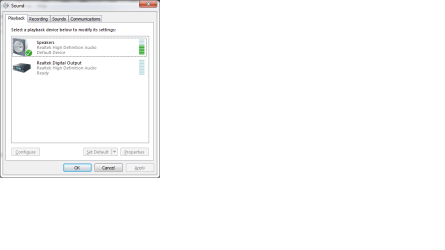
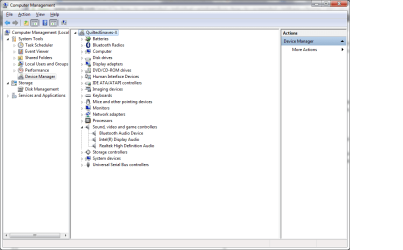
The attached picture of sounds is what it looks like with the headphones plugged in.

This issue seems to have started after I installed Origin but I can't find any sound options in Origin itself.

In my speaker properties I have unchecked the option to allow other applications to take control of it.

Short of reinstalling Windows I feel like I have done everything and am at a lose.
 

Attachments
  • Device Manager.png
    Device Manager.png
    31.5 KB · Views: 3
  • Sound.png
    Sound.png
    13.2 KB · Views: 4

My Computer My Computer

Computer type
Laptop
Computer Manufacturer/Model Number
Asus N53SN
OS
Windows 7 x64 Ultimate
CPU
Intel i5-2410M
Memory
8GB Crucial
Graphics Card(s)
nVidia GeForce GT 550m
Browser
Google Chrome
What is the Bluetooth in the sounds? It may be the Bluetooth is causing the problem? Disable the Bluetooth and see if it makes a difference.
 

My Computer My Computer

Computer type
PC/Desktop
Computer Manufacturer/Model Number
My Own Build
OS
Windows 10 64 bit
CPU
Intel i7 6700K
Motherboard
ASUS ROG Maximus VIII Hero
Memory
16GB Corsair Dominator
Graphics Card(s)
Intel CPU Graphics
Sound Card
RealTek
Monitor(s) Displays
27" Dell S2719dgf
Screen Resolution
2560X1440
Hard Drives
1 TB Samsung 850 EVO SSD for Win 10 Pro
500GB Samsung 850 EVO SSD for Win 10 Insider
2 TB drive for backup
PSU
EVGA Supernova 750G2
Case
BeQuiet Silent Base 600
Cooling
Deepcool Captain 120EX
Keyboard
Microsoft Wireless 2000
Mouse
Microsoft wireless
Internet Speed
100 MB/sec (Cable)
Antivirus
Microsoft Defender and Malwarebytes
Browser
Edge/Firefox
Other Info
Cakewalk (Sonar) by BandLab and Studio One 4.1 Pro recording studio software. MOTU 896Mk3 Hybrid recording interface, Frontier Tranzport wireless control unit, Behringer X-Touch Control Surface.
Five USB connected optical drives for CD Audio production using Nero BurningROM
Disabled Bluetooth. Still didn't work.
 

My Computer My Computer

Computer type
Laptop
Computer Manufacturer/Model Number
Asus N53SN
OS
Windows 7 x64 Ultimate
CPU
Intel i5-2410M
Memory
8GB Crucial
Graphics Card(s)
nVidia GeForce GT 550m
Browser
Google Chrome
I'm not familiar with Origin but since it has to do with gaming it is suspect. Uninstall it and see if things change, since it seems to have started after install of that application.
 

My Computer My Computer

Computer type
PC/Desktop
Computer Manufacturer/Model Number
My Own Build
OS
Windows 10 64 bit
CPU
Intel i7 6700K
Motherboard
ASUS ROG Maximus VIII Hero
Memory
16GB Corsair Dominator
Graphics Card(s)
Intel CPU Graphics
Sound Card
RealTek
Monitor(s) Displays
27" Dell S2719dgf
Screen Resolution
2560X1440
Hard Drives
1 TB Samsung 850 EVO SSD for Win 10 Pro
500GB Samsung 850 EVO SSD for Win 10 Insider
2 TB drive for backup
PSU
EVGA Supernova 750G2
Case
BeQuiet Silent Base 600
Cooling
Deepcool Captain 120EX
Keyboard
Microsoft Wireless 2000
Mouse
Microsoft wireless
Internet Speed
100 MB/sec (Cable)
Antivirus
Microsoft Defender and Malwarebytes
Browser
Edge/Firefox
Other Info
Cakewalk (Sonar) by BandLab and Studio One 4.1 Pro recording studio software. MOTU 896Mk3 Hybrid recording interface, Frontier Tranzport wireless control unit, Behringer X-Touch Control Surface.
Five USB connected optical drives for CD Audio production using Nero BurningROM
Uninstalled Origin and rebooted. No change.
 

My Computer My Computer

Computer type
Laptop
Computer Manufacturer/Model Number
Asus N53SN
OS
Windows 7 x64 Ultimate
CPU
Intel i5-2410M
Memory
8GB Crucial
Graphics Card(s)
nVidia GeForce GT 550m
Browser
Google Chrome
So I found this pretty old forum that talks about my same issue and it seems that they have theorized that it has something to do with the sp/dif and the audio port. My audio port is also a sp/dif port. I am going to try a suggestion to turn off my computer for a bit and then turn it back on.

Will update in a bit.

Here is the link to the other forum: http://www.softwaretipsandtricks.co...d-headphone-jack-realtek-hd-audio-device.html
 
Last edited:

My Computer My Computer

Computer type
Laptop
Computer Manufacturer/Model Number
Asus N53SN
OS
Windows 7 x64 Ultimate
CPU
Intel i5-2410M
Memory
8GB Crucial
Graphics Card(s)
nVidia GeForce GT 550m
Browser
Google Chrome
So after shutting down and leaving it for a minute it didn't work.

I tried a different tactic which is also on the previously mentioned forum which involves putting your computer to sleep and way a minute and then starting it back up. This totally worked, which I have no idea why.

Lol the only issue I have now is that my internet connection icon says that I don't have internet connections (which considering I am typing this we know that is a lie).

I'll try restarting my computer and seeing if it works, but for now the sleep work around will work.
 

My Computer My Computer

Computer type
Laptop
Computer Manufacturer/Model Number
Asus N53SN
OS
Windows 7 x64 Ultimate
CPU
Intel i5-2410M
Memory
8GB Crucial
Graphics Card(s)
nVidia GeForce GT 550m
Browser
Google Chrome
Restarted computer and headphones work fine. Internet icon is displaying connection and everything looks to be running good. Will update again if the headphone problem occurs again or if I can get a definite fix for it and a definite cause.

Am I able to un-mark solved if I mark this as solved and find out it's not?
 

My Computer My Computer

Computer type
Laptop
Computer Manufacturer/Model Number
Asus N53SN
OS
Windows 7 x64 Ultimate
CPU
Intel i5-2410M
Memory
8GB Crucial
Graphics Card(s)
nVidia GeForce GT 550m
Browser
Google Chrome
Hi,
all I want to say is THANK YOU!
I had exactly the same problem as you(just that I was installing Microvolts, not Origin). I did everything you did( I also have dual-boot with Ubuntu) and my last option was to reinstall windows( I wasn't in the mood for that), but I finally found your threat and now, my headphones work again.:)
I really thank you!


Sorry for my bad English( I'm not so good at speaking or writing), but I hope that everyone understands.
 

My Computer My Computer

Computer type
PC/Desktop
OS
Windows 7 Home Premium x64
This "solution" worked for me aswell :D Thanks a million!

Btw im on a Asus N43SN w/ Win 7 Professional, dual-booting with Linux Mint
 

My Computer My Computer

OS
Windows 7 Ultimate x64
CPU
AMD Phenom II X4 965 Black Edition
Motherboard
Gigabyte GA-790FXTA-UD5, Socket-AM3
Memory
Corsair XMS3 DDR3 1333MHz 4GB CL9
Graphics Card(s)
XFX Radeon HD 6970 2GB
Hard Drives
Intel X25-M SSD 80GB 2,5",
WD Caviar® Black 750GB, 3,5", SATA
PSU
Corsair 750W
Back
Top