I recently put together a new system with a fresh installation of Windows 7 64 bit. I cannot get sound to come from my speakers no matter what I have tried. I have trolled through all the forums I could find on the subject, and tried every possible solution, to no avail. I am hoping I simply missed something somewhere along the way, so I will list my specs, as well as everything I have tried thus far.
I am going to attempt to provide as much information as possible, but if I miss something you need to get the full picture, please let me know.
Specs first:

 I tried running a virtual version of XP, as well as a separate installation of Windows Vista, 32 bit. I could not get any sound from the speakers in any configuration. I have also tried installing the drivers from the link on these forums, as an alternate, but they did not resolve the issue.
I am at my wit's end on this one. I know these speakers work, and have tested them on other systems successfully. Is this onboard audio simply dead, or am I missing something else? If anyone can offer a new solution to try, I am all ears.
Lane
I am going to attempt to provide as much information as possible, but if I miss something you need to get the full picture, please let me know.
Specs first:
- MSI 870A-G54 motherboard (with onboard audio - Chipset integrated by Realtek® ALC892)
- AMD Athlon II X2 255 CPU - 3.1 Ghz Dual Core
- Corsair 8 Gb Ram - DDR3 1333 MHz
- Windows 7 64 bit (also tried to get this working on Vista 32 bit installation on same machine, with same results)
- XFX ATI Radeon HD 5550 Graphics Card
- Seagate 1 TB SATA 300 HDD
- Antec 500W PSU
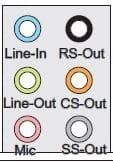
- Creative 5.1 surround speakers - The jacks are the usual black, orange and green, for Center/Sub, Rear, and Left/Right
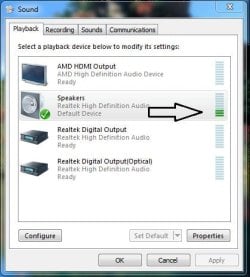
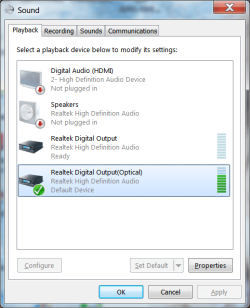
- Installed Win 7, and soon discovered sound was not configured properly. The system kept picking the optical output as the default device, even though there was no optical device connected, and it also showed that the speakers were not plugged in, even though they were, as in the pic below
- After digging through various forums, got advice to click on the Connector Settings (the icon that looks like a folder) in the Realtek Audio Manager, and selecting 'Disable Front Panel Jack Detection', as in the pic below
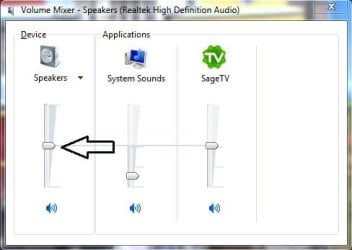
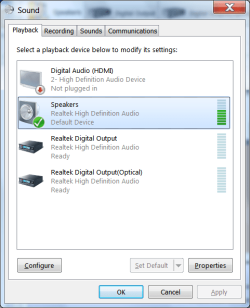
- This enabled the speakers, but even though the system showed them as working, there was still no sound coming from them. This is shown below
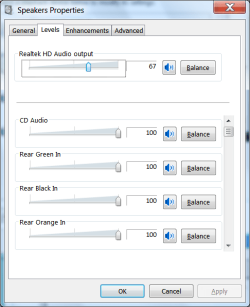
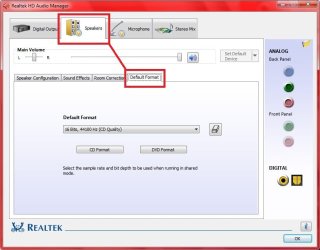
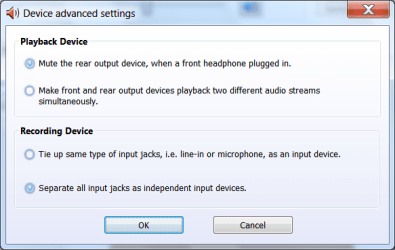
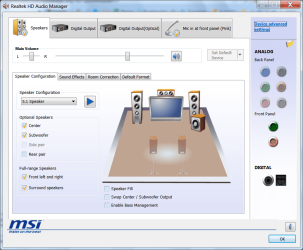
- I played with various settings in the 'Device Advanced Settings Tab', but none of them enabled the speakers to function, and sometimes actually disabled the speakers. The settings I have stuck with are shown below
- I did notice that in the Audio manager, the rear panel jacks appear to be faded out, as opposed to the front jack images. This strikes me as odd considering the settings, and perhaps is related to the speakers not actually playing sound, even though they are supposedly getting a signal. The faded rear input images are shown below
I am at my wit's end on this one. I know these speakers work, and have tested them on other systems successfully. Is this onboard audio simply dead, or am I missing something else? If anyone can offer a new solution to try, I am all ears.
Lane
My Computer
At a glance
Windows 7 Ultimate x64 (6.1, Build 7601)Athlon II X2 255 (Dual Core @3.1Ghz)Corsair 8 Gb - 1333 MHzXFX ATI Radeon HD 5550 (1 GB)
- Computer Manufacturer/Model Number
- System Build
- OS
- Windows 7 Ultimate x64 (6.1, Build 7601)
- CPU
- Athlon II X2 255 (Dual Core @3.1Ghz)
- Motherboard
- MSI 870A-G54
- Memory
- Corsair 8 Gb - 1333 MHz
- Graphics Card(s)
- XFX ATI Radeon HD 5550 (1 GB)
- Sound Card
- Onboard Sound - Realtek HD Audio
- Monitor(s) Displays
- Dell E173FP
- Screen Resolution
- 1280 x 1024
- Hard Drives
- Seagate 1 TB SATA 300 7200 RPM
Western Digital 250GB SATA 300 7200 RPM
Maxtor 200 GB IDE Drive
- PSU
- Antec True Power 500W
- Cooling
- Stock Cooling Fan plus 3 case fans
- Keyboard
- Dell Standard Keyboard
- Mouse
- 5 button optical mouse
- Internet Speed
- 2.5 Mbps Down / .39 Mbps Up
- Other Info
- This is a self-build