Hello guys,
Last night I was helping to a friend and connected his computer with mine by KVM switch. We had done all, I got unplugged KVM switch,reconnected my monitor,KB an mouse.Everything was just fine.
After a while,without reason, (or there may be some reason which I can't figure out),I just got lost out of my sound. Uninstalled and reinstalled all X-Fi apps,no good.
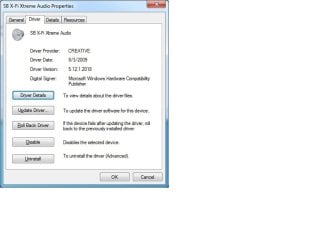
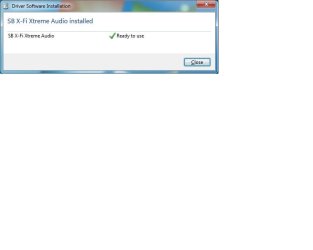
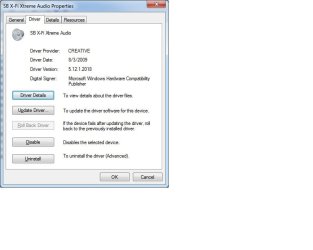
Now I have installed a fresh OS,updated (it's all accurate under my system specs),and all drivers,including SB X-Fi Xtreme audio.No good.
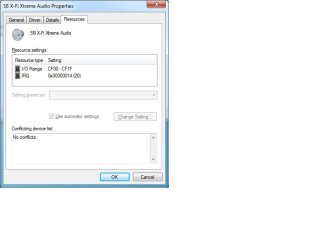
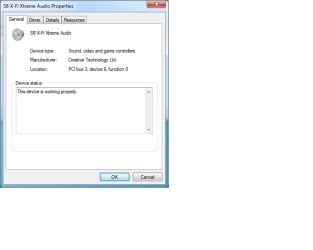
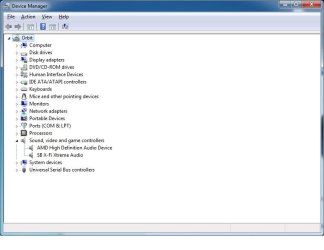
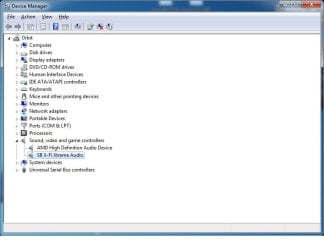
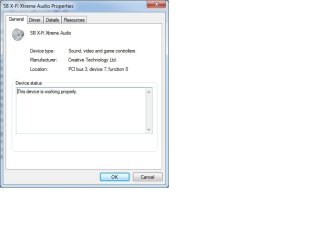
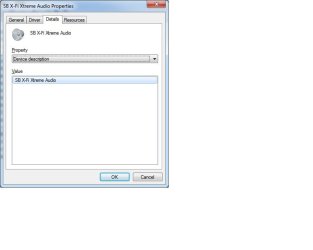
1.Device Manager recognizes proprely under Sound, video and game controllers (SB X-Fi Xtreme Audio/This device is working properly.)
2.Click on Speakers icon,on the General tab,Jack Information :No Jack Information Available
3.Check or uncheck box next to Digital output settings makes no difference
4.Headphones tested on another computer,working
5.Equalizer shows moving green line when playing audio,as if it work
6.No system sounds
7.There are 2 events in Event Viwer,attached to this post.
I have fresh Windows 7 Ultimate SP1 x64,no antivirus,no antimalware,no any other program,only updates, Adobe Flash Player,and drivers.
Starting to think that i'm missing something simple.Totally confused here after checking so many things so many times.
Looking forward to your response.
Last night I was helping to a friend and connected his computer with mine by KVM switch. We had done all, I got unplugged KVM switch,reconnected my monitor,KB an mouse.Everything was just fine.
After a while,without reason, (or there may be some reason which I can't figure out),I just got lost out of my sound. Uninstalled and reinstalled all X-Fi apps,no good.
Now I have installed a fresh OS,updated (it's all accurate under my system specs),and all drivers,including SB X-Fi Xtreme audio.No good.
1.Device Manager recognizes proprely under Sound, video and game controllers (SB X-Fi Xtreme Audio/This device is working properly.)
2.Click on Speakers icon,on the General tab,Jack Information :No Jack Information Available
3.Check or uncheck box next to Digital output settings makes no difference
4.Headphones tested on another computer,working
5.Equalizer shows moving green line when playing audio,as if it work
6.No system sounds
7.There are 2 events in Event Viwer,attached to this post.
I have fresh Windows 7 Ultimate SP1 x64,no antivirus,no antimalware,no any other program,only updates, Adobe Flash Player,and drivers.
Starting to think that i'm missing something simple.Totally confused here after checking so many things so many times.
Looking forward to your response.
Attachments
My Computer
At a glance
Windows 7 Ultimate x64 Service Pack 1/Windows...AMD Athlon(tm) II X3 455 Processor 3.3 GHz Tr...2x4GB Kingston HypeX Blu DDR3 1333MHzSapphire Radeon HD 5450 1GB DDR3
- Computer type
- PC/Desktop
- Computer Manufacturer/Model Number
- custom build
- OS
- Windows 7 Ultimate x64 Service Pack 1/Windows 8.1 with WMC x64/Windows 8.1 with WMC x64
- CPU
- AMD Athlon(tm) II X3 455 Processor 3.3 GHz True Tripple-Core
- Motherboard
- Gigabyte GA-770T-D3L (rev. 1.3)
- Memory
- 2x4GB Kingston HypeX Blu DDR3 1333MHz
- Graphics Card(s)
- Sapphire Radeon HD 5450 1GB DDR3
- Sound Card
- Onboard High Definition Audio 3.2/4/5.1/7.1-channel
- Monitor(s) Displays
- Compaq 1720
- Screen Resolution
- 1280x1024
- Hard Drives
- Western Digital WDC WD1600AAJS-00PSA0 SATA II 160 GB
Western Digital WDC WD10EARX-00N0YB0 SATA III 1TB
SanDisk sdssdp-064g-g25
- PSU
- CHIEFTEC GPA-500S8 iARENA 500W ATX