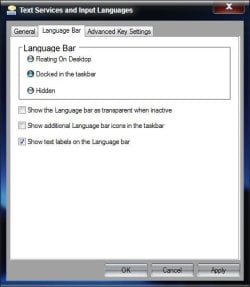
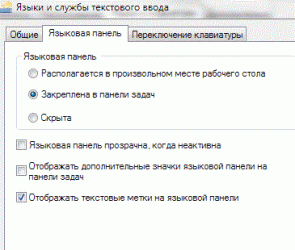
Ok. The options that base on the "Right click on the Language bar icon on the taskbar" do not suit me, do they? I do not have any language bar icons on the taskbar so i cannot click on them. I do not have any Language Bar Settings on the Desktop either. So the two first options go away. The third one is what i need but i have already tried it and nothing changed. What can i do else?
Sorry, I'm having trouble following you. In your 1st post you said "The button that switches the input languages disappeared". Where was this button before it disappered?
Now you say "I do not have any language bar icons on the taskbar so i cannot click on them" My method was to restore the icons, which is what I originally thought you wanted to do?
Then you say "I do not have any Language Bar Settings on the Desktop either". I'm not sure what you mean by this? Did you follow the steps I laid out to get to the settings? If so, did it not help?
I guess we need to understand what "button that switches the input languages disappeared"
Did your problem just start? If so, you may have a system restore point that will save you all the trouble of figuring this out.
A Guy
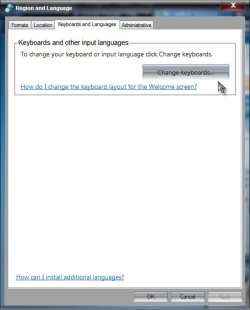
Edit: I'm sorry, I just realized Brink added a link to my post that I had never seen before, so I am unaware if that applies to you. The text, and the images in the post, not the link, was my suggestion. To try what I suggested, start with:
Start> In search box type Region and Language...