- Local time
- 12:21 PM
- Messages
- 37
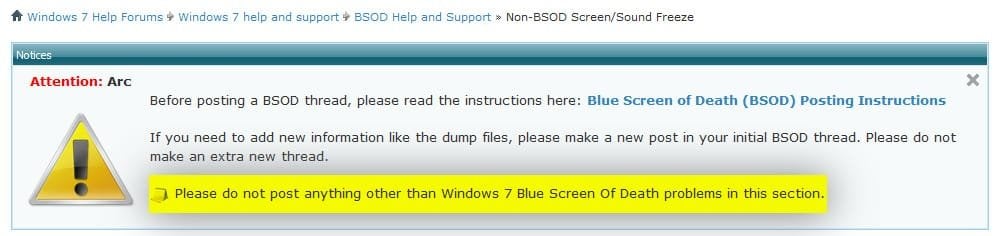
EDIT: I have been informed by a helpful screen capture that this is the wrong forum. However, this keeps happening and I am really desperate to try to figure this out. I am sorry if this is the wrong forum but I do not clearly see which other support forum to post about "system halts that are as bad as a BSOD but do not show a BSOD". They are all about specific topics and without knowing why this is happening I can't know where to post about this. So where should I go with this?
It's difficult to describe exactly what happened, but the on-screen graphics became distorted and the sound (from music) got "stuck" on one note or tone that played endlessly. Nothing responded to mouse or keyboard input. Had to hard reset.
Things that may be causing this (guessing here):
I actually just got prompted to install a new version of the AMD drivers, but I'm not sure whether this will impact anything. If I should run the DM log utility again I will.
Any help offered would be greatly appreciated!
It's difficult to describe exactly what happened, but the on-screen graphics became distorted and the sound (from music) got "stuck" on one note or tone that played endlessly. Nothing responded to mouse or keyboard input. Had to hard reset.
Things that may be causing this (guessing here):
- Installed a new video card (HIS Radeon R9 285). I added this a few months ago and haven't had any major problems I can recall.
- Reinstalled windows on a new SSD (SAMSUNG 850 EVO 3-D Vertical). More recent, but also haven't had any problems yet.
- Started using a new USB mouse. Actually it's a regular-old Microsoft Intellimouse I've had for years. Seems unlikely but the last time I had BSOD issues, it was a USB driver. Sometimes Windows doesn't recognize the mouse on waking from sleep and I have to re-plug it.
- Enabled hibernate, put computer into hibernate and restored it for the first time with this SSD and install of Windows. Again, seems unlikely, but I did this today.
I actually just got prompted to install a new version of the AMD drivers, but I'm not sure whether this will impact anything. If I should run the DM log utility again I will.
Any help offered would be greatly appreciated!
Attachments
Last edited:
My Computer
- Computer type
- PC/Desktop
- Computer Manufacturer/Model Number
- Custom Built
- OS
- Windows 7 Home Premium 64 bit
- CPU
- AMD Phenom II X4 965 3.4 GHz
- Motherboard
- Asus M4A88T-V EVO
- Memory
- G.SKILL Ripjaws 8 GB (2 x 4GB) 240-Pin DDR3 SDRAM DDR3 1333
- Graphics Card(s)
- HIS H285QMC2GD Radeon R9 285 2GB 256-Bit GDDR5
- Sound Card
- Integrated (MB) Sound
- Monitor(s) Displays
- Acer G235HAbd 23'' WideScreen LCD monitor
- Screen Resolution
- 1280x1024
- Hard Drives
- SAMSUNG 850 EVO MZ-75E500B/AM 2.5" 500GB SATA III 3-D Vertical Internal Solid State Drive
SAMSUNG Spinpoint F3 HD103SJ 1TB 7200 RPM 32MB Cache SATA 3.0Gb/s 3.5"
Seagate FreeAgent GoFlex Desk 3TB (External, USB 3.0)
- PSU
- CORSAIR Enthusiast Series TX750 V2 750W ATX12V v2.31
- Case
- Cooler Master HAF 922
- Cooling
- Stock fans & Cooler Master Megaflow 200 Red LED Case Fan