Notification .DLL has not been registered.

Warmage007

New member
Local time
9:51 PM
Messages
13
Hey guys. so i've been getting this error on startup and it says "Notification .dll has not been registered. some programs might not work correctly." And on the title it says "Wireless Network Configuration" I've been getting this error for quite some time now but i really never looked into it.. If anyone here could help me with this issue It would be awesome.
 

My Computer

Computer Manufacturer/Model Number
Dell
OS
windows 7 home premium 64bit
Graphics Card(s)
ATI Mobility Radeon HD 4670
Screen Resolution
1920x1080
bump i really need help with this.
 

My Computer

Computer Manufacturer/Model Number
Dell
OS
windows 7 home premium 64bit
Graphics Card(s)
ATI Mobility Radeon HD 4670
Screen Resolution
1920x1080
Can anyone on this forum help me with this issue..?
 

My Computer

Computer Manufacturer/Model Number
Dell
OS
windows 7 home premium 64bit
Graphics Card(s)
ATI Mobility Radeon HD 4670
Screen Resolution
1920x1080
Hi,

Try the following:

1. Click Start :orb:
2. In the search box, type cmd
3. In the list that appears, right-click on cmd.exe, and choose 'Run as Administrator'
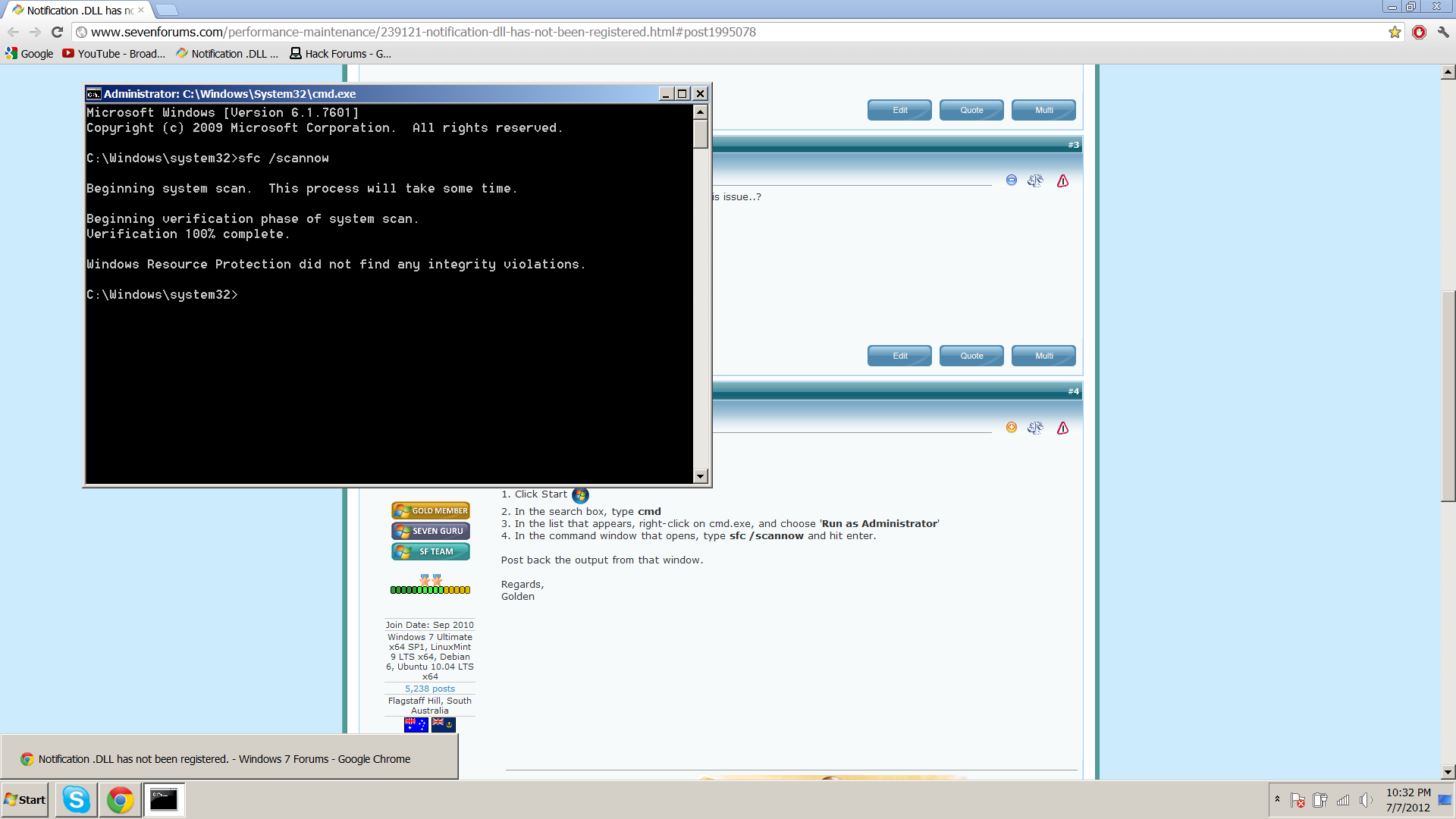
4. In the command window that opens, type sfc /scannow and hit enter.

Post back the output from that window.

Regards,
Golden
 

My Computer

Computer type
PC/Desktop
Computer Manufacturer/Model Number
Golden Mk. I.4
OS
Windows 10 Pro x64 ; Xubuntu x64
CPU
Intel i7 860 @ 2.80 GHz O/C'ed to 4.0GHz
Motherboard
Gigabyte P55A-UD3R Rev.1. Award BIOS F13
Memory
16GB Corsair Vengance DDR3 @ 661 MHz Dual Channel (9-9-9-24)
Graphics Card(s)
EVGA NVidia GTX 560 1024MB
Sound Card
Realtek Integrated
Monitor(s) Displays
Dual Samsung SyncMaster 2494HS
Screen Resolution
1920*1080 and 1920*1080
Hard Drives
1*Samsung 840 EVO 120GB SSD;
1*OCZ Vertex 2 60GB SSD;
2*Samsung F3 SpinPoint 1TB in RAID0;
1*Samsung F1 SpinPoint 1TB;
2*Western Digital 1TB External USB 3.0
1*Western Digital 500GB External USB 3.0
1*Seagate 500GB External USB 2.0
PSU
Thermaltake ToughPower QFan 750W
Case
Thermaltake Element S VK60001W2Z
Cooling
Corsair H60 Water Cooling, 2*230mm and 2*80mm case fans
Keyboard
Logitech G110
Mouse
Logitech MX518
Thank you for responding!
here are the results of the tests.
rG5P4.png
 

My Computer

Computer Manufacturer/Model Number
Dell
OS
windows 7 home premium 64bit
Graphics Card(s)
ATI Mobility Radeon HD 4670
Screen Resolution
1920x1080

My Computer

Computer type
PC/Desktop
Computer Manufacturer/Model Number
Self assembled
OS
Windows 10 Home 64Bit
CPU
Intel Core i5 10400 @ 2.90GHz
Motherboard
Intel Corporation DG41WV (PROCESSOR)
Memory
8.00GB Single-Channel Unknown @ 1329MHz (16-20-20-38)
Sound Card
Realtek High Definition Audio
Monitor(s) Displays
DELL E170S
Screen Resolution
1280x1024 pixels
Hard Drives
931GB TOSHIBA DT01ACA100 (SATA)
238GB TEAM TM8PS7256G (SATA SSD)
Case
Nothing Fancy
Cooling
Fans
Keyboard
A4 Tech Co LTD
Mouse
A4 Tech Co Ltd/Logitech
Internet Speed
25 Mbps
I've had this problem for about a year but i never took action.. i think that's where my mistake was.. i will try some of th methods above. thank you for the replies :)
 

My Computer

Computer Manufacturer/Model Number
Dell
OS
windows 7 home premium 64bit
Graphics Card(s)
ATI Mobility Radeon HD 4670
Screen Resolution
1920x1080
Do keep us posted :)
 

My Computer

Computer type
PC/Desktop
Computer Manufacturer/Model Number
Self assembled
OS
Windows 10 Home 64Bit
CPU
Intel Core i5 10400 @ 2.90GHz
Motherboard
Intel Corporation DG41WV (PROCESSOR)
Memory
8.00GB Single-Channel Unknown @ 1329MHz (16-20-20-38)
Sound Card
Realtek High Definition Audio
Monitor(s) Displays
DELL E170S
Screen Resolution
1280x1024 pixels
Hard Drives
931GB TOSHIBA DT01ACA100 (SATA)
238GB TEAM TM8PS7256G (SATA SSD)
Case
Nothing Fancy
Cooling
Fans
Keyboard
A4 Tech Co LTD
Mouse
A4 Tech Co Ltd/Logitech
Internet Speed
25 Mbps
I know this is an old thread, but was wondering if the poster ever figured out the issue?

I have the same error on my new Win7 sytem I just put together last week. I'm guessing it's related one of the ASUS MB(P8Z77-V Deluxe) programs installed from the MB's Driver/Utilities disk.
 

My Computer

OS
Win 7 Pro
CPU
I7
Motherboard
ASUS
Memory
16G
Graphics Card(s)
ATI
Sound Card
ASUS onboard - Realtek
Monitor(s) Displays
ASUS IPS
Hard Drives
1TB Raid 1
Case
Antec P280
I know this is an old thread, but was wondering if the poster ever figured out the issue?

I have the same error on my new Win7 sytem I just put together last week. I'm guessing it's related one of the ASUS MB(P8Z77-V Deluxe) programs installed from the MB's Driver/Utilities disk.

Did you try the steps given in: http://www.sevenforums.com/tutorial...ation-conflicts-performing-clean-startup.html

Check this tutorial as well: http://www.sevenforums.com/tutorials/219576-clean-up-factory-bloatware.html
 

My Computer

Computer type
PC/Desktop
Computer Manufacturer/Model Number
Self assembled
OS
Windows 10 Home 64Bit
CPU
Intel Core i5 10400 @ 2.90GHz
Motherboard
Intel Corporation DG41WV (PROCESSOR)
Memory
8.00GB Single-Channel Unknown @ 1329MHz (16-20-20-38)
Sound Card
Realtek High Definition Audio
Monitor(s) Displays
DELL E170S
Screen Resolution
1280x1024 pixels
Hard Drives
931GB TOSHIBA DT01ACA100 (SATA)
238GB TEAM TM8PS7256G (SATA SSD)
Case
Nothing Fancy
Cooling
Fans
Keyboard
A4 Tech Co LTD
Mouse
A4 Tech Co Ltd/Logitech
Internet Speed
25 Mbps

My Computer

OS
Win 7 Pro
CPU
I7
Motherboard
ASUS
Memory
16G
Graphics Card(s)
ATI
Sound Card
ASUS onboard - Realtek
Monitor(s) Displays
ASUS IPS
Hard Drives
1TB Raid 1
Case
Antec P280
Thanks, I tracked it down with the above guide .

FYI, In my case, t was a "Broadcom Wireless LAN Tray Service" installed via my ASUS Mother board system disk. Since I use wired lan on the PC, I removed that app and problem solved.

Thanks for letting us know. :)
 

My Computer

Computer type
PC/Desktop
Computer Manufacturer/Model Number
Self assembled
OS
Windows 10 Home 64Bit
CPU
Intel Core i5 10400 @ 2.90GHz
Motherboard
Intel Corporation DG41WV (PROCESSOR)
Memory
8.00GB Single-Channel Unknown @ 1329MHz (16-20-20-38)
Sound Card
Realtek High Definition Audio
Monitor(s) Displays
DELL E170S
Screen Resolution
1280x1024 pixels
Hard Drives
931GB TOSHIBA DT01ACA100 (SATA)
238GB TEAM TM8PS7256G (SATA SSD)
Case
Nothing Fancy
Cooling
Fans
Keyboard
A4 Tech Co LTD
Mouse
A4 Tech Co Ltd/Logitech
Internet Speed
25 Mbps
Hey guys. so i've been getting this error on startup and it says "Notification .dll has not been registered. some programs might not work correctly." And on the title it says "Wireless Network Configuration" I've been getting this error for quite some time now but i really never looked into it.. If anyone here could help me with this issue It would be awesome.

RE: Go to start right click the command prompt as Run as administrator and tried to registered the dll.
C:\WINDOWS\sytem32>regsvr32 wltrynt.dll (Press Enter)
 

My Computer

Computer type
Laptop
Computer Manufacturer/Model Number
Dell XPS 15
OS
windows 7 64bit ultimate
Back
Top