Odd problems caused by extremely high CPU and Physical Memory Usage

EthanWang

New member
Local time
2:23 AM
Messages
7
Greeting,
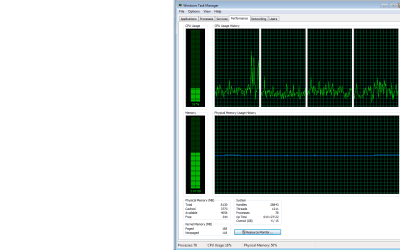
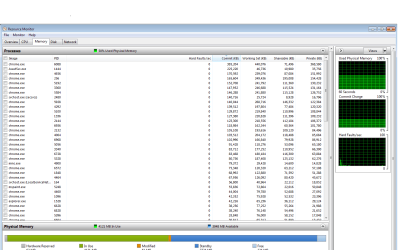
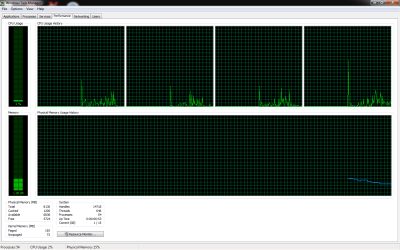
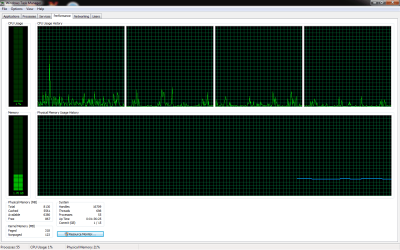
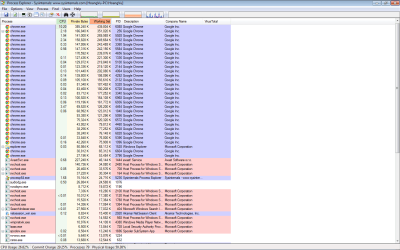
Lately i have encountered a frustrating high level of CPU and Memory usage. When i first started my computer with no application running, i noticed the slow loading, and that's when i saw my CPU and physical memory rocket-up to 60% and 2 gigs of ram. To make the matter worse, the physical memory usage increases gradually until it reachs near 4 GB. At some point, the free P/M reaches 0, the CPU usage is unstable ( somestimes its 20% and somestimes 90%). There's another strange thing is the sudden appearance of svchost.exe which i haven't seen since i bought this PC. I've searched through the forums and found several methods ( Virus scanning, process explorer, turning off several unneccessary services and even re-install windows ( C driver to be specific) ) but sadly nothing worked. I've also disabled the apps that i recently added to chrome ( as i thought they were the causes), but the P/M Usage still stays at 4GB. The only thing that i can use with getting lag and stuttering now is google chrome, although its a horror just looking at how slow things are. Please help me to find a solution, i have a lots of important document and i can't stand the thought of having to completely re-boot my whole computer. Thanks a lot!

My Computer:
Windows 7 Ultimate 64-bit
8 GB RAM
Processor Intel Core I5 3.0Ghz
Graphic Card GTX 650 Ti

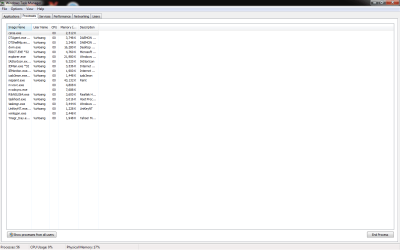
P/s: Please be reminded that even if i turn off all the google chromes and Avast processes, the P/M usage will stay at 2GB or more ( no application running). I've also tried to use the Event Viewer to see the Application and Services logs. If you need a screen shot about the warnings and errors i got just request below!
PE1.png

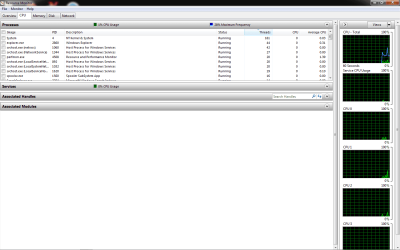
PE2.png

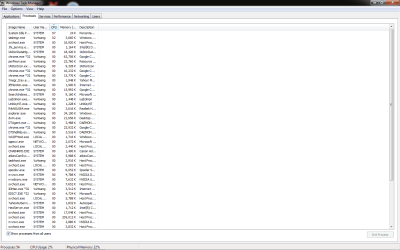
Task Manager 1.png

Perf.png

Perf2.png

Perf3.png
 

My Computer

Computer type
PC/Desktop
OS
Windows 7 64 bit
I would say your RAM usage is normal. I didn't use a calculator but it looks like 1.2-1.5GB comes from chrome alone.

You need to check CPU tab of Resource Monitor for both processes and services, I can't make anything from these screenshots. Even though 20% is high for idle, it is quite normal for perhaps a scheduled AV scan. You can try setting a high performance power plan and see if that helps.
 

My Computer

Computer type
PC/Desktop
Computer Manufacturer/Model Number
Custom Build
OS
Windows 7 Ultimate x64 SP1
CPU
AMD Phenom 2 1090T
Motherboard
Gigabyte GA-890FXA-UD5
Memory
2x8GB Kingston HyperX Fury Black 1600Mhz Unganged
Graphics Card(s)
MSI GTX 970 Gaming 4G
Sound Card
Realtek On-Board HD 7.1 Audio / Logitech G35
Monitor(s) Displays
3xAcer GD245HQ
Screen Resolution
1920x1080
Hard Drives
Samsung 850 Pro 512GB SSD - OS /
WD Caviar Black SATA 3 - 1 TBx2 - Dynamic RAID 0 /
WD Caviar Green SATA 2 - 640GBx2 - Dynamic RAID 0 /
WD Caviar Green SATA 2 - 640GB - Internal Backup /
Seagate Barracude SATA 3 - 3TB - External Backup/ Sync
PSU
HighPower 1000W
Case
Cooler Master HAF 932
Cooling
Noctua NH-D14
Keyboard
Logitech G19
Mouse
Logitech G500
Internet Speed
100/4 Mbit Cable (100GB quota)
Antivirus
ZoneAlarm Extreme Security / MBAM Pro / MBAE Free / SAS Free
Browser
IE 11 - Firefox - Chrome
Other Info
Logitech F710/ G27/ G940/ Z5500 // TrackIR 5 // Nvidia 3D Surround Vision
60% memory usage isn't going to cause any problems. I frequently reach that and higher with no problems at all on a 4 GB system. Low Free memory is not a problem, zero being the ideal. The CPU usage shown will not cause any problems either.

I see nothing abnormal.

There is a popular misconception that the more memory a computer uses the slower it will be. That is backwards. High memory usage only becomes a problem when available memory is low and that is not the case here.
 

My Computer

Computer type
PC/Desktop
Computer Manufacturer/Model Number
HP
OS
Windows 7 Pro 64 bit
CPU
Xeon W3520
Memory
8 GB
Graphics Card(s)
Nvidia Geforce 210
Hi and welcome to SevenForums,
Use Clean boot,
http://www.sevenforums.com/tutorials/179159-troubleshoot-application-conflicts-performing-clean-startup.html
Click Start and type in the search box,
msconfig
Click on the suggestion on top or hit the Enter key,
Go to the Startup section and take some screen shots for a complete list,
Go to the Services section and on the bottom left Check the box to Hide All Microsoft services,
Repeat the screen shots,
See the links above my signature on how to take and upload screen shots here,
Cheers.
 

My Computer

Computer type
PC/Desktop
Computer Manufacturer/Model Number
Custom assembled by me :}
OS
Win-7-Pro64bit 7-H-Prem-64bit
CPU
i7-5930K 2nd i9-9940x both water blocked VRM's too
Motherboard
ASUS SABERTOOTH X99 2nd ASUS x299 Apex
Memory
Trident-z 3200C14 2nd Trident-z 3600C16
Graphics Card(s)
EVGA 1080ti ftw3 2nd Titan Xp both water blocked
Sound Card
Built-in Realtek
Monitor(s) Displays
1-AOC G2460PG 24"G-Sync 144Hz/ 2nd 1-ASUS VG248QE 24" 144Hz
Screen Resolution
1920 x 1080 144Hz
Hard Drives
2-Samsung M.2 Evo & Evo Plus
2-Samsung 850 EVO 500GB SSD's/ 3-2.5 W.D. Black 1tb-&3-1tb/3-3.5 WD Black 1tb hdd's
PSU
EVGA SuperNOVA 1000-P2 2nd 1200-P2
Case
2-Corsair Obsidian Series 450D Black ATX Mid Tower
Cooling
Custom water loops
Keyboard
Logitech G710+/ 2nd Logitech G910
Mouse
2-RedDragon M901 Perdition 16400 dpi Gaming mouse = wired
Internet Speed
Comcast Ping 19ms 89.31mbps download speed 6.12mbps upload
Antivirus
Malwarebytes Pro/ Superantispyware Pro
Browser
FireFox & Pale moon
Other Info
2nd ASUS X299 Apex/Intel i9-9940x with Custom water loop/7H-Prem-x64/Corsair 450D case/Ram Trident-z 3600C16 4x8gb / Samsung970Evo plus 500gb SSD/Dual ssd EZ swap evo/PSU EVGA SuperNova 1200w-P2 80+Platinum/GPU Titan Xp /8-ML-140 on push-pull on 2-280GTX rads
Hi and welcome to SevenForums,
Use Clean boot,
http://www.sevenforums.com/tutorials/179159-troubleshoot-application-conflicts-performing-clean-startup.html
Click Start and type in the search box,
msconfig
Click on the suggestion on top or hit the Enter key,
Go to the Startup section and take some screen shots for a complete list,
Go to the Services section and on the bottom left Check the box to Hide All Microsoft services,
Repeat the screen shots,
See the links above my signature on how to take and upload screen shots here,
Cheers.

Thanks for the response ThrashZone,
I've tried turning off almost every services and here's what i got : The problem persists
Task1.png
Task2.png
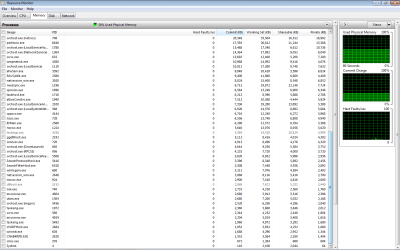
I don't know if this is helpful but i also started the windows in safemode, the ram miraculously returned to the normal value ( about 600-700 MB Memory usage ). Another thing is, while in safe mode, i noticed a large difference in the value of System - NT and Kernel System. This value in safe mode stays at approximately 80-90. Meanwhile the number is extremely high when i start windows normally :
RM1.png
Hope to hear from you soon!
 

My Computer

Computer type
PC/Desktop
OS
Windows 7 64 bit
I would say your RAM usage is normal. I didn't use a calculator but it looks like 1.2-1.5GB comes from chrome alone.

You need to check CPU tab of Resource Monitor for both processes and services, I can't make anything from these screenshots. Even though 20% is high for idle, it is quite normal for perhaps a scheduled AV scan. You can try setting a high performance power plan and see if that helps.
Thanks for posting. Unfortunately i've tried scanning my whole computer with Avast, malwarebyte, updating drivers, Cleaning with CCleaner, checking temparature, still no viruses, malwares and the problem's still there. And the reason why i pay attention to the RAM usage is that on startup it immediately take 1-1.5GB without ANY noticable programs running. Another point is it slows my PC down a lot, especially at the start. You can see my reply above for more information.
Cheers :D
 

My Computer

Computer type
PC/Desktop
OS
Windows 7 64 bit
60% memory usage isn't going to cause any problems. I frequently reach that and higher with no problems at all on a 4 GB system. Low Free memory is not a problem, zero being the ideal. The CPU usage shown will not cause any problems either.

I see nothing abnormal.

There is a popular misconception that the more memory a computer uses the slower it will be. That is backwards. High memory usage only becomes a problem when available memory is low and that is not the case here.
Well i understand your point, but sadly in my case this problem does slow my computer down, thats why i'm desperately seeking helps here. Please see my replies above for more information.
Thanks!
 

My Computer

Computer type
PC/Desktop
OS
Windows 7 64 bit
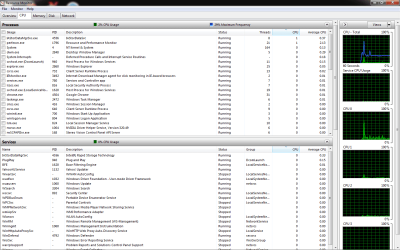
In Task Manager click "show processes from all users" and sort by CPU.
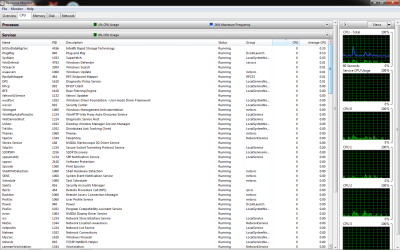
Also in Resource Monitor CPU tab, also expand Services section, and sort by CPU.
 

My Computer

Computer type
PC/Desktop
Computer Manufacturer/Model Number
Custom Build
OS
Windows 7 Ultimate x64 SP1
CPU
AMD Phenom 2 1090T
Motherboard
Gigabyte GA-890FXA-UD5
Memory
2x8GB Kingston HyperX Fury Black 1600Mhz Unganged
Graphics Card(s)
MSI GTX 970 Gaming 4G
Sound Card
Realtek On-Board HD 7.1 Audio / Logitech G35
Monitor(s) Displays
3xAcer GD245HQ
Screen Resolution
1920x1080
Hard Drives
Samsung 850 Pro 512GB SSD - OS /
WD Caviar Black SATA 3 - 1 TBx2 - Dynamic RAID 0 /
WD Caviar Green SATA 2 - 640GBx2 - Dynamic RAID 0 /
WD Caviar Green SATA 2 - 640GB - Internal Backup /
Seagate Barracude SATA 3 - 3TB - External Backup/ Sync
PSU
HighPower 1000W
Case
Cooler Master HAF 932
Cooling
Noctua NH-D14
Keyboard
Logitech G19
Mouse
Logitech G500
Internet Speed
100/4 Mbit Cable (100GB quota)
Antivirus
ZoneAlarm Extreme Security / MBAM Pro / MBAE Free / SAS Free
Browser
IE 11 - Firefox - Chrome
Other Info
Logitech F710/ G27/ G940/ Z5500 // TrackIR 5 // Nvidia 3D Surround Vision
In Task Manager click "show processes from all users" and sort by CPU.
Also in Resource Monitor CPU tab, also expand Services section, and sort by CPU.
Here you go!
Task3.png
RMService1.png
Hope this helps!
 

My Computer

Computer type
PC/Desktop
OS
Windows 7 64 bit
Not really :p

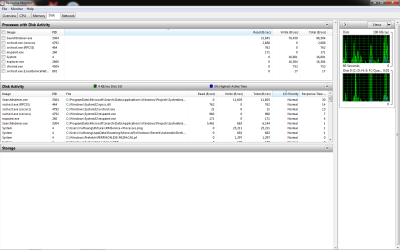
Because whatever that is bugging you wasn't running while you took the screenshots (only 2% CPU). Do it again later when you are experiencing it. If it is doing it now, also check Disk tab in Resource Monitor, sort by reads the writes. Try to find the top ones.

Also expand both Processes and Services in CPU tab, only top 10 entries from both will be enough (hopefully).
 

My Computer

Computer type
PC/Desktop
Computer Manufacturer/Model Number
Custom Build
OS
Windows 7 Ultimate x64 SP1
CPU
AMD Phenom 2 1090T
Motherboard
Gigabyte GA-890FXA-UD5
Memory
2x8GB Kingston HyperX Fury Black 1600Mhz Unganged
Graphics Card(s)
MSI GTX 970 Gaming 4G
Sound Card
Realtek On-Board HD 7.1 Audio / Logitech G35
Monitor(s) Displays
3xAcer GD245HQ
Screen Resolution
1920x1080
Hard Drives
Samsung 850 Pro 512GB SSD - OS /
WD Caviar Black SATA 3 - 1 TBx2 - Dynamic RAID 0 /
WD Caviar Green SATA 2 - 640GBx2 - Dynamic RAID 0 /
WD Caviar Green SATA 2 - 640GB - Internal Backup /
Seagate Barracude SATA 3 - 3TB - External Backup/ Sync
PSU
HighPower 1000W
Case
Cooler Master HAF 932
Cooling
Noctua NH-D14
Keyboard
Logitech G19
Mouse
Logitech G500
Internet Speed
100/4 Mbit Cable (100GB quota)
Antivirus
ZoneAlarm Extreme Security / MBAM Pro / MBAE Free / SAS Free
Browser
IE 11 - Firefox - Chrome
Other Info
Logitech F710/ G27/ G940/ Z5500 // TrackIR 5 // Nvidia 3D Surround Vision
Not really :p

Because whatever that is bugging you wasn't running while you took the screenshots (only 2% CPU). Do it again later when you are experiencing it. If it is doing it now, also check Disk tab in Resource Monitor, sort by reads the writes. Try to find the top ones.

Also expand both Processes and Services in CPU tab, only top 10 entries from both will be enough (hopefully).

Yeah that CPU usage doesn't concern me anymore as in my replies to ThrashZone. I'm now trying to understand why my memory usage stay at nearly 2GB while nothing's running, cuz it seems absolutely abnormal to me.
Task4.png

Here's the requested images :
Disk.png
RMService+Processes.png
Thanks a lot !!
 

My Computer

Computer type
PC/Desktop
OS
Windows 7 64 bit
I would say your RAM usage is normal. I didn't use a calculator but it looks like 1.2-1.5GB comes from chrome alone.

You need to check CPU tab of Resource Monitor for both processes and services, I can't make anything from these screenshots. Even though 20% is high for idle, it is quite normal for perhaps a scheduled AV scan. You can try setting a high performance power plan and see if that helps.
Thanks for posting. Unfortunately i've tried scanning my whole computer with Avast, malwarebyte, updating drivers, Cleaning with CCleaner, checking temparature, still no viruses, malwares and the problem's still there. And the reason why i pay attention to the RAM usage is that on startup it immediately take 1-1.5GB without ANY noticable programs running. Another point is it slows my PC down a lot, especially at the start. You can see my reply above for more information.
Cheers :D

I am not saying you don't have a problem. But the assumption that this is caused by memory is not supported by the evidence.
 

My Computer

Computer type
PC/Desktop
Computer Manufacturer/Model Number
HP
OS
Windows 7 Pro 64 bit
CPU
Xeon W3520
Memory
8 GB
Graphics Card(s)
Nvidia Geforce 210
2GB is normal for 64bit. I don't believe RAM is your issue if you still have a slow down. Check your Disk tab, that's the only other thing I can think would slow things down.

My idle usage is 15-17% (of 16GB) = 2.5 - 2.72 GB
 

My Computer

Computer type
PC/Desktop
Computer Manufacturer/Model Number
Custom Build
OS
Windows 7 Ultimate x64 SP1
CPU
AMD Phenom 2 1090T
Motherboard
Gigabyte GA-890FXA-UD5
Memory
2x8GB Kingston HyperX Fury Black 1600Mhz Unganged
Graphics Card(s)
MSI GTX 970 Gaming 4G
Sound Card
Realtek On-Board HD 7.1 Audio / Logitech G35
Monitor(s) Displays
3xAcer GD245HQ
Screen Resolution
1920x1080
Hard Drives
Samsung 850 Pro 512GB SSD - OS /
WD Caviar Black SATA 3 - 1 TBx2 - Dynamic RAID 0 /
WD Caviar Green SATA 2 - 640GBx2 - Dynamic RAID 0 /
WD Caviar Green SATA 2 - 640GB - Internal Backup /
Seagate Barracude SATA 3 - 3TB - External Backup/ Sync
PSU
HighPower 1000W
Case
Cooler Master HAF 932
Cooling
Noctua NH-D14
Keyboard
Logitech G19
Mouse
Logitech G500
Internet Speed
100/4 Mbit Cable (100GB quota)
Antivirus
ZoneAlarm Extreme Security / MBAM Pro / MBAE Free / SAS Free
Browser
IE 11 - Firefox - Chrome
Other Info
Logitech F710/ G27/ G940/ Z5500 // TrackIR 5 // Nvidia 3D Surround Vision
I would say your RAM usage is normal. I didn't use a calculator but it looks like 1.2-1.5GB comes from chrome alone.

You need to check CPU tab of Resource Monitor for both processes and services, I can't make anything from these screenshots. Even though 20% is high for idle, it is quite normal for perhaps a scheduled AV scan. You can try setting a high performance power plan and see if that helps.
Thanks for posting. Unfortunately i've tried scanning my whole computer with Avast, malwarebyte, updating drivers, Cleaning with CCleaner, checking temparature, still no viruses, malwares and the problem's still there. And the reason why i pay attention to the RAM usage is that on startup it immediately take 1-1.5GB without ANY noticable programs running. Another point is it slows my PC down a lot, especially at the start. You can see my reply above for more information.
Cheers :D

I am not saying you don't have a problem. But the assumption that this is caused by memory is not supported by the evidence.

I don't consider 2 GB usage with "nothing" running unusual or a cause for concern. Within reasonable limits the more RAM you have the more that will be used. This is as it should be. RAM was meant to be used, not sit idle. Don't think that this usage is permanent. When a large program is opened the usage by current processes will be trimmed back to meet the demand, drastically if necessary. Memory usage in any modern OS is HIGHLY dynamic.

As I said before, high memory usage will not cause any problems unless there is a shortage. That is clearly not the case.

Of course it is possible that some problem may cause high memory usage. But in that case it is only a symptom and not the cause. I see nothing that would suggest this is the case.
 

My Computer

Computer type
PC/Desktop
Computer Manufacturer/Model Number
HP
OS
Windows 7 Pro 64 bit
CPU
Xeon W3520
Memory
8 GB
Graphics Card(s)
Nvidia Geforce 210
What items are unchecked from the msconfig startup section you didn't show us that :(
The spikes are interesting but usually means something is updating / scanning...

Show us your startup section,
A better screen shot would be your programs and features list/ Uninstall a program list.
 

My Computer

Computer type
PC/Desktop
Computer Manufacturer/Model Number
Custom assembled by me :}
OS
Win-7-Pro64bit 7-H-Prem-64bit
CPU
i7-5930K 2nd i9-9940x both water blocked VRM's too
Motherboard
ASUS SABERTOOTH X99 2nd ASUS x299 Apex
Memory
Trident-z 3200C14 2nd Trident-z 3600C16
Graphics Card(s)
EVGA 1080ti ftw3 2nd Titan Xp both water blocked
Sound Card
Built-in Realtek
Monitor(s) Displays
1-AOC G2460PG 24"G-Sync 144Hz/ 2nd 1-ASUS VG248QE 24" 144Hz
Screen Resolution
1920 x 1080 144Hz
Hard Drives
2-Samsung M.2 Evo & Evo Plus
2-Samsung 850 EVO 500GB SSD's/ 3-2.5 W.D. Black 1tb-&3-1tb/3-3.5 WD Black 1tb hdd's
PSU
EVGA SuperNOVA 1000-P2 2nd 1200-P2
Case
2-Corsair Obsidian Series 450D Black ATX Mid Tower
Cooling
Custom water loops
Keyboard
Logitech G710+/ 2nd Logitech G910
Mouse
2-RedDragon M901 Perdition 16400 dpi Gaming mouse = wired
Internet Speed
Comcast Ping 19ms 89.31mbps download speed 6.12mbps upload
Antivirus
Malwarebytes Pro/ Superantispyware Pro
Browser
FireFox & Pale moon
Other Info
2nd ASUS X299 Apex/Intel i9-9940x with Custom water loop/7H-Prem-x64/Corsair 450D case/Ram Trident-z 3600C16 4x8gb / Samsung970Evo plus 500gb SSD/Dual ssd EZ swap evo/PSU EVGA SuperNova 1200w-P2 80+Platinum/GPU Titan Xp /8-ML-140 on push-pull on 2-280GTX rads
I'm not seeing ram usage problem.

The system I'm on now is using 2.18 gb of ram with 44 processes.

@EthanWang

Just what ram usage do you think your system should be using.
 

My Computer

Computer type
PC/Desktop
Computer Manufacturer/Model Number
Home made Desktop
OS
Windows 10 Pro. 64/ version 1709 Windows 7 Pro/64
CPU
Intel i7-6800K @ 4.3
Motherboard
ASUS X-99 Deluxe II
Memory
Corsair Platinum 16 gig @2400
Graphics Card(s)
EVGA GTX 1070 OC
Monitor(s) Displays
Asus 27" LED LCD/VE278Q
Screen Resolution
1920-1080 or 1280-720 HDMI
Hard Drives
INTEL SSD 730-240 Gb Sata 3.0/
PSU
EVGA Platium 1200W
Case
Phanteks Luxe Tempered Glass 8 fans/ one radiator
Cooling
XSPC/ Water Cooled CPU
Keyboard
Das 4 Professional
Mouse
Logitech M705/MX Anywhere 2-S
Internet Speed
100 mbits
Antivirus
Microsoft Security Essentials/ Malwarebytes Premium 3.0/ SAS
Browser
I.E. 11 default/Firefox/ ISP Time Warner Cable/Spectrum
Other Info
LG BluRay Burner/
Sound system-KLipsch-THX/
Icy Dock ssd Hot Swap bays.
Back
Top