Oddly named hidden folders in "My Documents"

codyg102

New member
Local time
2:51 PM
Messages
4
Recently, I found a couple of hidden folders in my "My Documents" folder; the contents of each were a collection of equally oddly named files of various extensions. I figured they were just artifacts from some old program installation and deleted them, updated and ran AV and Malwarebytes just in case, and forgot about it.

I "unhid" my hidden folders again today to take care of something else and found two similar folders had appeared - once again, nonsensical folder and file names.

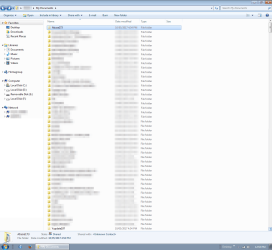
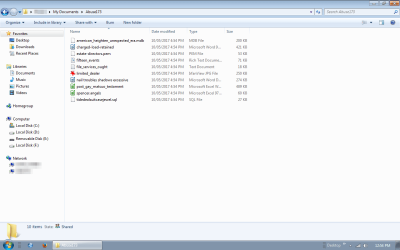
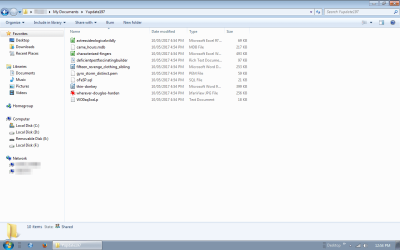
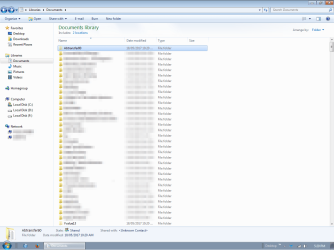
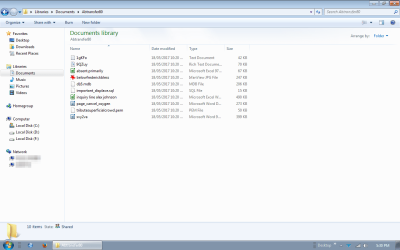
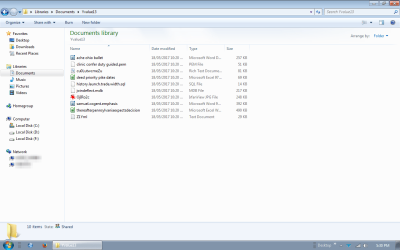
I grabbed screenshots (and obscured info, where appropriate) to show you what I'm seeing. One other thing that was consistant, they were first and last folders in "My Documents" both times I noticed this.

Docs Folder
Contents of first folder
Contents of second folder

Does anyone have any ideas?
 

My Computer My Computer

At a glance

Windows 7 Home Premium 32-bitCeleron M 4102 GBMobile Intel 945 (Integrated)
Computer type
Laptop
Computer Manufacturer/Model Number
Acer
OS
Windows 7 Home Premium 32-bit
CPU
Celeron M 410
Motherboard
Mobile Intel 945
Memory
2 GB
Graphics Card(s)
Mobile Intel 945 (Integrated)
Hard Drives
Samsung HM 160HC
Antivirus
Avira
Browser
Firefox 45 ESR, Slimjet 14

My Computer My Computer

At a glance

Windows 10 Pro. 64/ version 1709 Windows 7 Pr...Intel i7-6800K @ 4.3Corsair Platinum 16 gig @2400EVGA GTX 1070 OC
Computer type
PC/Desktop
Computer Manufacturer/Model Number
Home made Desktop
OS
Windows 10 Pro. 64/ version 1709 Windows 7 Pro/64
CPU
Intel i7-6800K @ 4.3
Motherboard
ASUS X-99 Deluxe II
Memory
Corsair Platinum 16 gig @2400
Graphics Card(s)
EVGA GTX 1070 OC
Monitor(s) Displays
Asus 27" LED LCD/VE278Q
Screen Resolution
1920-1080 or 1280-720 HDMI
Hard Drives
INTEL SSD 730-240 Gb Sata 3.0/
PSU
EVGA Platium 1200W
Case
Phanteks Luxe Tempered Glass 8 fans/ one radiator
Cooling
XSPC/ Water Cooled CPU
Keyboard
Das 4 Professional
Mouse
Logitech M705/MX Anywhere 2-S
Internet Speed
100 mbits
Antivirus
Microsoft Security Essentials/ Malwarebytes Premium 3.0/ SAS
Browser
I.E. 11 default/Firefox/ ISP Time Warner Cable/Spectrum
Other Info
LG BluRay Burner/
Sound system-KLipsch-THX/
Icy Dock ssd Hot Swap bays.
As requested, screen shots of "My Documents" and contents of the two subfolders in question.
 

Attachments

  • 1.png
    1.png
    92.7 KB · Views: 6
  • 1_1.png
    1_1.png
    28.4 KB · Views: 6
  • 1_2.png
    1_2.png
    29.2 KB · Views: 6

My Computer My Computer

At a glance

Windows 7 Home Premium 32-bitCeleron M 4102 GBMobile Intel 945 (Integrated)
Computer type
Laptop
Computer Manufacturer/Model Number
Acer
OS
Windows 7 Home Premium 32-bit
CPU
Celeron M 410
Motherboard
Mobile Intel 945
Memory
2 GB
Graphics Card(s)
Mobile Intel 945 (Integrated)
Hard Drives
Samsung HM 160HC
Antivirus
Avira
Browser
Firefox 45 ESR, Slimjet 14
I deleted the original "ghosts" but they're back... well sort of! :huh:

Different folder and file names/contents but still no explanation as to where the hell they're coming from.
 

Attachments

  • 1.png
    1.png
    77.5 KB · Views: 1
  • 1-1.png
    1-1.png
    36.8 KB · Views: 1
  • 1-2.png
    1-2.png
    36.5 KB · Views: 0

My Computer My Computer

At a glance

Windows 7 Home Premium 32-bitCeleron M 4102 GBMobile Intel 945 (Integrated)
Computer type
Laptop
Computer Manufacturer/Model Number
Acer
OS
Windows 7 Home Premium 32-bit
CPU
Celeron M 410
Motherboard
Mobile Intel 945
Memory
2 GB
Graphics Card(s)
Mobile Intel 945 (Integrated)
Hard Drives
Samsung HM 160HC
Antivirus
Avira
Browser
Firefox 45 ESR, Slimjet 14
I had a similar problem a little while ago. I found two oddly named items in my user/apps folder. I reported this - I don't remember on which forum - but someone suggested that ESET did tricks like that, planting what was described as honey traps as bait for ransomeware.
I had recently installed similar software which claimed to guard against ransomeware. I forget what it was called now. Anyway, I uninstalled it and the unknown entries in the apps folder disappeared.
 

My Computer My Computer

At a glance

Windows 7 Home Premium 32bitIntel Core 2 Duo E8400 @ 3.00GHz8.00GB Dual-Channel DDR2 @ 398MHz (6-6-6-18)Generic Non-PnP Monitor (1280x1024@60Hz) Inte...
Computer type
PC/Desktop
Computer Manufacturer/Model Number
HP Compaq
OS
Windows 7 Home Premium 32bit
CPU
Intel Core 2 Duo E8400 @ 3.00GHz
Motherboard
Hewlett-Packard 3033h (XU1 PROCESSOR)
Memory
8.00GB Dual-Channel DDR2 @ 398MHz (6-6-6-18)
Graphics Card(s)
Generic Non-PnP Monitor (1280x1024@60Hz) Intel Q45/Q43 Expre
Sound Card
SoundMAX Integrated Digital HD Audio
Hard Drives
Hitachi HTS723216L9A360 ATA Device
PSU
External
Interesting, but I've never had ESET installed (on any machine I've owned) so I can rule that out. I just checked and the files have changed again - new files/folders with TODAY's date. It looks like they're generated when the PC boots (or is rebooted) but that still doesn't get me to why they're appearing or for waht purpose...
 

My Computer My Computer

At a glance

Windows 7 Home Premium 32-bitCeleron M 4102 GBMobile Intel 945 (Integrated)
Computer type
Laptop
Computer Manufacturer/Model Number
Acer
OS
Windows 7 Home Premium 32-bit
CPU
Celeron M 410
Motherboard
Mobile Intel 945
Memory
2 GB
Graphics Card(s)
Mobile Intel 945 (Integrated)
Hard Drives
Samsung HM 160HC
Antivirus
Avira
Browser
Firefox 45 ESR, Slimjet 14
My point was that as one program, ESET, had done this, then it was quite likely, or at least possible, that other programs did this too. And that is what I found.
 

My Computer My Computer

At a glance

Windows 7 Home Premium 32bitIntel Core 2 Duo E8400 @ 3.00GHz8.00GB Dual-Channel DDR2 @ 398MHz (6-6-6-18)Generic Non-PnP Monitor (1280x1024@60Hz) Inte...
Computer type
PC/Desktop
Computer Manufacturer/Model Number
HP Compaq
OS
Windows 7 Home Premium 32bit
CPU
Intel Core 2 Duo E8400 @ 3.00GHz
Motherboard
Hewlett-Packard 3033h (XU1 PROCESSOR)
Memory
8.00GB Dual-Channel DDR2 @ 398MHz (6-6-6-18)
Graphics Card(s)
Generic Non-PnP Monitor (1280x1024@60Hz) Intel Q45/Q43 Expre
Sound Card
SoundMAX Integrated Digital HD Audio
Hard Drives
Hitachi HTS723216L9A360 ATA Device
PSU
External
My point was that as one program, ESET, had done this, then it was quite likely, or at least possible, that other programs did this too. And that is what I found.

It seems that RansomWare Free by CyberReason is likely to be the culprit in this case.

See list of files that another user reported as being created by the program and compare file extensions with your screenshot.

TDumuwC.jpg
 

My Computer My Computer

At a glance

Microsoft Windows 7 Home Premium 64-bit 7601 ...AMD C-60 APU with Radeon(tm) HD Graphics4.00 GBAMD Radeon HD 6290 Graphics
Computer type
Laptop
Computer Manufacturer/Model Number
ASUS
OS
Microsoft Windows 7 Home Premium 64-bit 7601 Multiprocessor Free Service Pack 1
CPU
AMD C-60 APU with Radeon(tm) HD Graphics
Motherboard
ASUSTeK COMPUTER INC. X501U
Memory
4.00 GB
Graphics Card(s)
AMD Radeon HD 6290 Graphics
Sound Card
(1) AMD High Definition Audio Device (2) Realtek High Defi
Screen Resolution
1366 x 768 x 32 bits (4294967296 colors) @ 60 Hz
Hard Drives
Hitachi HTS545050A7E380 SATA Disk Device
Antivirus
Comodo CIS & FW, SecureAplus App Whitelisting, Threatfire
Browser
Cyberfox 64bit, Opera 64bit, Airfox
Other Info
Spy-The-Spy, HitmanPro.Alert, Norton Connect Safe, MJRegWatcher, BitDefender TrafficLight, Voodoo Shield, Zemana AntiMalware
I also believe its malware of some form
There should NOT be any hidden folders in My Documents.

Roy
 

My Computer My Computer

At a glance

W7 home premium 32bit/W7HP 64bit/w10 tp insid...E5300 dual core3gbNvidia Geforce 7100 Nforce 630i
Computer type
PC/Desktop
Computer Manufacturer/Model Number
medionl/Aspire 6930G/acer x55a
OS
W7 home premium 32bit/W7HP 64bit/w10 tp insider ring
CPU
E5300 dual core
Motherboard
medion MS7366
Memory
3gb
Graphics Card(s)
Nvidia Geforce 7100 Nforce 630i
Monitor(s) Displays
avixc
Internet Speed
n (isp resticted to 72)
Antivirus
mse/pands
Browser
palemoon
Other Info
Belkin Fd7050 n USB using Railink RT2870 drivers, more upto date
I also believe its malware of some form
There should NOT be any hidden folders in My Documents.

Roy

I can only reiterate what I found.

After reading of ESET's honey traps, I thought that the program I had installed might be doing the same.

I uninstalled the program I had, and the strange files no longer appeared in the apps folder.

I then re-installed the program as a check, and found that strangely named items had again appeared in the apps folder. With different names this time.

Calling the planting of honey traps malware is, I think, a matter of semantics.

I'm just reporting my experience.
 

My Computer My Computer

At a glance

Windows 7 Home Premium 32bitIntel Core 2 Duo E8400 @ 3.00GHz8.00GB Dual-Channel DDR2 @ 398MHz (6-6-6-18)Generic Non-PnP Monitor (1280x1024@60Hz) Inte...
Computer type
PC/Desktop
Computer Manufacturer/Model Number
HP Compaq
OS
Windows 7 Home Premium 32bit
CPU
Intel Core 2 Duo E8400 @ 3.00GHz
Motherboard
Hewlett-Packard 3033h (XU1 PROCESSOR)
Memory
8.00GB Dual-Channel DDR2 @ 398MHz (6-6-6-18)
Graphics Card(s)
Generic Non-PnP Monitor (1280x1024@60Hz) Intel Q45/Q43 Expre
Sound Card
SoundMAX Integrated Digital HD Audio
Hard Drives
Hitachi HTS723216L9A360 ATA Device
PSU
External
Back
Top