On board Realtek Lan Card stops working after driver update on Win7

lhan516

New member
Local time
5:56 PM
Messages
3
Guys, help. I updated the drivers of my on board Realtek Lan Card via windows Update, but after that, it is not functional anymore. There were no lights when I plugged in the cable. Cable is working fine, when I test it on my laptop.

When i check on Device manager, it says, device is working properly. Network icon on the taskbar just shows lan connection with a red X. Have tried reformatting the pc and also used the latest driver from Realtek website.

I'm using Windows 7 Ultimate x64.

Please help thanks! :(
 

My Computer My Computer

At a glance

Windows 7 Ultimate x64AMD AM3KingstonASUS
Computer Manufacturer/Model Number
MSI
OS
Windows 7 Ultimate x64
CPU
AMD AM3
Motherboard
MSI 890FXA-GD70
Memory
Kingston
Graphics Card(s)
ASUS
Sound Card
Realtek
Monitor(s) Displays
Samsung
Hard Drives
WD
PSU
Gigabyte
Case
Aerocool Vx-9 Pro
Welcome to Windows Seven Forums.

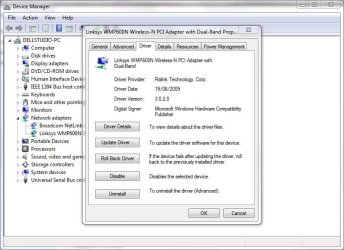
First, go into Device Manager and roll back your LAN adapter driver to its previous one.

RollBack.JPG

Second, go to Windows Update and choose "Check for updates, but let me choose whether to download and install them"

UpdateSet.JPG

Alternatively, you can always right-click any update you don't want and choose Hide.
 

My Computer My Computer

At a glance

Windows 7 Ultimate SP1 64-BitIntel Core i7 870 @ 2.93GHz8Gb Dual-Channel DDR3 @ 664MHznVidia GeForce GTX 460 1024MB dedicated RAM
Computer Manufacturer/Model Number
HP Pavilion Elite 495UK
OS
Windows 7 Ultimate SP1 64-Bit
CPU
Intel Core i7 870 @ 2.93GHz
Motherboard
MSI 2A9C (CPU1)
Memory
8Gb Dual-Channel DDR3 @ 664MHz
Graphics Card(s)
nVidia GeForce GTX 460 1024MB dedicated RAM
Sound Card
Realtek HD Audio
Monitor(s) Displays
HP2310i
Screen Resolution
1920 x 1080
Hard Drives
1x1954GB Hitachi HDS22020ALA 330 (RAID), 1x1954GB Hitachi External for backup and storage
PSU
460W
Case
HP Elite
Cooling
Air cooled
Keyboard
Logitech K750 solar-powered keyboard
Mouse
Logitech Wireless M180 mouse
Internet Speed
2Mb
Other Info
Pure Avanti Flow Internet Radio with iPod Dock, 64Gb iPod, HP USB Speakers, Sony MDR-V500 Headphones, Sony Vaio F-Series Laptop
thanks for the reply.

I can't remember if I've already done this... I have tried so many things already but I'll give it a go.

Is there a possibility that a hardware could be broken if you have installed the wrong drivers?
 

My Computer My Computer

At a glance

Windows 7 Ultimate x64AMD AM3KingstonASUS
Computer Manufacturer/Model Number
MSI
OS
Windows 7 Ultimate x64
CPU
AMD AM3
Motherboard
MSI 890FXA-GD70
Memory
Kingston
Graphics Card(s)
ASUS
Sound Card
Realtek
Monitor(s) Displays
Samsung
Hard Drives
WD
PSU
Gigabyte
Case
Aerocool Vx-9 Pro
thanks for the reply.

I can't remember if I've already done this... I have tried so many things already but I'll give it a go.

Is there a possibility that a hardware could be broken if you have installed the wrong drivers?

No way the hardware breaks after installing drivers.
Try cleaning and look for any physical damages. I have faced similar issues but always my
light was glowing always..
time to get a new network card I suppose
 

My Computer My Computer

At a glance

Windows 7 Ultimate 32bitIntel Quadcore E5500 @2.8 GHz4 Gigs
Computer Manufacturer/Model Number
HCL
OS
Windows 7 Ultimate 32bit
CPU
Intel Quadcore E5500 @2.8 GHz
Motherboard
IPM41
Memory
4 Gigs
Sound Card
Logitech 5.1
Monitor(s) Displays
22" LCD
Hard Drives
Seagate 500 GB
PSU
400 W
The hardware cannot physically "break" if you install new drivers, but functionality and performance can be affected.

For example, computer manufacturers tend to use OEM (Original Equipment Manufacturers) versions of hardware and hardware drivers. Because OEM equipment is tied to the computer it was installed in, it is cheaper and therefore more profitable for the manufacturer.

However, you may find that OEM drivers are configured differently to retail drivers for retail hardware and updating can cause the problems you are experiencing.

You may find you need to uninstall any updated drivers, and then uninstall the LAN adapter in Device Manager. Restart your computer so that Windows detects your LAN adapter. If it does then it should function correctly without any further action on your part.
 

My Computer My Computer

At a glance

Windows 7 Ultimate SP1 64-BitIntel Core i7 870 @ 2.93GHz8Gb Dual-Channel DDR3 @ 664MHznVidia GeForce GTX 460 1024MB dedicated RAM
Computer Manufacturer/Model Number
HP Pavilion Elite 495UK
OS
Windows 7 Ultimate SP1 64-Bit
CPU
Intel Core i7 870 @ 2.93GHz
Motherboard
MSI 2A9C (CPU1)
Memory
8Gb Dual-Channel DDR3 @ 664MHz
Graphics Card(s)
nVidia GeForce GTX 460 1024MB dedicated RAM
Sound Card
Realtek HD Audio
Monitor(s) Displays
HP2310i
Screen Resolution
1920 x 1080
Hard Drives
1x1954GB Hitachi HDS22020ALA 330 (RAID), 1x1954GB Hitachi External for backup and storage
PSU
460W
Case
HP Elite
Cooling
Air cooled
Keyboard
Logitech K750 solar-powered keyboard
Mouse
Logitech Wireless M180 mouse
Internet Speed
2Mb
Other Info
Pure Avanti Flow Internet Radio with iPod Dock, 64Gb iPod, HP USB Speakers, Sony MDR-V500 Headphones, Sony Vaio F-Series Laptop
Thanks for all the reply! It helped me isolate further. :)

I found the culprit. It seems that the problem is from Windows update. I have tried again reformatting the PC and when I'm finished, all the links are up and blinking again. It had used the default Windows driver (Realtek R8168D/8111D NDIS 6.2) seen in Device manager . But when I tried to do a Windows update it had replaced the driver to Realtek PCIe GBE Family Controller. And again no lights and no access to network.

Weird thing is that I have tried uninstalling the drivers and used the default Windows but it didn't work. Still seeing the red X in the network icon in my taskbar and it says no network access. I also tried system restore but still the problem is the same.

Maybe I will be reformatting again later and will not do a windows update. Hopefully, I can find what update is causing this problem.

Thanks again everyone.
 

My Computer My Computer

At a glance

Windows 7 Ultimate x64AMD AM3KingstonASUS
Computer Manufacturer/Model Number
MSI
OS
Windows 7 Ultimate x64
CPU
AMD AM3
Motherboard
MSI 890FXA-GD70
Memory
Kingston
Graphics Card(s)
ASUS
Sound Card
Realtek
Monitor(s) Displays
Samsung
Hard Drives
WD
PSU
Gigabyte
Case
Aerocool Vx-9 Pro
I had a similar problem with it showing no lan cable attached. I tried everything incuding a complete re-install of windows. The solution to my problem was so simple I am kicking myself.
Close down the computer and take out the power cable. Leave it for 10 minutes without power and press the on switch(still unplugged to the mains) This drains the power from the machine.
Now switch on the power and turn pc back on and it should all be fine ( unless you have deleted too much already)
Hope this works for you.
 

My Computer My Computer

At a glance

windows 7 Ultimate 32bit
OS
windows 7 Ultimate 32bit
You may fare better downloading the drivers and installing them manually.
Realtek
 

My Computer My Computer

At a glance

Windows 7 Home Premium 64 bitIntel Core i7-4790G.SKILL 8GB (2 x 4GB) DDR3 F3-10666CL9D-8GBNTAMD Radeon R7 250
Computer type
PC/Desktop
Computer Manufacturer/Model Number
Custom Build
OS
Windows 7 Home Premium 64 bit
CPU
Intel Core i7-4790
Motherboard
GA-Z87X-D3H
Memory
G.SKILL 8GB (2 x 4GB) DDR3 F3-10666CL9D-8GBNT
Graphics Card(s)
AMD Radeon R7 250
Sound Card
Realtek ALC892
Monitor(s) Displays
Samsung UN32EH5000, Dell 1703FPT
Screen Resolution
1920 x 1080, 1280 x 1024
Hard Drives
WD5003AZEX
WD10EZEX
Samsung HD103SJ
Samsung 128 GB 840 PRO
PSU
SeaSonic M12II SS-500GM
Case
Fractal Design Define R4
Cooling
Zalman CNPS9900ALED
Keyboard
Logitech K800
Mouse
Logitech M705
Internet Speed
16 Mbps
Antivirus
Avast
Browser
Firefox
Other Info
Bose Companion 2 Multimedia Speakers
I accidentally uninstalled my realtek lan driver and i tried finding it again and installed it again but it is still not working, i dont know what to do anymore may laptop is lenovo s20-30 wimdows 8 please help me!
 

My Computer My Computer

At a glance

window 8 64bitintel8gb rambluetooth, wifi, battery up to 5hours
Computer type
Laptop
Computer Manufacturer/Model Number
Lenovo s20-30
OS
window 8 64bit
CPU
intel
Motherboard
celeron dual core
Memory
8gb ram
Graphics Card(s)
bluetooth, wifi, battery up to 5hours
Hard Drives
Ssd
Antivirus
windows defender
Browser
google chrome

My Computer My Computer

At a glance

Windows 7 Ultimate x64 SP1AMD Phenom 2 1090T2x8GB Kingston HyperX Fury Black 1600Mhz Unga...MSI GTX 970 Gaming 4G
Computer type
PC/Desktop
Computer Manufacturer/Model Number
Custom Build
OS
Windows 7 Ultimate x64 SP1
CPU
AMD Phenom 2 1090T
Motherboard
Gigabyte GA-890FXA-UD5
Memory
2x8GB Kingston HyperX Fury Black 1600Mhz Unganged
Graphics Card(s)
MSI GTX 970 Gaming 4G
Sound Card
Realtek On-Board HD 7.1 Audio / Logitech G35
Monitor(s) Displays
3xAcer GD245HQ
Screen Resolution
1920x1080
Hard Drives
Samsung 850 Pro 512GB SSD - OS /
WD Caviar Black SATA 3 - 1 TBx2 - Dynamic RAID 0 /
WD Caviar Green SATA 2 - 640GBx2 - Dynamic RAID 0 /
WD Caviar Green SATA 2 - 640GB - Internal Backup /
Seagate Barracude SATA 3 - 3TB - External Backup/ Sync
PSU
HighPower 1000W
Case
Cooler Master HAF 932
Cooling
Noctua NH-D14
Keyboard
Logitech G19
Mouse
Logitech G500
Internet Speed
100/4 Mbit Cable (100GB quota)
Antivirus
ZoneAlarm Extreme Security / MBAM Pro / MBAE Free / SAS Free
Browser
IE 11 - Firefox - Chrome
Other Info
Logitech F710/ G27/ G940/ Z5500 // TrackIR 5 // Nvidia 3D Surround Vision
Ive tried but the system said that i should off my firewall
 

My Computer My Computer

At a glance

window 8 64bitintel8gb rambluetooth, wifi, battery up to 5hours
Computer type
Laptop
Computer Manufacturer/Model Number
Lenovo s20-30
OS
window 8 64bit
CPU
intel
Motherboard
celeron dual core
Memory
8gb ram
Graphics Card(s)
bluetooth, wifi, battery up to 5hours
Hard Drives
Ssd
Antivirus
windows defender
Browser
google chrome
I don't know why it would ask that but try remove ethernet cable and turn off Windows Firewall (Control Panel) and try System Restore again.
 

My Computer My Computer

At a glance

Windows 7 Ultimate x64 SP1AMD Phenom 2 1090T2x8GB Kingston HyperX Fury Black 1600Mhz Unga...MSI GTX 970 Gaming 4G
Computer type
PC/Desktop
Computer Manufacturer/Model Number
Custom Build
OS
Windows 7 Ultimate x64 SP1
CPU
AMD Phenom 2 1090T
Motherboard
Gigabyte GA-890FXA-UD5
Memory
2x8GB Kingston HyperX Fury Black 1600Mhz Unganged
Graphics Card(s)
MSI GTX 970 Gaming 4G
Sound Card
Realtek On-Board HD 7.1 Audio / Logitech G35
Monitor(s) Displays
3xAcer GD245HQ
Screen Resolution
1920x1080
Hard Drives
Samsung 850 Pro 512GB SSD - OS /
WD Caviar Black SATA 3 - 1 TBx2 - Dynamic RAID 0 /
WD Caviar Green SATA 2 - 640GBx2 - Dynamic RAID 0 /
WD Caviar Green SATA 2 - 640GB - Internal Backup /
Seagate Barracude SATA 3 - 3TB - External Backup/ Sync
PSU
HighPower 1000W
Case
Cooler Master HAF 932
Cooling
Noctua NH-D14
Keyboard
Logitech G19
Mouse
Logitech G500
Internet Speed
100/4 Mbit Cable (100GB quota)
Antivirus
ZoneAlarm Extreme Security / MBAM Pro / MBAE Free / SAS Free
Browser
IE 11 - Firefox - Chrome
Other Info
Logitech F710/ G27/ G940/ Z5500 // TrackIR 5 // Nvidia 3D Surround Vision
If i go to the lenovo store would they charge me for fixing it?
 

My Computer My Computer

At a glance

window 8 64bitintel8gb rambluetooth, wifi, battery up to 5hours
Computer type
Laptop
Computer Manufacturer/Model Number
Lenovo s20-30
OS
window 8 64bit
CPU
intel
Motherboard
celeron dual core
Memory
8gb ram
Graphics Card(s)
bluetooth, wifi, battery up to 5hours
Hard Drives
Ssd
Antivirus
windows defender
Browser
google chrome
Back
Top