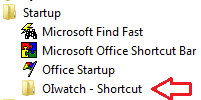
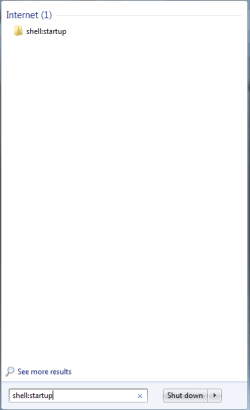
I would like to have several specific Explorer folders to open automatically on startup.
I found THIS, and it looks like it would do what I am wanting.
I followed the simple instructions to the letter, several times; and, when I try to paste a shortcut in the Startup folder, I get a notice that "Windows cannot create a shortcut here and do I want to paste it to the Desktop instead"
I have read and reread those instructions and it just refuses to allow me to put my shortcuts in the Startup folder.
Why is this not working for me ?
Also, just out of curiosity, I tried a drag/drop of a folder shortcut from the Desktop into the Startup Folder; I got a message that I needed Administrator permission to continue ---; I wasn't sure just what the outcome would be and chickened out of that maneuver.
For whatever it is worth, my Startup folder is completely empty.
Thanks and all help is appreciated.
I found THIS, and it looks like it would do what I am wanting.
I followed the simple instructions to the letter, several times; and, when I try to paste a shortcut in the Startup folder, I get a notice that "Windows cannot create a shortcut here and do I want to paste it to the Desktop instead"
I have read and reread those instructions and it just refuses to allow me to put my shortcuts in the Startup folder.
Why is this not working for me ?
Also, just out of curiosity, I tried a drag/drop of a folder shortcut from the Desktop into the Startup Folder; I got a message that I needed Administrator permission to continue ---; I wasn't sure just what the outcome would be and chickened out of that maneuver.
For whatever it is worth, my Startup folder is completely empty.
Thanks and all help is appreciated.
My Computer
At a glance
Windows 7 Pro x64Intel Core Two Duo E8600 3.33 ghz8GBGigabyte Radeon R7 240
- Computer type
- PC/Desktop
- Computer Manufacturer/Model Number
- Dell Optiplex 780m "mini-tower"
- OS
- Windows 7 Pro x64
- CPU
- Intel Core Two Duo E8600 3.33 ghz
- Motherboard
- Whatever DELL put in it
- Memory
- 8GB
- Graphics Card(s)
- Gigabyte Radeon R7 240
- Monitor(s) Displays
- HP 2159m
- PSU
- 750 Watt Corsair CX750
- Keyboard
- Logitech Wireless
- Mouse
- Logitech Wireless
- Browser
- Chrome, Firefox, IE