
How to Change Thumbnail Images in Opera Speed Dial Page
Information
This tutorial will help show you how to change the images used by the thumbnails on the Speed Dial page in Opera.
This only affects the user account that you are currently logged on to.
The image will be scaled down to the correct thumbnail size.
This only affects the user account that you are currently logged on to.
The image will be scaled down to the correct thumbnail size.
Note
The default thumbnail size is 1024x640, if you modify it, it will be 1024x638. I do not know if this varies on Monitor Resolutions.
Warning
If your Icons are displayed incorrectly you may need to reload the Icon Page, more about that further on in the Guide.
Modifying the Zoom Size, may correct your images and you may have to do the whole process again.
Modifying the Zoom Size, may correct your images and you may have to do the whole process again.
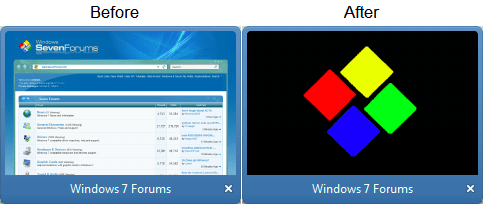
Here's How:
[OPTION 1]1. Head over to the following directory:
C:\Users\User\AppData\Local\Opera\Opera\thumbnails
2. Find the selected image you would like to change: Right Click on the Image and select Edit.
NOTE: If you have any Speed Dial Bookmarks added, the thumbnails for them appear here. Now I do not know how the codes are generated for each image, but you will have to look through each image and find the website Thumbnail you want to change.
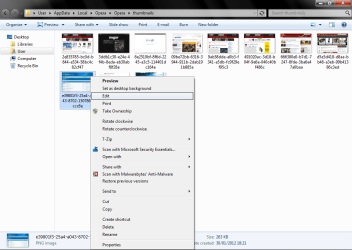
3. You can chose to edit using Paint, or copy the resolutions and edit with Photoshop (or some other software - I used PS). As soon as you have your image; copy it back into Paint if you have not already, and click File - Save As: and save it as a png.
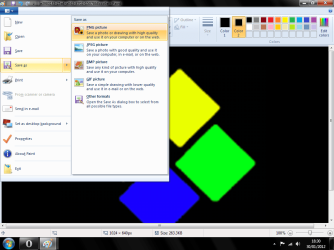
4. In the Save dialogue box that opens, head over to here:
C:\Users\User\AppData\Local\Opera\Opera\thumbnails
5. Select the image you are overwriting and click Save. It will ask if you want to overwrite it, click Yes.

6. It may also ask if you want to save Transparency, click OK.
7. Now, Restart Opera and your new Icon should be visible:
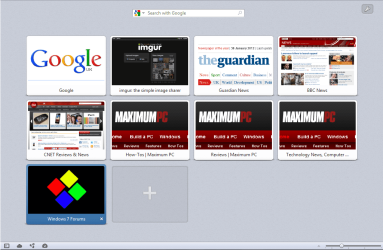
8. If you want to restore a modified Icon, Right Click on the Speed Dial Icon Tile and select Reload:
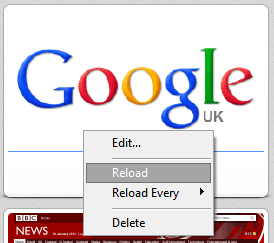
9. In order to stop Opera resetting the Icons you will need to stop Opera reloading the Thumbnail Previews every few minutes/hours:

10. Now set each Thumbnail Filenames Image from the location below to Read Only. Right click on the files you want as a Custom Thumbnail and select Properties.
C:\Users\User\AppData\Local\Opera\Opera\thumbnails
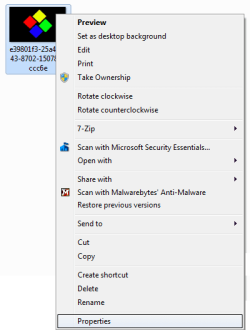
11. Now select Read Only from the Thumbnail Properties and select OK:
NOTE: You could also press Alt+R.

Last edited:


