Optimum ssd/hdd configuraton that doesn't require a huge ssd?

What configuration should I use

  • Small SSD as Intel SRT cache

    Votes: 1 8.3%
  • Medium SSD with games moved to hdd

    Votes: 6 50.0%
  • Large SSD

    Votes: 3 25.0%
  • other (comment below)

    Votes: 2 16.7%

  • Total voters
    12

FuturDreamz

Spacemonaut
Guru
Local time
11:32 AM
Messages
1,660
Location
Lethbridge, AB
Basically I have a lot of steam games, and I'm looking to build a proper gaming pc (well, many not proper by your standards, but it'll be better than my laptop). But I'm a little bit hesitant to get a 256GB ssd since I'll have a hdd, and my laptop's 128gb is pretty full with only a fraction of my collection.

Here are what I think my options are:

1. Get a smaller SSD and use it as a SRT cache. This way I won't be limited and it won't cost as much, but it may be slower than a pure ssd (I have never used SRT)

2. get a 60-128GB ssd and move my steam library to the internal hdd. it would be faster for most of the system, but games won't benefit from the ssd.

3. suck it up and get a larger ssd. that way I won't have performance issues, but I really don't want to do that as it would be pretty expensive.

Thoughts?
 

My Computer My Computer

At a glance

Windows 8 Pro (32-bit)1.83GHz Intel Core Duo2GB 667MHz DDR2 SDRAM (PC2-5300) (upgrade)ATI Radeon X1600 with 128MB GDDR3 memory
Computer type
PC/Desktop
Computer Manufacturer/Model Number
Apple 17" iMac MA199LL (Early 2006)
OS
Windows 8 Pro (32-bit)
CPU
1.83GHz Intel Core Duo
Memory
2GB 667MHz DDR2 SDRAM (PC2-5300) (upgrade)
Graphics Card(s)
ATI Radeon X1600 with 128MB GDDR3 memory
Monitor(s) Displays
17-inch TFT active-matrix LCD, millions of colors
Screen Resolution
1440 x 900
Hard Drives
Hitachi 320GB HDT721032SLA360 7200RPM SATA II (upgrade)
Keyboard
Microsoft Wired Keyboard 600
Mouse
Microsoft Basic Optical Mouse v2.0
Internet Speed
4 Mbps
Antivirus
Microsoft Security Essentials
Browser
Google Chrome
Other Info
WEI:
Base Score: 3.9 Processor: 4.4 Memory 4.7
Graphics: 3.9 Gaming Graphics: 4.1 Primary HD: 5.9
Get a 128GB - 256GB SSD in my opinion. You would actually have more than enough room with a 128GB SSD with your OS/Programs and a few games but of course if you can get a 256GB one then go for it as they are said to be slightly better in speeds and performance.

Then of course have a secondary HDD (Say 1TB+) for other games/Music/back ups etc. Yes the games on this HDD wouldn't benifit from faster loading times as the SSD but that is basically all it boils down to. You get nothing else from running games on a SSD other than load times. If you can wait that few seconds longer for your games to load then all will be fine.

I have a 120GB SSD with my OS, all programs and ARMA II:CO and DayZ with a few mods on it. Still have just under 70GB left on it. And then i have just a 500GB HDD for everything else. Also have a external HDD for back ups etc.

Basically it's entirely up to your own usage requirements.
 

My Computer My Computer

At a glance

Windows 10 Pro x64Intel i7 2600K @ 4.4GHz16GB Corsair Vengeance Pro DDR3 1600 MHzZOTAC GTX 1070 AMP Edition
Computer type
PC/Desktop
Computer Manufacturer/Model Number
Self Built
OS
Windows 10 Pro x64
CPU
Intel i7 2600K @ 4.4GHz
Motherboard
Asus P8Z77-V LX2
Memory
16GB Corsair Vengeance Pro DDR3 1600 MHz
Graphics Card(s)
ZOTAC GTX 1070 AMP Edition
Sound Card
Asus Xonar D2
Monitor(s) Displays
Viewsonic 24" VX2439WM LCD/LG 22" W2261VP LCD
Screen Resolution
1920x1080 DVI 1080p 16:9 on both screens
Hard Drives
1x SanDisk Extreme 120GB SSD SATA III (OS), 1x Samsung EVO 250GB SSD SATA III (Games), 1x Seagate Barracuda 1TB SATA III (Storage)
PSU
Corsair TX850W
Case
Corsair Carbide 200R
Cooling
3x 120mm Fans (Front, Bottom and Rear)
Keyboard
Roccat Isku
Mouse
Corsair M65 RGB
Internet Speed
Virgin Media 100Mb
Antivirus
Windows Defender
Browser
Firefox
Other Info
Logitech Z640 5.1 Speakers. Kingston HyperX Cloud Headset. M-Audio Oxygen 25/88 Keystation ES Midi Keyboard's
I'll try to answer this way...

On my desktop PC where I game, I have a 256 SSD drive that hosts my OS and other programs. For gaming (and data) purposes though, I have a 2TB Western Digital Caviar Black hard drive which contains a 600GB game partition. This is where all my games (including Steam based ones) gets installed and played from. I have absolutely no performance issues related to the "slower" hard drive.

And I haven't seen or read anything to suggest you gain that much more performance by using an SSD drive over a spinner HD in terms of gaming. You "might" see it on paper, but you want see it in everyday real world use.

With regards to my laptop - mine came with a 256SSD drive, but I also purchased a 2TB Western Digital Passport (USB 3.0) for data not necessarily needed to be kept on the Laptop. On it I have my entire iTunes collection (60+gig). This saves me space on the SSD drive for the files and programs that really do need to stay with the laptop.

Anyway I personally would get a good "spinner" drive for gaming, and leave the SSD drive for other tasks. Especially when you consider storage space to price – my 2TB hard drives were cheaper than the 256 SSD drive in my desktop.

My two cents.
 

My Computer My Computer

At a glance

Windows 10 ProIntel Core i7-4770K (3.5Ghz)32 gig Corsair Dominator Platinum (4x8Gig)Sapphire Tri-X R9 Fury
Computer type
PC/Desktop
Computer Manufacturer/Model Number
Custom built by me.
OS
Windows 10 Pro
CPU
Intel Core i7-4770K (3.5Ghz)
Motherboard
Gigabyte G1 Sniper 5 (F10 Bios)
Memory
32 gig Corsair Dominator Platinum (4x8Gig)
Graphics Card(s)
Sapphire Tri-X R9 Fury
Sound Card
Soundblaster ZXR
Monitor(s) Displays
NEC PA242W 24" LCD Monitor
Screen Resolution
1920 x 1200
Hard Drives
Primary - Samsung 850 Pro (512gig), Samsung 840 Pro (256gig), 2TB WD Caviar Black.
PSU
EVGA Supernova 1000 G2
Case
Cooler Master HAF X
Cooling
Corsair H100i with Corsair Air Series SP120 Quiet Fans
Keyboard
Logitech Wireless Wave
Mouse
Logitech Performance MX
Internet Speed
High Speed Cable
Antivirus
Norton Security
Browser
IE11
Other Info
Memory Timings - 1866MHz @ 9-9-9-27-1T @ 1.5 volts
I am kinda-sorted limited in space, so I have to use 2.5" notebook drives - which only go up to 750GB for 7200rpm drives but 1TB for 5400rpm drives. Not sure if the slower drive would be as noticeable though
4ef5.png

6.8"x2.6"x9.7"
(don't worry, I'll be using Haswell's Iris Pro Graphics, which should be equivalent to a Nvidia 650m)
And has anyone ever used Smart response technology and can say if it is goo enough?
 

My Computer My Computer

At a glance

Windows 8 Pro (32-bit)1.83GHz Intel Core Duo2GB 667MHz DDR2 SDRAM (PC2-5300) (upgrade)ATI Radeon X1600 with 128MB GDDR3 memory
Computer type
PC/Desktop
Computer Manufacturer/Model Number
Apple 17" iMac MA199LL (Early 2006)
OS
Windows 8 Pro (32-bit)
CPU
1.83GHz Intel Core Duo
Memory
2GB 667MHz DDR2 SDRAM (PC2-5300) (upgrade)
Graphics Card(s)
ATI Radeon X1600 with 128MB GDDR3 memory
Monitor(s) Displays
17-inch TFT active-matrix LCD, millions of colors
Screen Resolution
1440 x 900
Hard Drives
Hitachi 320GB HDT721032SLA360 7200RPM SATA II (upgrade)
Keyboard
Microsoft Wired Keyboard 600
Mouse
Microsoft Basic Optical Mouse v2.0
Internet Speed
4 Mbps
Antivirus
Microsoft Security Essentials
Browser
Google Chrome
Other Info
WEI:
Base Score: 3.9 Processor: 4.4 Memory 4.7
Graphics: 3.9 Gaming Graphics: 4.1 Primary HD: 5.9
Maybe I'm not understanding you. Is this for a notebook or desktop?

Either way you could always use an external drive. For the notebook I use a WD Passport, which I linked to in my earlier post. Here you can see the size comparison to the notebook...

Notebook-with-WD-Passport.jpg

If this is a small desktop PC, you can get something like this high performance drive - Western Digital Scorpio Black WD7500BPKT 750GB 7200 RPM RPM 16MB Cache SATA 3.0Gb/s 2.5" Internal Notebook Hard Drive - Newegg.com. It's a 750 GB 7200RPM drive. And if you still need added space there are all sorts of external drives. But for gaming, I'd stick with an internal drive.

My two cents.
 

My Computer My Computer

At a glance

Windows 10 ProIntel Core i7-4770K (3.5Ghz)32 gig Corsair Dominator Platinum (4x8Gig)Sapphire Tri-X R9 Fury
Computer type
PC/Desktop
Computer Manufacturer/Model Number
Custom built by me.
OS
Windows 10 Pro
CPU
Intel Core i7-4770K (3.5Ghz)
Motherboard
Gigabyte G1 Sniper 5 (F10 Bios)
Memory
32 gig Corsair Dominator Platinum (4x8Gig)
Graphics Card(s)
Sapphire Tri-X R9 Fury
Sound Card
Soundblaster ZXR
Monitor(s) Displays
NEC PA242W 24" LCD Monitor
Screen Resolution
1920 x 1200
Hard Drives
Primary - Samsung 850 Pro (512gig), Samsung 840 Pro (256gig), 2TB WD Caviar Black.
PSU
EVGA Supernova 1000 G2
Case
Cooler Master HAF X
Cooling
Corsair H100i with Corsair Air Series SP120 Quiet Fans
Keyboard
Logitech Wireless Wave
Mouse
Logitech Performance MX
Internet Speed
High Speed Cable
Antivirus
Norton Security
Browser
IE11
Other Info
Memory Timings - 1866MHz @ 9-9-9-27-1T @ 1.5 volts
It's for a desktop. I'll be building a custom case (see picture above), but I'm still tweaking the design. I do have a version with a 3.5" hdd, but I am unsure if it has enough venting.
 

My Computer My Computer

At a glance

Windows 8 Pro (32-bit)1.83GHz Intel Core Duo2GB 667MHz DDR2 SDRAM (PC2-5300) (upgrade)ATI Radeon X1600 with 128MB GDDR3 memory
Computer type
PC/Desktop
Computer Manufacturer/Model Number
Apple 17" iMac MA199LL (Early 2006)
OS
Windows 8 Pro (32-bit)
CPU
1.83GHz Intel Core Duo
Memory
2GB 667MHz DDR2 SDRAM (PC2-5300) (upgrade)
Graphics Card(s)
ATI Radeon X1600 with 128MB GDDR3 memory
Monitor(s) Displays
17-inch TFT active-matrix LCD, millions of colors
Screen Resolution
1440 x 900
Hard Drives
Hitachi 320GB HDT721032SLA360 7200RPM SATA II (upgrade)
Keyboard
Microsoft Wired Keyboard 600
Mouse
Microsoft Basic Optical Mouse v2.0
Internet Speed
4 Mbps
Antivirus
Microsoft Security Essentials
Browser
Google Chrome
Other Info
WEI:
Base Score: 3.9 Processor: 4.4 Memory 4.7
Graphics: 3.9 Gaming Graphics: 4.1 Primary HD: 5.9
I run my desktops with 60GB SSDs for the OS and all OS files and put my user files on the HDDs. My SSDs are half empty so I can even run a virtual Linux partition in addition.

At the current price levels, I would recommend to use a 128GB SSD. Gives you more options especially if you have games and/or want to run virtual systems.

My laptops have 90GB SSDs plus additional large USB sticks for rarely used data - most of the data is on the SSDs though.

A Windows 7 with an average number of programs should not need more than 25GB if properly setup.
 

My Computer My Computer

At a glance

Vista, Windows7, Mint Mate, Zorin, Windows 8from 1.6GHz Duo to i7
Computer Manufacturer/Model Number
HP, Dell, Gateway, Toshiba - 4 laptops and 2 desktops
OS
Vista, Windows7, Mint Mate, Zorin, Windows 8
CPU
from 1.6GHz Duo to i7
Monitor(s) Displays
2x HP w2207
Hard Drives
5x HDD, 7x SSD, 12x Externals
Keyboard
with trackball - no mices
Mouse
Trackball mice
Internet Speed
DSL 6000
Intel 320 Series SSD (OS and programs) WD Caviar Black 1TB (games, photos, music etc)
 

My Computer My Computer

At a glance

Win 7 Pro x64, Win 10 Pro x64, Linux Light x86Core i7 3770KCrucial Ballistix Sport 8GBASUS GeForce GTX 650 Ti
Computer type
PC/Desktop
Computer Manufacturer/Model Number
Home Built
OS
Win 7 Pro x64, Win 10 Pro x64, Linux Light x86
CPU
Core i7 3770K
Motherboard
Gigabyte GA-Z77P-D3
Memory
Crucial Ballistix Sport 8GB
Graphics Card(s)
ASUS GeForce GTX 650 Ti
Sound Card
On board
Monitor(s) Displays
ASUS 22 W/S
Screen Resolution
1920 x 1080
Hard Drives
Intel 320 Series SSD, WD Caviar Black 1TB
PSU
Corsair CX 750w
Case
Black Night
Cooling
120mm fans front/back, Coolermaster Hyper 212 Evo
Keyboard
Razer Blackwidow Expert 2013 Mechanical Keyboard
Mouse
Logitech G300 Gaming Mouse
Internet Speed
20mb Unlimited
Antivirus
ZA Antivirus + Firewall
Browser
Cyberfox
Other Info
Powered USB Hub, External Drives 3 x 1TB, Phone Dock.
Which such a small case, I would be more worried about temp issues than I would on speed limitations caused by and ssd or hdd... also, unless you play common games, having a limited GPU may yield negative results?
 

My Computer My Computer

At a glance

Windows 7 x64 (Ultimate)Intel i5-4670K8GBs Ripjaws 2133MhzAsus GTX660 (2GBs)
Computer type
PC/Desktop
Computer Manufacturer/Model Number
Custom Built... Intel/Nvidia/ASRock
OS
Windows 7 x64 (Ultimate)
CPU
Intel i5-4670K
Motherboard
ASRock Z87 Extreme 6
Memory
8GBs Ripjaws 2133Mhz
Graphics Card(s)
Asus GTX660 (2GBs)
Sound Card
Onboard Realtek HD
Monitor(s) Displays
Acer AL2216W
Screen Resolution
1680 x 1050
Hard Drives
Samsung 840 SSD 120GBs
Samsung 750GB 32MB cache
1.5 TB
PSU
PC Cooling 750w Silencer
Case
Thermaltake Spedo Advance
Cooling
Std Cooler
Keyboard
Logitech G15
Mouse
Logitech G9
Internet Speed
Comcast 20Mbit
Antivirus
Avast
Browser
Firefox
A Windows 7 with an average number of programs should not need more than 25GB if properly setup.

I don't really see that unless you're installing a basic bare bones nothing OS.

Anyway I might suggest at least a 250 seeing you as say, prices are dropping. You should be able to find them for under $180 USD now.

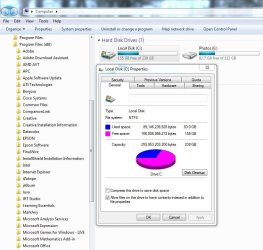
With that, I really can't see why you wouldn't install all your base programs like office & say Photoshop on the SSD drive. Heck I've got a lot of stuff on my desktop SSD drive, and it totals less than 85Gig...

Capture.JPG

Anyway for less than $180 buck a 256gig SSD drive would be nice and roomy. And if you need more space, go with a internal or external spinner drive. I personally see no need for such a small drive, especially with prices falling. And at the bare minimum, I wouldn't recommend anything less than a 120gig.

My two cents
 

My Computer My Computer

At a glance

Windows 10 ProIntel Core i7-4770K (3.5Ghz)32 gig Corsair Dominator Platinum (4x8Gig)Sapphire Tri-X R9 Fury
Computer type
PC/Desktop
Computer Manufacturer/Model Number
Custom built by me.
OS
Windows 10 Pro
CPU
Intel Core i7-4770K (3.5Ghz)
Motherboard
Gigabyte G1 Sniper 5 (F10 Bios)
Memory
32 gig Corsair Dominator Platinum (4x8Gig)
Graphics Card(s)
Sapphire Tri-X R9 Fury
Sound Card
Soundblaster ZXR
Monitor(s) Displays
NEC PA242W 24" LCD Monitor
Screen Resolution
1920 x 1200
Hard Drives
Primary - Samsung 850 Pro (512gig), Samsung 840 Pro (256gig), 2TB WD Caviar Black.
PSU
EVGA Supernova 1000 G2
Case
Cooler Master HAF X
Cooling
Corsair H100i with Corsair Air Series SP120 Quiet Fans
Keyboard
Logitech Wireless Wave
Mouse
Logitech Performance MX
Internet Speed
High Speed Cable
Antivirus
Norton Security
Browser
IE11
Other Info
Memory Timings - 1866MHz @ 9-9-9-27-1T @ 1.5 volts
I don't really see that unless you're installing a basic bare bones nothing OS.
Absolutely not. All you have to do is a) get rid of too much bloatware, b) get rid of the hiberfile and c) reduce the pagefile to 2GB. Then you start with less than 20GB before you install your programs. I have 6 Windows 7 and Vista systems and they all are in that ballpark - no games though.
 

My Computer My Computer

At a glance

Vista, Windows7, Mint Mate, Zorin, Windows 8from 1.6GHz Duo to i7
Computer Manufacturer/Model Number
HP, Dell, Gateway, Toshiba - 4 laptops and 2 desktops
OS
Vista, Windows7, Mint Mate, Zorin, Windows 8
CPU
from 1.6GHz Duo to i7
Monitor(s) Displays
2x HP w2207
Hard Drives
5x HDD, 7x SSD, 12x Externals
Keyboard
with trackball - no mices
Mouse
Trackball mice
Internet Speed
DSL 6000
Which such a small case, I would be more worried about temp issues than I would on speed limitations caused by and ssd or hdd... also, unless you play common games, having a limited GPU may yield negative results?
That's why I'm waiting for Haswell. It's not official but so far there's a 65w processor with Iris pro that's equivalent to a Nvidia 650m, which is sufficient for my needs. the top and sides will have huge vents, so cooling shouldn't be too bad.

I could use Steam Mover to move games I'm not playing to the external however. Then I'd only need a 128GB ssd.
 

My Computer My Computer

At a glance

Windows 8 Pro (32-bit)1.83GHz Intel Core Duo2GB 667MHz DDR2 SDRAM (PC2-5300) (upgrade)ATI Radeon X1600 with 128MB GDDR3 memory
Computer type
PC/Desktop
Computer Manufacturer/Model Number
Apple 17" iMac MA199LL (Early 2006)
OS
Windows 8 Pro (32-bit)
CPU
1.83GHz Intel Core Duo
Memory
2GB 667MHz DDR2 SDRAM (PC2-5300) (upgrade)
Graphics Card(s)
ATI Radeon X1600 with 128MB GDDR3 memory
Monitor(s) Displays
17-inch TFT active-matrix LCD, millions of colors
Screen Resolution
1440 x 900
Hard Drives
Hitachi 320GB HDT721032SLA360 7200RPM SATA II (upgrade)
Keyboard
Microsoft Wired Keyboard 600
Mouse
Microsoft Basic Optical Mouse v2.0
Internet Speed
4 Mbps
Antivirus
Microsoft Security Essentials
Browser
Google Chrome
Other Info
WEI:
Base Score: 3.9 Processor: 4.4 Memory 4.7
Graphics: 3.9 Gaming Graphics: 4.1 Primary HD: 5.9
Basically I have a lot of steam games, and I'm looking to build a proper gaming pc (well, many not proper by your standards, but it'll be better than my laptop). But I'm a little bit hesitant to get a 256GB ssd since I'll have a hdd, and my laptop's 128gb is pretty full with only a fraction of my collection.

Here are what I think my options are:

1. Get a smaller SSD and use it as a SRT cache. This way I won't be limited and it won't cost as much, but it may be slower than a pure ssd (I have never used SRT)

2. get a 60-128GB ssd and move my steam library to the internal hdd. it would be faster for most of the system, but games won't benefit from the ssd.

3. suck it up and get a larger ssd. that way I won't have performance issues, but I really don't want to do that as it would be pretty expensive.

Thoughts?

I have a 80GB Intel that has only Windows and all my apps/programs on it. Nothing else. I find its the perfect size for me.

For Steam, I have a 1TB HD dedicated just to Steam. Steam is installed there and the majority of my games go there as well.

You'll find many games really do not benifit enough from a SSD to justify the cost/space. While some games do, not all will.

I also have a 40GB Intel SSD I use as a secondary Drive dedicated to Steam.

For the most part open world games that stream data constantly. (Skyrim, Fallout etc) live there. Ive found that these type of games, especially heavily modded get some benefit.


Still ... OS on SSD and a spinner dedicated to Steam will suite you just fine. Since that spinner has nothing to do except be being dedicated to games, it will be more responsive. And, you get full benefit from the OS on the SSD.

This is the cheapest way to go and What I would do for now.
Later, get a bigger SSD you can dedicated to your most played or favorite games, leaving smaller less daeanding ones on the spionner. Its very easy to add/format and them move some Steam games over to it.
This also has the added benefit of keeping the OS SSD clean and free from any clutter. It will make back up and restores of the OS very quick.
 

My Computer My Computer

At a glance

Windows 7 Home Premium 64bitIntel Core i7 2700k8GB Mushkin Redline Ridgebacks @1866EVGA GTX570 SC
Computer Manufacturer/Model Number
Custom (Self Build)
OS
Windows 7 Home Premium 64bit
CPU
Intel Core i7 2700k
Motherboard
eVGA P67 SLI
Memory
8GB Mushkin Redline Ridgebacks @1866
Graphics Card(s)
EVGA GTX570 SC
Sound Card
XiFi Titanium HD
Monitor(s) Displays
LG W2453V
Screen Resolution
1920x1080
Hard Drives
Intel 320 80GB -- Intel X25-V 40GB --WD Black 1TB x2 -- WD Blue 640GB
PSU
Seasonic x750
Case
Corsair 600T SE White
Cooling
eVGA Superclocked CPU Cooler
Keyboard
Saitek Cyborg
Antivirus
Kaspersky
Browser
IE
Other Info
LG BD/DVD
Well, I have tried almost every configuration of Spinners and SSDs there is. I can tell you from experience, there is very little difference in playing games from an SSD or a spinner. I have 2 systems with the exact same games on them. One the games are installed on a spinner and the other games are on an SSD. The only advantage to installing them on an SSD is they will load faster. As for actual game play, Sygnus is correct. There is no difference. As for Smart Response, it may help slightly, but nothing in the ballpark to an SSD. As far as I'm concerned, it all comes down to what you want and how much you are willing to pay for it. If it is worth it to you to have your games load faster, get a big SSD or 2 big ones, if you want. Your games won't play any faster or smoother either way though. I ran for well over a year with a 64GB SSD and a couple of spinners and did very well. I've done it almost every way it can be done. If you are on a budget get a 128GB SSD and a 1TB spinner. If you just want the speed and are willing to pay the price, go for it. But, truthfully, there is only a little difference.
 

My Computers My Computers

  • At a glance

    Windows 11 ProRyzen 9 5900X32GB G Skill DDR4-3600EVGA RTX 3080 FTW 3 Ultra
    Computer type
    PC/Desktop
    Computer Manufacturer/Model Number
    ALWAYS UNDER CONSTRUCTION
    OS
    Windows 11 Pro
    CPU
    Ryzen 9 5900X
    Motherboard
    Asus X570 Crosshair Viii Hero
    Memory
    32GB G Skill DDR4-3600
    Graphics Card(s)
    EVGA RTX 3080 FTW 3 Ultra
    Sound Card
    On Board/Sennheiser PC37X Headset
    Monitor(s) Displays
    3 X Asus 27"
    Screen Resolution
    2560x1440
    Hard Drives
    2 X 1 TB NVME drives
    PSU
    EVGA 850
    Case
    Phanteks Eclipse P400A
    Cooling
    EVGA 280 AIO
    Keyboard
    Logitech G510s/ Logitech G13
    Mouse
    Logitech G502
    Internet Speed
    24/1
    Antivirus
    ESET/MBAM Pro/SAS Pro
    Browser
    Chrome/ Firefox/ Edge
  • At a glance

    Windows 11 ProIntel Ultra 9 288V32 GB LPDDR5X 8533
    Computer type
    Laptop
    System Manufacturer/Model Number
    Dell 16 Plus
    OS
    Windows 11 Pro
    CPU
    Intel Ultra 9 288V
    Memory
    32 GB LPDDR5X 8533
    Monitor(s) Displays
    16" Mini-LED HDR600 Touch 90 Hz
    Screen Resolution
    2560X1600
    Hard Drives
    1 TB NVME
I don't really see that unless you're installing a basic bare bones nothing OS.
Absolutely not. All you have to do is a) get rid of too much bloatware, b) get rid of the hiberfile and c) reduce the pagefile to 2GB. Then you start with less than 20GB before you install your programs. I have 6 Windows 7 and Vista systems and they all are in that ballpark - no games though.

Well, one man's "bloatware" is another's essential. So I guess it's a matter of perspectives ;)
 

My Computer My Computer

At a glance

Windows 10 ProIntel Core i7-4770K (3.5Ghz)32 gig Corsair Dominator Platinum (4x8Gig)Sapphire Tri-X R9 Fury
Computer type
PC/Desktop
Computer Manufacturer/Model Number
Custom built by me.
OS
Windows 10 Pro
CPU
Intel Core i7-4770K (3.5Ghz)
Motherboard
Gigabyte G1 Sniper 5 (F10 Bios)
Memory
32 gig Corsair Dominator Platinum (4x8Gig)
Graphics Card(s)
Sapphire Tri-X R9 Fury
Sound Card
Soundblaster ZXR
Monitor(s) Displays
NEC PA242W 24" LCD Monitor
Screen Resolution
1920 x 1200
Hard Drives
Primary - Samsung 850 Pro (512gig), Samsung 840 Pro (256gig), 2TB WD Caviar Black.
PSU
EVGA Supernova 1000 G2
Case
Cooler Master HAF X
Cooling
Corsair H100i with Corsair Air Series SP120 Quiet Fans
Keyboard
Logitech Wireless Wave
Mouse
Logitech Performance MX
Internet Speed
High Speed Cable
Antivirus
Norton Security
Browser
IE11
Other Info
Memory Timings - 1866MHz @ 9-9-9-27-1T @ 1.5 volts
I don't really see that unless you're installing a basic bare bones nothing OS.
Absolutely not. All you have to do is a) get rid of too much bloatware, b) get rid of the hiberfile and c) reduce the pagefile to 2GB. Then you start with less than 20GB before you install your programs. I have 6 Windows 7 and Vista systems and they all are in that ballpark - no games though.

Well, one man's "bloatware" is another's essential. So I guess it's a matter of perspectives ;)
I am not talking about essentials. What I mean is the useless stuff that the OEMs put on the systems. If you install from a retail disc, there is no bloatware and the system is around 18GB after the initial installation.
 

My Computer My Computer

At a glance

Vista, Windows7, Mint Mate, Zorin, Windows 8from 1.6GHz Duo to i7
Computer Manufacturer/Model Number
HP, Dell, Gateway, Toshiba - 4 laptops and 2 desktops
OS
Vista, Windows7, Mint Mate, Zorin, Windows 8
CPU
from 1.6GHz Duo to i7
Monitor(s) Displays
2x HP w2207
Hard Drives
5x HDD, 7x SSD, 12x Externals
Keyboard
with trackball - no mices
Mouse
Trackball mice
Internet Speed
DSL 6000
I don't really see that unless you're installing a basic bare bones nothing OS.
Absolutely not. All you have to do is a) get rid of too much bloatware, b) get rid of the hiberfile and c) reduce the pagefile to 2GB. Then you start with less than 20GB before you install your programs. I have 6 Windows 7 and Vista systems and they all are in that ballpark - no games though.


I usually do this too.
But, I left my PF as-is since moving from a 40 to 80GB SSD.
I have a ton of Programs installed. some of the heavier ones being the Nero Suite, Power DVD, and Photoshop. With everything, my 80GB SSD is only half full.

If needed I could reduce the PF I just haven't needed to yet.


For just OS and apps, I really can't see needing bigger TBH. With dedicated Game and Media drives anyway.

But maybe thats just me. We all have our own needs.
 

My Computer My Computer

At a glance

Windows 7 Home Premium 64bitIntel Core i7 2700k8GB Mushkin Redline Ridgebacks @1866EVGA GTX570 SC
Computer Manufacturer/Model Number
Custom (Self Build)
OS
Windows 7 Home Premium 64bit
CPU
Intel Core i7 2700k
Motherboard
eVGA P67 SLI
Memory
8GB Mushkin Redline Ridgebacks @1866
Graphics Card(s)
EVGA GTX570 SC
Sound Card
XiFi Titanium HD
Monitor(s) Displays
LG W2453V
Screen Resolution
1920x1080
Hard Drives
Intel 320 80GB -- Intel X25-V 40GB --WD Black 1TB x2 -- WD Blue 640GB
PSU
Seasonic x750
Case
Corsair 600T SE White
Cooling
eVGA Superclocked CPU Cooler
Keyboard
Saitek Cyborg
Antivirus
Kaspersky
Browser
IE
Other Info
LG BD/DVD
I would recommend getting the largest SSD you can afford, but avoid ones with sanforce controllers. To maintain performance over provisioning is a great idea from what I have read.
 

My Computer My Computer

At a glance

Windows 7 Home Premium 64bit
Computer type
Laptop
OS
Windows 7 Home Premium 64bit
A-zon has SanDisk's on sale, 240gb for $170, 120's for a C note. Some may not like the quality of SanDisk, I've always had good luck with thier SD cards. I have about a dozen 16g cards for my Pi collection with different OS's.

My Samsung ssd with what I consider a typical W7 install uses under 20gb. A 120g is more than large enough.


Well, I have tried almost every configuration of Spinners and SSDs there is. I can tell you from experience, there is very little difference in playing games from an SSD or a spinner. I have 2 systems with the exact same games on them. One the games are installed on a spinner and the other games are on an SSD. The only advantage to installing them on an SSD is they will load faster. As for actual game play, Sygnus is correct. There is no difference... But, truthfully, there is only a little difference.

This!

With good configuration of the hhd, the difference is miniscule vs a ssd when gaming.
 

My Computer My Computer

At a glance

Win8/8.1,Win7-U64, Vista U64, uncounted Linux...AMD and Intell, 9590, 8350, i5 3570kCorsair G SkillCrossfired Sapphire HD 7950 Vapor-X, ASUS R9 ...
Computer type
PC/Desktop
Computer Manufacturer/Model Number
Custom, Dell and Lenono LT's
OS
Win8/8.1,Win7-U64, Vista U64, uncounted Linux distor's
CPU
AMD and Intell, 9590, 8350, i5 3570k
Motherboard
CFVFZ, GA990FXA, Z77e-itx
Memory
Corsair G Skill
Graphics Card(s)
Crossfired Sapphire HD 7950 Vapor-X, ASUS R9 280X TOP
Sound Card
Realtek ALC889
Monitor(s) Displays
ViewSonic VX2770SMH 27" / ViewSonic VX2433 LCD 24"
Screen Resolution
1080i HD
Hard Drives
Samsung SSD 840 Pro
OCZ Agility 3's
OCZ Vector's
WD's Blue, red, green, Velociraptors
Seagate USB3 & Hybrid's
ASUS Blu-Ray
ASUS DVD
PSU
Corsair AX1200i, Seasonice 850 Gold
Case
Cooler Master HAF 922 & HAF 932, Lian Li Train case.
Cooling
Air, Glacer 240L expanded, custom EK loop with duel D5's
Keyboard
Microsoft SideWinder X4 USB Keyboard / Logitech 250 PS2
Mouse
Logitech G500 / MS wireless 5000
Internet Speed
Best of 5ms / 75+ dn / 12+ up More or less.
Antivirus
MS esentials-MalwareBytes
Browser
Firefox Chromebook
But, I left my PF as-is since moving from a 40 to 80GB SSD.
I have a ton of Programs installed. some of the heavier ones being the Nero Suite, Power DVD, and Photoshop. With everything, my 80GB SSD is only half full.

This is how I do mine as well - Leave my page file (6gig) on the SSD drive, and install all my programs to the C directory. For heavy data such as media files - photos, music, games, I keep those on a spinner drive. With that my 256 SSD drive is only 35 percent filled (83gig used out of 238 available).

This leaves me plenty of room, and options to work with heavily layered files in Photoshop, or install games there should I want to. I also don't have to worry about the "My Documents" folder.

Some might view that as wasted space, but I've always liked room, and options. And with the price of SSD drives continually dropping, outside of budget considerations, I can't see why you would want anything less than a 120. But, like said, that's me.
 

My Computer My Computer

At a glance

Windows 10 ProIntel Core i7-4770K (3.5Ghz)32 gig Corsair Dominator Platinum (4x8Gig)Sapphire Tri-X R9 Fury
Computer type
PC/Desktop
Computer Manufacturer/Model Number
Custom built by me.
OS
Windows 10 Pro
CPU
Intel Core i7-4770K (3.5Ghz)
Motherboard
Gigabyte G1 Sniper 5 (F10 Bios)
Memory
32 gig Corsair Dominator Platinum (4x8Gig)
Graphics Card(s)
Sapphire Tri-X R9 Fury
Sound Card
Soundblaster ZXR
Monitor(s) Displays
NEC PA242W 24" LCD Monitor
Screen Resolution
1920 x 1200
Hard Drives
Primary - Samsung 850 Pro (512gig), Samsung 840 Pro (256gig), 2TB WD Caviar Black.
PSU
EVGA Supernova 1000 G2
Case
Cooler Master HAF X
Cooling
Corsair H100i with Corsair Air Series SP120 Quiet Fans
Keyboard
Logitech Wireless Wave
Mouse
Logitech Performance MX
Internet Speed
High Speed Cable
Antivirus
Norton Security
Browser
IE11
Other Info
Memory Timings - 1866MHz @ 9-9-9-27-1T @ 1.5 volts
Back
Top