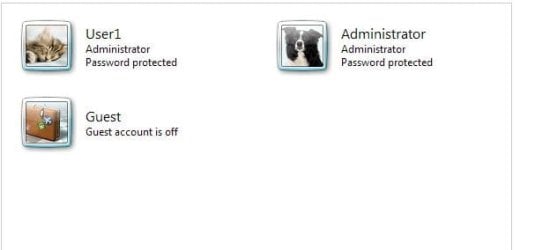
"administrator user - Is an unelevated administrator account that is created by default during the installation of Windows 7, or is already setup or you on a OEM (ex: Dell) computer. An administrator account has complete access to the computer, and can make any desired changes. To help make the computer more secure, this administrator account type will be prompted by UAC by default to give confirmation before allowed to make any changes that require elevated administrator rights. Such as those that affect the system, other users, or when running anything elevated (Run as Administrator) since running elevated will allow it to have access to the entire computer".
The above was taken from a Forums tutorial. Is it possible to require a password for this account when operating in the standard User Account ?
For example, when I update the Windows Defender definitions, I right click the file and click "Run As Administrator". It does so without requiring a password.
When "Run As Administrator" is clicked, I would like to have to enter a password.
Possible or not ?
The above was taken from a Forums tutorial. Is it possible to require a password for this account when operating in the standard User Account ?
For example, when I update the Windows Defender definitions, I right click the file and click "Run As Administrator". It does so without requiring a password.
When "Run As Administrator" is clicked, I would like to have to enter a password.
Possible or not ?
My Computer
- Computer type
- PC/Desktop
- Computer Manufacturer/Model Number
- Home Built
- OS
- Windows 7 Home Pro SP1 64bit
- CPU
- Intel Xeon E-3 1240v2
- Motherboard
- HP
- Memory
- 8GB
- Graphics Card(s)
- NVIDIA 300
- Sound Card
- Onboard
- Monitor(s) Displays
- Hanns G 25"
- Screen Resolution
- 1920x1080
- Hard Drives
- Hitachi 2GB
- PSU
- Seasonic 430W
- Case
- Antec
- Cooling
- Stock
- Keyboard
- Logitech
- Mouse
- Logitech
- Internet Speed
- 5MB