Hello People. 
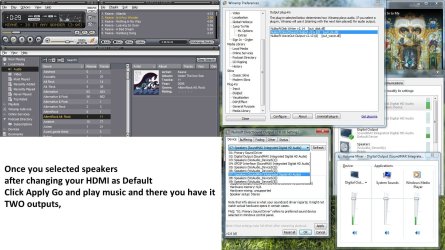
Maybe you can help me. I purchase HDMI wire. My PC and TV have same HDMI nest. I plug in everything and wire work fine. On TV is sound and video. I use two screens with names 1 and 2. So i TV look with number 2. And monitor is 1. Now i have one problem. I use TV and pc Monitor same time. In tv i want watch, example, film and in pc monitor, with headset, listen music. How can i split sound? Because when i do HDMI wire as my default device, in sound settings, all other sound go in TV. But i want that i can heard them in my headset, not in tv. In sound settings i can choose Set as my communication default, then i can talk with skype and heard sound in headset and tv play film sound and no skype talk. This is good for me. But how take other sound to my headset? I use one video card and one sound card. Windows 7 32bit ultimate. If you need models, just say. Then i write them.
Maybe you can help me. I purchase HDMI wire. My PC and TV have same HDMI nest. I plug in everything and wire work fine. On TV is sound and video. I use two screens with names 1 and 2. So i TV look with number 2. And monitor is 1. Now i have one problem. I use TV and pc Monitor same time. In tv i want watch, example, film and in pc monitor, with headset, listen music. How can i split sound? Because when i do HDMI wire as my default device, in sound settings, all other sound go in TV. But i want that i can heard them in my headset, not in tv. In sound settings i can choose Set as my communication default, then i can talk with skype and heard sound in headset and tv play film sound and no skype talk. This is good for me. But how take other sound to my headset? I use one video card and one sound card. Windows 7 32bit ultimate. If you need models, just say. Then i write them.
My Computer
- OS
- windows 7 32bit ultimate