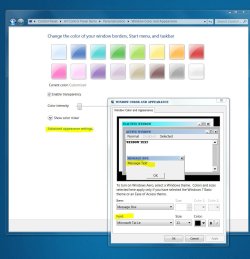
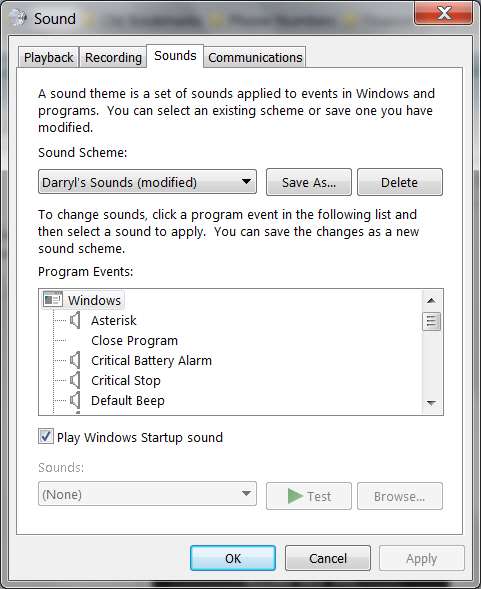
This is apparently exactly the the same problem as the old WinXP issue relating to "normal fonts (96DPI)" vs. "large fonts (120DPI)", except that Microsoft now refers to it as "medium 125%" in the Personalize -> Display font size customization dialog.
The problem is that if the application has drawn its window to be FIXED-SIZE (as opposed to re-sizable using the lower-right-corner "pull" control) and does not also provide scroll-bars in case the fixed window size is too small to show everything, when customizing font size to be larger than 100% Windows apparently only grows the HORIZONTAL size of the window but does not also grow the window in the VERTICAL dimension.
The result is often to simply chop off the lower content of a window as intended to be drawn by the application. I have just run into this with a Sirius Player (Internet Radio) application named Stream_ON.
Here is the player window at 100% font size, showing everything it should.

And here is the same player window at 125% font size. Note the loss of the entire lower portion of the expected content and application controls.
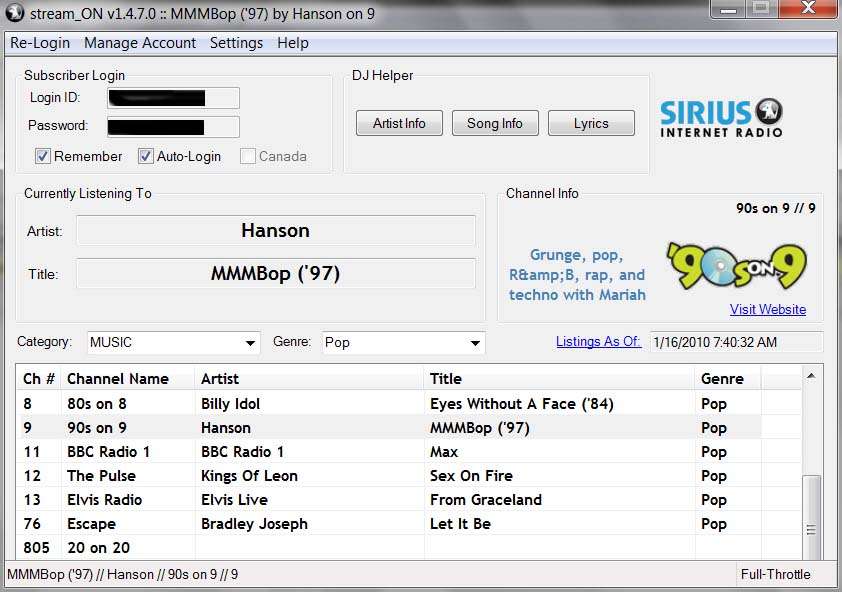
In fact, the 100% window is 660x592 whereas the 125% window is 842x592. Sure, the application has drawn the window as FIXED and non-resizable. But if Win7 is going to widen the window by 25%, why doesn't it also increase the vertical size of the window by 25%?
Seems like the blame should be shared, both by the application developer for writing an app that is not DPI-aware, and also for Microsoft for not growing the window "overall by 25% in both directions". Again, this is not a problem new or unique to Win7, as it's been around for at least 10 years in both Win98 as well as WinXP, both of which supported "large fonts (120DPI)" customization.
Very annoying to see this carried forward into Win7 as well.
Win7 Pro X64
ATI HD4670, Catalyst 9.12
The problem is that if the application has drawn its window to be FIXED-SIZE (as opposed to re-sizable using the lower-right-corner "pull" control) and does not also provide scroll-bars in case the fixed window size is too small to show everything, when customizing font size to be larger than 100% Windows apparently only grows the HORIZONTAL size of the window but does not also grow the window in the VERTICAL dimension.
The result is often to simply chop off the lower content of a window as intended to be drawn by the application. I have just run into this with a Sirius Player (Internet Radio) application named Stream_ON.
Here is the player window at 100% font size, showing everything it should.
And here is the same player window at 125% font size. Note the loss of the entire lower portion of the expected content and application controls.
In fact, the 100% window is 660x592 whereas the 125% window is 842x592. Sure, the application has drawn the window as FIXED and non-resizable. But if Win7 is going to widen the window by 25%, why doesn't it also increase the vertical size of the window by 25%?
Seems like the blame should be shared, both by the application developer for writing an app that is not DPI-aware, and also for Microsoft for not growing the window "overall by 25% in both directions". Again, this is not a problem new or unique to Win7, as it's been around for at least 10 years in both Win98 as well as WinXP, both of which supported "large fonts (120DPI)" customization.
Very annoying to see this carried forward into Win7 as well.
Win7 Pro X64
ATI HD4670, Catalyst 9.12
My Computer
- Computer type
- PC/Desktop
- Computer Manufacturer/Model Number
- Home-built, two systems (1) and (2)
- OS
- Windows 7 Pro x64 (1), Win7 Pro X64 (2)
- CPU
- i5-3350p 3.1Ghz/6MB-cache (1); E8400 3.0Ghz/6MB-cache (2)
- Motherboard
- ASUS P8Z77-V Pro (1); ASUS P5Q3 (2)
- Memory
- 8GB PC3-12800 DDR3 (1); 4GB PC3-10600 DDR3 (2)
- Graphics Card(s)
- ATI HD7750 (1), (see TV cards); ATI R7 250 (2)
- Sound Card
- Realtek ALC892 HD Audio (1); Realtek ALC1200 HD Audio (2)
- Monitor(s) Displays
- Eizo HD2441W LCD, Eizo S2433W (1); Eizo 24" S2433W (2)
- Screen Resolution
- 1920x1200, 1920x1200 (1); 1920x1200 (2)
- Hard Drives
- (1) 1TB SATA-II (7200RPM), 2x2TB SATA-III (7200RPM), 250GB SATA-III (10000RPM) for OS; 2x2TB external USB 3.0
(2) 320GB SATA-II (7200RPM), 750GB SATA-II (7200RPM), 150GB SATA-II (10000RPM) for OS; 2TB external USB 3.0
- PSU
- Nesteq ECS-6001 600W (1); Nesteq ECS-5001 500W (2)
- Case
- Acousti-Case 360 (1) and (2)
- Cooling
- Noctua NH-U12P SE2 for CPU, 2x120mm case fans (1) and (2)
- Keyboard
- IBM PS/2 (1) and (2)
- Mouse
- Logitech MX Revolution wireless (1); Microsoft wired (2)
- Internet Speed
- 100mbps down / 10mbps up
- Antivirus
- Microsoft Security Essentials; Malwarebyte Anti-Malware Pro
- Browser
- Firefox
- Other Info
- Ceton InfiniTV 4-tuner cablecard-enabled TV card as well as Hauppauge HVR-2250 OTA/ATSC 2-tuner TV card in (1), running under Win7 WMC


 )
)