

Hello everybody.
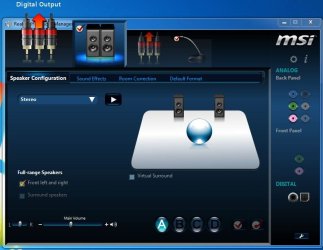
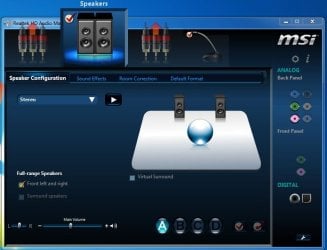
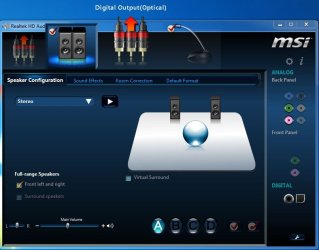
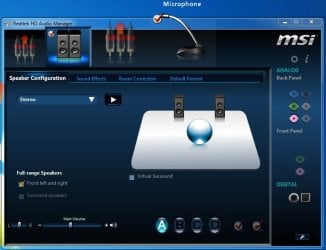
I just bought a new MSI P67 board and installed the Realtek driver package.
The following is what came up. It sure is gorgeous.
I'm not sure if the new color scheme and design is an MSI P67A board exclusive or if all the new P67A boards after the recall have it.
The MSI boards also have a new UEFI BIOS setup as shown here.
MSI P67A-GD65 Intel Socket 1155 Motherboard Performance Review - MSI P67A-GD65 Motherboard UEFI BIOS - Legit Reviews
Since MSI has redone the BIOS setup, the Realtek HD Audio Manager shown below may be an MSI exclusive. The Gigabyte P67 board I had prior to the recall had the usual Realtek HD Audio Manager, most of us are familiar with.
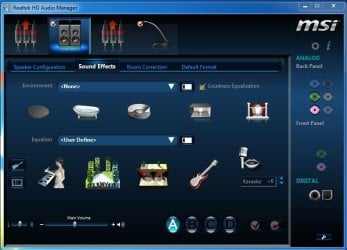
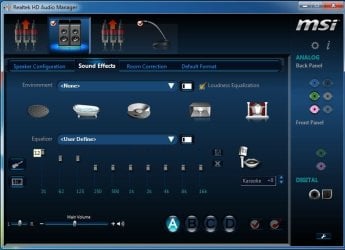
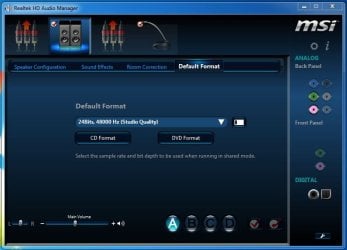
Two things I noticed on the Realtek HD Audio Manager is that when you adjust the EQ settings, small numbers appear. At least you can write down the number for a configuration, if you ever need to reinstall it. It can take the guesswork out of what the last settings were before the reinstall......that is, if you remember to write down the numbers. Also, there are 4 configuration presets that you can save....A, B, C, and D.
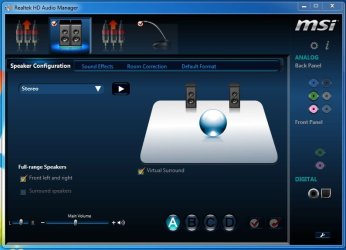

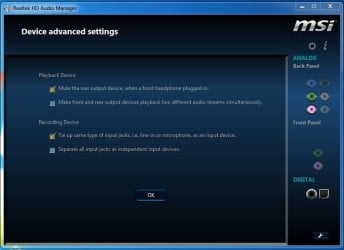

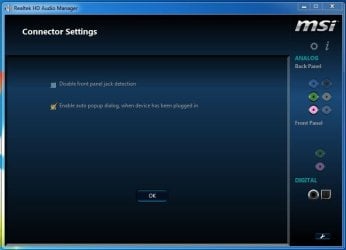
I just bought a new MSI P67 board and installed the Realtek driver package.
The following is what came up. It sure is gorgeous.
I'm not sure if the new color scheme and design is an MSI P67A board exclusive or if all the new P67A boards after the recall have it.
The MSI boards also have a new UEFI BIOS setup as shown here.
MSI P67A-GD65 Intel Socket 1155 Motherboard Performance Review - MSI P67A-GD65 Motherboard UEFI BIOS - Legit Reviews
Since MSI has redone the BIOS setup, the Realtek HD Audio Manager shown below may be an MSI exclusive. The Gigabyte P67 board I had prior to the recall had the usual Realtek HD Audio Manager, most of us are familiar with.
Two things I noticed on the Realtek HD Audio Manager is that when you adjust the EQ settings, small numbers appear. At least you can write down the number for a configuration, if you ever need to reinstall it. It can take the guesswork out of what the last settings were before the reinstall......that is, if you remember to write down the numbers. Also, there are 4 configuration presets that you can save....A, B, C, and D.
My Computer
At a glance
Windows 7 Home Premium 64 bitIntel Core i7-4790G.SKILL 8GB (2 x 4GB) DDR3 F3-10666CL9D-8GBNTAMD Radeon R7 250
- Computer type
- PC/Desktop
- Computer Manufacturer/Model Number
- Custom Build
- OS
- Windows 7 Home Premium 64 bit
- CPU
- Intel Core i7-4790
- Motherboard
- GA-Z87X-D3H
- Memory
- G.SKILL 8GB (2 x 4GB) DDR3 F3-10666CL9D-8GBNT
- Graphics Card(s)
- AMD Radeon R7 250
- Sound Card
- Realtek ALC892
- Monitor(s) Displays
- Samsung UN32EH5000, Dell 1703FPT
- Screen Resolution
- 1920 x 1080, 1280 x 1024
- Hard Drives
- WD5003AZEX
WD10EZEX
Samsung HD103SJ
Samsung 128 GB 840 PRO
- PSU
- SeaSonic M12II SS-500GM
- Case
- Fractal Design Define R4
- Cooling
- Zalman CNPS9900ALED
- Keyboard
- Logitech K800
- Mouse
- Logitech M705
- Internet Speed
- 16 Mbps
- Antivirus
- Avast
- Browser
- Firefox
- Other Info
- Bose Companion 2 Multimedia Speakers


 ! The British cut-off point to be called "old OR geriatric" is 70 years. I am only 49 years +5months+20 days! LOL!
