
"play to" Xbox360 Media Center Extender

mjwilson94

New member
Member
VIP
Local time
6:33 AM
Messages
139
Location
England
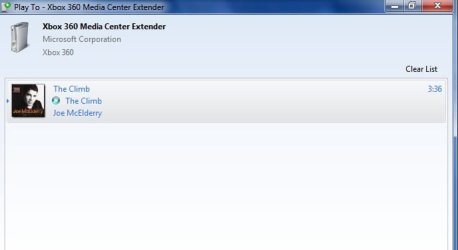
I have my media center extender connected to my laptop correctly. I am trying to play a track from Windows Media Player to my Xbox360 via the extender and "Play To". I right-click on the track in Windows Media Player and it loads the screen, but my music doesnt play and the track has the little loading circle next to it. I have waited for around 20 minutes but still nothing happens.

The loading screen is attached in a fie please take a look.

Any help,hints or ideas would be much appreciated thanks alot guys.
 

Attachments
  • Windows 7 Fourm Picture.jpg
    Windows 7 Fourm Picture.jpg
    13.8 KB · Views: 111

My Computer My Computer

At a glance

Window 7 Home Premium 64-BitIntel Core i33GB
Computer Manufacturer/Model Number
Acer Aspire 5745P
OS
Window 7 Home Premium 64-Bit
CPU
Intel Core i3
Memory
3GB
Hard Drives
WD Scorpio Blue 300Gb
I'm using DMA2100 and playto works as advertised.

It seems that your PC is not at fault. But your XBOX360 is not accepting it. Go to XBOX360 media center settings and make sure it accepts push media from PC.
 

My Computer My Computer

At a glance

Win 7
OS
Win 7
I have the same issue.. the 360 will even pull up the song and switch but wont play.. I dont know whats up. It works with other windows 7 systems and hear it works with other devices but not the 360? wtf is that all about?

EDIT: got it to work by picking automatically share to all devices in wmp12. then after it worked I disabled it and checked my device settings one by one (and stopped sharing the shared folders that enable all also enables [hmm]) and it now works...
 
Last edited:

My Computer My Computer

At a glance

windows 7
OS
windows 7
Back
Top