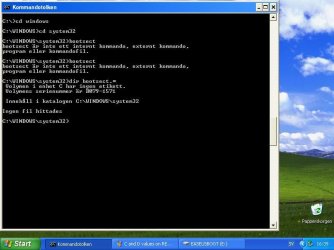
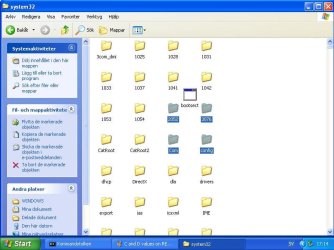
Download this bootsect7600x86.zip
Open that zip file. inside is an exe file. Put that exe file in C:\windows\system32 on winxp system
Tell me when done.
When done:
close windows explorer and close all open files on D (if any).
in command prompt:
Both successfull?
This puts the win7 MBR on physical disk. First command updates the "volume bootsector" of D, so it loads bootmgr (instead of winxp ntldr).
Open that zip file. inside is an exe file. Put that exe file in C:\windows\system32 on winxp system
Tell me when done.
When done:
close windows explorer and close all open files on D (if any).
in command prompt:
Code:
bootsect/nt60  D:  /force
bootsect/nt60  D:  /force  /mbr
Both successfull?
This puts the win7 MBR on physical disk. First command updates the "volume bootsector" of D, so it loads bootmgr (instead of winxp ntldr).
Last edited:
My Computer
At a glance
Microsoft Windows 7 Home Premium 64-bits 7601...Intel(R) Core(TM) i3 CPU M 370 @ 2.40GHz4,00 GBATI Mobility Radeon HD 5400 Series
- Computer type
- Laptop
- Computer Manufacturer/Model Number
- ACER ASPIRE 5742G
- OS
- Microsoft Windows 7 Home Premium 64-bits 7601 Multiprocessor Free Service Pack 1
- CPU
- Intel(R) Core(TM) i3 CPU M 370 @ 2.40GHz
- Motherboard
- Acer Aspire 5742G
- Memory
- 4,00 GB
- Graphics Card(s)
- ATI Mobility Radeon HD 5400 Series
- Sound Card
- (1) AMD High Definition Audio Device (2) Realtek High Defi
- Screen Resolution
- 1366 x 768 x 32 bits (4294967296 colors) @ 60 Hz
- Hard Drives
- WDC WD5000BEVT-22ZAT0