Solved Printers not showing up in Devices and Printers

Double Eagle

New member
Local time
10:04 AM
Messages
4
This is the second time I have had this problem and I cannot remember what I did to fix it the last time. I have been searching for the last couple of hours and nothing is working.

When I try to print I get the message that no printers are installed.

What I have tried:
  • Found print spooler was off. I re-started and the printers re-appear but then disappear again.
  • I "started" the bluetooth services and set to auto per the threads I found while searching. No change.
  • Tried the MS fix printer tool. No change.
  • Re-booted about 100 times (slight exaggeration).
  • Re-installing drivers does not help.
Something is causing the print spooler to turn off. Help!
 

My Computer My Computer

At a glance

windows 7 professional 32 bit
OS
windows 7 professional 32 bit

My Computer My Computer

At a glance

Windows 7 Ultimate SP1 64-BitIntel Core i7 870 @ 2.93GHz8Gb Dual-Channel DDR3 @ 664MHznVidia GeForce GTX 460 1024MB dedicated RAM
Computer Manufacturer/Model Number
HP Pavilion Elite 495UK
OS
Windows 7 Ultimate SP1 64-Bit
CPU
Intel Core i7 870 @ 2.93GHz
Motherboard
MSI 2A9C (CPU1)
Memory
8Gb Dual-Channel DDR3 @ 664MHz
Graphics Card(s)
nVidia GeForce GTX 460 1024MB dedicated RAM
Sound Card
Realtek HD Audio
Monitor(s) Displays
HP2310i
Screen Resolution
1920 x 1080
Hard Drives
1x1954GB Hitachi HDS22020ALA 330 (RAID), 1x1954GB Hitachi External for backup and storage
PSU
460W
Case
HP Elite
Cooling
Air cooled
Keyboard
Logitech K750 solar-powered keyboard
Mouse
Logitech Wireless M180 mouse
Internet Speed
2Mb
Other Info
Pure Avanti Flow Internet Radio with iPod Dock, 64Gb iPod, HP USB Speakers, Sony MDR-V500 Headphones, Sony Vaio F-Series Laptop
Hello there.

I assume you have the correct driver for the printer. With HP printers, I prefer to use HP's own (with HP's, run dvd/file as a complete setup - less problems). So if the installation disk isn't at hand, download the correct driver from its mfr's site and save it.

Next:
1. Goto Device Manager and Uninstall the printer. Disconnect printer from computer (unplug).
2. Roboot for the 101th time ...
3. This is Optional: Install the utility program(s) - if you need them.
4. Connect the printer to computer. Windows will 'find' the new device (msg in lower right corner) and find its driver (if windows has one in its database) or it will open the installation window. Don't let it search online, direct it to the folder/drive where the (downloaded) driver resides.

Paul
 
Last edited:

My Computer My Computer

At a glance

Win 7 64 bitIntell i7-2600 @3.4 GHz 4 Cores16GB
Computer type
PC/Desktop
Computer Manufacturer/Model Number
Dell XPS-8300
OS
Win 7 64 bit
CPU
Intell i7-2600 @3.4 GHz 4 Cores
Memory
16GB
It's not just one printer, it is four printers. Two local printers and two network printers. They appear when I manually start the print spooler, but then disappear when I try to print.

If this were just one printer then you could assume there was a driver problem. But this is four printers. Something is wrong relating to the print spooler. I found a fix the last time this happened but I can't find it this time. I really need to solve this as this is my work computer and I need to print some business documents.
 

My Computer My Computer

At a glance

windows 7 professional 32 bit
OS
windows 7 professional 32 bit
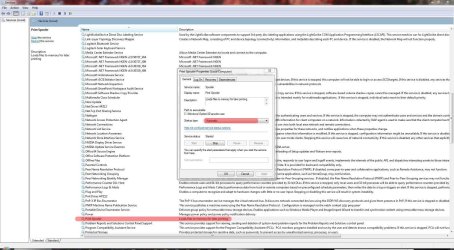
Click Start and type services.msc in the Search field then press Enter.

Check that the Print Spooler service is set to Automatic.

Spool.JPG
 

My Computer My Computer

At a glance

Windows 7 Ultimate SP1 64-BitIntel Core i7 870 @ 2.93GHz8Gb Dual-Channel DDR3 @ 664MHznVidia GeForce GTX 460 1024MB dedicated RAM
Computer Manufacturer/Model Number
HP Pavilion Elite 495UK
OS
Windows 7 Ultimate SP1 64-Bit
CPU
Intel Core i7 870 @ 2.93GHz
Motherboard
MSI 2A9C (CPU1)
Memory
8Gb Dual-Channel DDR3 @ 664MHz
Graphics Card(s)
nVidia GeForce GTX 460 1024MB dedicated RAM
Sound Card
Realtek HD Audio
Monitor(s) Displays
HP2310i
Screen Resolution
1920 x 1080
Hard Drives
1x1954GB Hitachi HDS22020ALA 330 (RAID), 1x1954GB Hitachi External for backup and storage
PSU
460W
Case
HP Elite
Cooling
Air cooled
Keyboard
Logitech K750 solar-powered keyboard
Mouse
Logitech Wireless M180 mouse
Internet Speed
2Mb
Other Info
Pure Avanti Flow Internet Radio with iPod Dock, 64Gb iPod, HP USB Speakers, Sony MDR-V500 Headphones, Sony Vaio F-Series Laptop
Print Spooler is set to auto.

Partially solved the problem. I re-started the print spooler which then allowed Devices and Printers to show my installed printers. I then deleted my default printer. That allowed me to print to the other printers as the print spooler was now longer stopping by itself.

After rebooting, the deleted printer re-appeared, but was grayed out. I discovered there was a document in the que. After some seaching, I was able to figure out how to delete the qued document. I then deleted the problem printer again and it stayed deleted.

I then tried to re-install the deleted printer but for some reason Windows 7 does not see the printer attached to the USB port. I can't figure out how to re-install the printer. Any suggestions?
 

My Computer My Computer

At a glance

windows 7 professional 32 bit
OS
windows 7 professional 32 bit
Do you still have any printer drivers installed?

If so, I'd be inclined to uninstall them, reboot and make a fresh start.
 

My Computer My Computer

At a glance

Windows 7 Ultimate SP1 64-BitIntel Core i7 870 @ 2.93GHz8Gb Dual-Channel DDR3 @ 664MHznVidia GeForce GTX 460 1024MB dedicated RAM
Computer Manufacturer/Model Number
HP Pavilion Elite 495UK
OS
Windows 7 Ultimate SP1 64-Bit
CPU
Intel Core i7 870 @ 2.93GHz
Motherboard
MSI 2A9C (CPU1)
Memory
8Gb Dual-Channel DDR3 @ 664MHz
Graphics Card(s)
nVidia GeForce GTX 460 1024MB dedicated RAM
Sound Card
Realtek HD Audio
Monitor(s) Displays
HP2310i
Screen Resolution
1920 x 1080
Hard Drives
1x1954GB Hitachi HDS22020ALA 330 (RAID), 1x1954GB Hitachi External for backup and storage
PSU
460W
Case
HP Elite
Cooling
Air cooled
Keyboard
Logitech K750 solar-powered keyboard
Mouse
Logitech Wireless M180 mouse
Internet Speed
2Mb
Other Info
Pure Avanti Flow Internet Radio with iPod Dock, 64Gb iPod, HP USB Speakers, Sony MDR-V500 Headphones, Sony Vaio F-Series Laptop
Tried deleting and reinstalling the 3100cn drivers. Rebooted. Windows still does not see the USB printer.

I deleted the drivers again. I also used regedit to delete all instances of "3100cn" in the registry. Strangely, Windows would not allow me to delete two keys but all others were deleted.

Reinstalled driver (printer not plugged in of course). Windows still does not see the printer. I tried multiple USB ports but it makes no difference. Windows will not recognize and install the printer.
 

My Computer My Computer

At a glance

windows 7 professional 32 bit
OS
windows 7 professional 32 bit
Make sure BlueTooth Support Service is turned on...
 

My Computer My Computer

At a glance

KY
Computer type
PC/Desktop
OS
KY
Back
Top