- Local time
- 12:12 PM
- Messages
- 31
I have a Samsung Galaxy Ace 2 smartphone, and am trying to download photos from it to the harddrive.
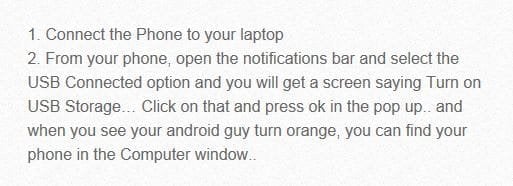
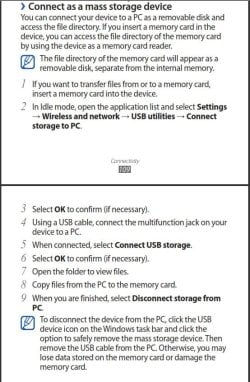
Have installed the Samsung software and when we hook up the phone to the computer we hear the device connect sound but it does not show up as a drive.
Have also hooked up the mini SD card via a hub but the pictures I want are on the phone internal memory.
Nothing shows up in Computer as a drive and the USB's drivers are all up to date
Can anyone help us as please as we are now at a loss as to what to do.
Have installed the Samsung software and when we hook up the phone to the computer we hear the device connect sound but it does not show up as a drive.
Have also hooked up the mini SD card via a hub but the pictures I want are on the phone internal memory.
Nothing shows up in Computer as a drive and the USB's drivers are all up to date
Can anyone help us as please as we are now at a loss as to what to do.
My Computer
- Computer Manufacturer/Model Number
- Custom made upgraded by my brother
- OS
- Windows 7 Home Premium 64bit SP1
- CPU
- Athon II X2 260 @ 3.2Ghz
- Motherboard
- Gigabyte GA-MA78LMT-S2 (Socket M2)
- Memory
- 8GB Kingston DDR3 1333Mhz
- Graphics Card(s)
- On board Radeon 3000
- Sound Card
- On board
- Monitor(s) Displays
- 22" E-Machines LCD backlit
- Hard Drives
- Samsung 830 120GB (boot)
Samsung Spinpoint 7200rpm SATA 500GB (data)
- PSU
- Gigabyte GE-C420A-C2 420W (peak)
- Case
- Gigabyte GZ-M2BPD-710 Micro ATX
- Cooling
- Coolermaster Hyper TX3