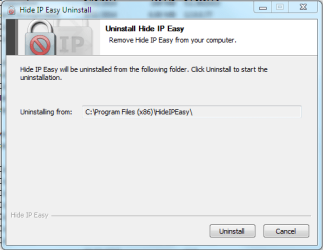
hey guys! i need help to completely and permanently remove "Hide IP Easy 5.3.1.2" from my Windows 8 Toshiba Laptop. I have tried to do so using control panel's "add/remove program" feature but it always stop with a prompt with only 2 options: 1) retry, and 2) cancel. clicking "retry" option always brings back the same exact prompt. this also happens when i tried its own uninstaller plus TuneUp Utilities Uninstaller and CCleaner Uninstaller as well. they all fail with the exact same prompt that recurs every time i hit retry.
i tried searching for blogs and such on how to remove this program but only found those relevant to prior version releases of the program and regarding earlier versions of Windows OS. it will be a great blessing for me if anyone can help me with this irritating problem.
thanks all and God bless,
Zeamann.
i tried searching for blogs and such on how to remove this program but only found those relevant to prior version releases of the program and regarding earlier versions of Windows OS. it will be a great blessing for me if anyone can help me with this irritating problem.
thanks all and God bless,
Zeamann.
My Computer
- Computer type
- Laptop
- Computer Manufacturer/Model Number
- Toshiba Satellite C875
- OS
- Windows 7 Ultimate x64 SP1
- CPU
- Intel Core i3-3110M CPU @ 2.4GHz, 2 Core (s), 4 Logical Proc
- Memory
- 4.0GB RAM
- Graphics Card(s)
- Intel HD Graphics 4000