Unless the file is in outlook message format (.msg)
I create forms for use here using Adobe Acrobat and these forms are emailed to staff.
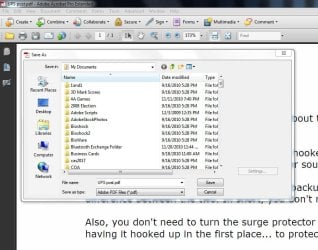
They open the form via Outlook email and then they fill out the form and need to do a "save as". when they do this it defaults to the OLK folder nd you have to maunaully direct it to another location. Users who are in a hurry, don't pay attenion and the file gets saved to the OLK folder and then they can never find it again.
Now the mystery is clear. Yes, when you open attachments in email, they will default to a temp location called OLK as explained here....
Find the Microsoft Outlook Temporary OLK folder....
When you open file attachments that are considered safe, Outlook places these attachments in a subdirectory under the your Temporary Internet Files directory as an extra precaution. When Outlook first tries to use a temporary file, it examines the registry to determine whether or not the TEMP OLK folder has already been created. If yes, it uses the folder. If no, it creates a random folder then stores the path in the registry location mentioned above.
Basically if a file is opened and not saved to a location, it will be kept in temp storage by outlook. In this instance you (the non e-mail account holder) won't have access to it. They
have to choose a save location.
What I suggest is to either store the files in a location everyone has access to, or if you're going to e-mail them, have them save the file and send it right back to you, or
insist on a save location of
your choosing. If this isn't done, the task isn't complete!
Also interesting is this: once the file has been saved to a new location and you open it back up again, if you do a "save as" again, it does not default to the OLK folder.
You
can actually do a "Save As" to any location you choose once you open and decide to save the file..... you just have to manually do it, it's not automatic.
Yes, a lot of times the last save location will be the default save location unless it's changed by the user. So for example if you saved your PDF files in Doucments, anytime you save a PDF file, it will be saved to Documents folder unless you tell it to save somewhere else.
Also bear in mind that this is specific to each user, so one user may have their saves going to documents, while another might have them going eleswhere. That's why it just best to have the file(s) in a central place where everyone has access to them, or
insist that the files be e-mailed back to you filled out. Again, If the instructions aren't followed, the task isn't complete!
Sorry for the long reply; hope this clears things up.