
Hi,
I got a problem with my external HDD from Memup, it's 1TB disk and I got tons of importante backup into there.
So please all help is appreciated.
What's happening is when I connect the external HDD to USB port and passing some time it appear on My PC but I can't click there, otherwise all will get blocked.
Almost all the time after I remove the USB of external HDD from PC it says I have to format the disk, but how if I already removed?
I tried another PC, cables, all, but no sucess, my primary goal is to backup all data from this HDD and put it into a new, and how can I retrieve all my data from this supposed damaged disk to another?
So the drive is recognized but I can't access.
Look:
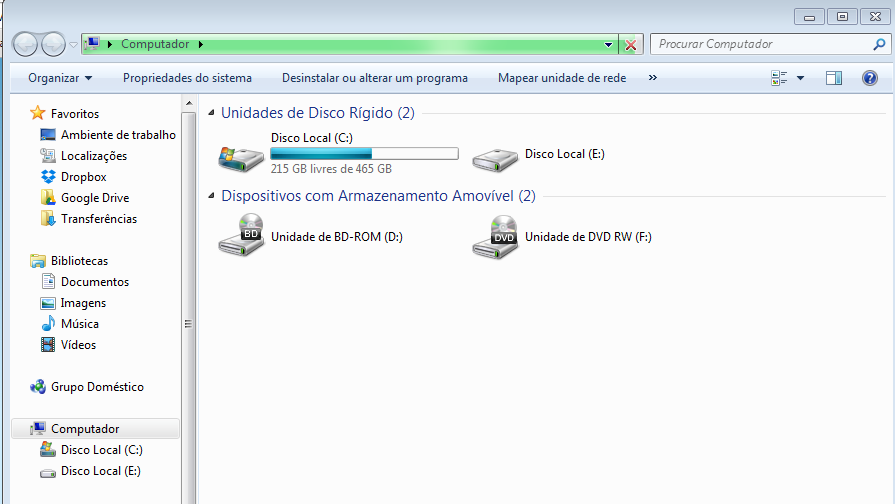
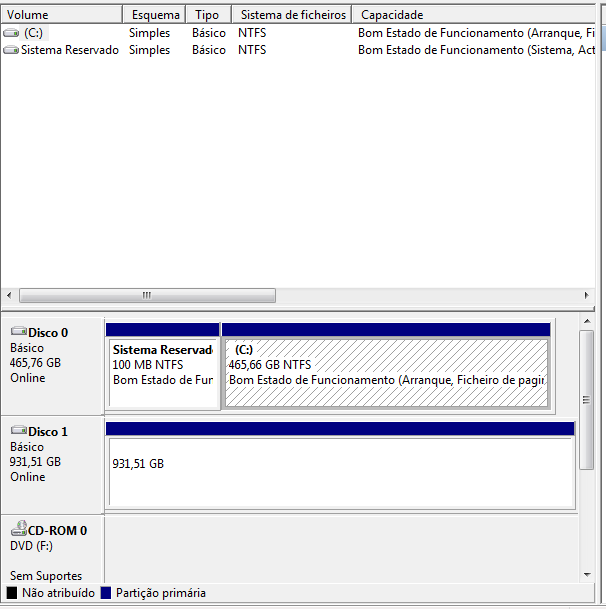
Looks like my external HDD is RAW, really strange how can I get back to normal?
I got a problem with my external HDD from Memup, it's 1TB disk and I got tons of importante backup into there.
So please all help is appreciated.
What's happening is when I connect the external HDD to USB port and passing some time it appear on My PC but I can't click there, otherwise all will get blocked.
Almost all the time after I remove the USB of external HDD from PC it says I have to format the disk, but how if I already removed?
I tried another PC, cables, all, but no sucess, my primary goal is to backup all data from this HDD and put it into a new, and how can I retrieve all my data from this supposed damaged disk to another?
So the drive is recognized but I can't access.
Look:
Looks like my external HDD is RAW, really strange how can I get back to normal?
My Computer
At a glance
Windows 7
- OS
- Windows 7


