

- Local time
- 5:46 PM
- Messages
- 5,915
Thank you, but I have already tried this many times. The drive shows in Partition Wizard. I can manipulate (format/delete/erase/shrink etc) the other partitions without a problem. The problem partition, nothing can be done to it. It justs sticks at 0%. It cannot even be deleted.
OK. Try this. Right click on that partition and change Partition Type ID as shown in the screenshot below.
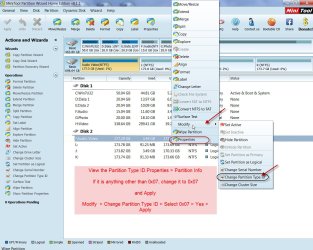
Once Partition Type is changed to normal NTFS, try deleting the partition in Partition Wizard..
My Computer
- OS
- Windows 7 Home Premium 32 bit

