defunker
New member
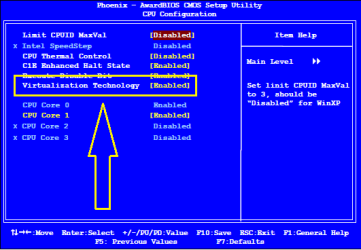
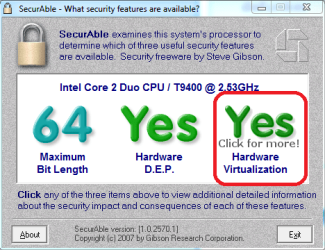
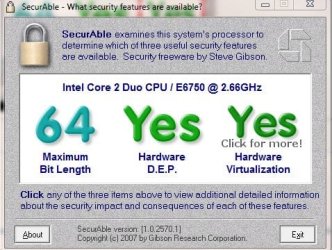
I'm having issues with Windows XP Mode recognizing that my virtualization is enabled. I have double checked in BIOS and it is indeed enabled. The application havdetectiontool.exe is not recognizing that it is enabled as well, so I'm a little unsure what the problem is.
I'm running Windows 7 64-bit Professional with an Intel Core 2 E6750. This stuff is a little over my head and I've had little luck trying to determine what to do next. Is BIOS the only way to go about turning virtualization on and off? Any help would be appreciated.
I'm running Windows 7 64-bit Professional with an Intel Core 2 E6750. This stuff is a little over my head and I've had little luck trying to determine what to do next. Is BIOS the only way to go about turning virtualization on and off? Any help would be appreciated.
My Computer
- OS
- Windows 7 Pro 64-bit
- CPU
- Intel Core 2 E6750 @ 2.66GHz
- Motherboard
- EVGA nForce 680i SLI
- Memory
- 8GB Ballistix DDR2 PC2-6400
- Graphics Card(s)
- NVIDIA GeForce 9800 GT

 . They're updated now. My specs are as follows: