Problems with getting Aero back

use sfc/scannow. this will reset any system files you may have themed, ie .folders. wmploc , system clock etc, but should sort your problem, then re theme your pc. i believe you dont really need gamebooster. you havent filled in your system spec so i cant be sure but gamebooster is for pretty old ish machines ie vista with 1 GB of ram

SFC /SCANNOW Command - System File Checker - Windows 7 Forums

Thank you, Im trying that right now..
 

My Computer

Computer Manufacturer/Model Number
Samsung R540
OS
Windows 7 Home Premium x64
CPU
Intel(R) Core i3
Motherboard
Samsung R540 Intel BREMEN-C Motherboard BA92-06785A
Memory
3,00 GB Dual-Channel
Graphics Card(s)
Intel (R) HD Graphics
Monitor(s) Displays
1
Screen Resolution
1366 by 768
Hard Drives
313GB SAMSUNG SAMSUNG HM321HI (SATA)
Keyboard
Standard PS/2 Keyboard
Mouse
CANYON OPTICAL MOUSE MS001
Well, so far nothing has helped. I have tried every single thing you guys suggested, but I cant get Aero back. Should I contact the Microsoft Client Service? Tough I dont want to get an automatic answer like "Right click on your desktop, select Personalization and click on Color & Appearance".
 

My Computer

Computer Manufacturer/Model Number
Samsung R540
OS
Windows 7 Home Premium x64
CPU
Intel(R) Core i3
Motherboard
Samsung R540 Intel BREMEN-C Motherboard BA92-06785A
Memory
3,00 GB Dual-Channel
Graphics Card(s)
Intel (R) HD Graphics
Monitor(s) Displays
1
Screen Resolution
1366 by 768
Hard Drives
313GB SAMSUNG SAMSUNG HM321HI (SATA)
Keyboard
Standard PS/2 Keyboard
Mouse
CANYON OPTICAL MOUSE MS001

My Computer

Computer type
Laptop
Computer Manufacturer/Model Number
Sager NP9170
OS
Win 7 Pro x64 / Win 10 Pro
CPU
Intel(R) Core(TM) i7-3630QM CPU @ 2.40GHz
Motherboard
CLEVO P170EM
Memory
12 GB
Graphics Card(s)
(1) Intel(R) HD Graphics 4000 (2) NVIDIA GeForce GTX 675M
Sound Card
(1) Realtek High Definition Audio (2) Intel(R) Display Aud
Monitor(s) Displays
17.3
Screen Resolution
1920x1080
Hard Drives
(1) Samsung 860 EVO 500GB(OS) (1) Samsung 860 EVO 500GB(Data)
Keyboard
Backlite
Antivirus
MSE, Malwarebytes Pro
Browser
Firefox
Other Info
DESKTOP: Custom-built.
OS: Win 10 Pro x64.
CASE: Rosewill R5.
CPU: Intel I5 4670K CPU @ 3.40GHz.
CPU COOLER: Cool Master Hyper 212 EVO.
MOTHERBOARD: Asus Z87-A.
MEMORY: Kingston HyperX 2x4 GB.
GPU: Nvidia Geforce 650 TI.
PSU: Corsair TX750.
DRIVES: (1) Samsung 840 120 GB SSD (2) Western Digital blue 500 GB 7200 RPM.
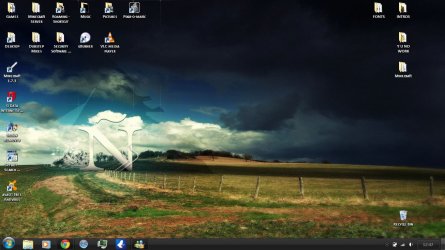
Well, believe it or not, but the problem is fixed. Or something like that. No, I did not get Aero working, but I got the right color to the taskbar. If you view the pictures on my first post, you'll see the taskbar is on the left side of the screen. I accidentaly dragged it on the bottom of the screen and this is the result.
 

Attachments

  • tb.JPG
    tb.JPG
    135.5 KB · Views: 10

My Computer

Computer Manufacturer/Model Number
Samsung R540
OS
Windows 7 Home Premium x64
CPU
Intel(R) Core i3
Motherboard
Samsung R540 Intel BREMEN-C Motherboard BA92-06785A
Memory
3,00 GB Dual-Channel
Graphics Card(s)
Intel (R) HD Graphics
Monitor(s) Displays
1
Screen Resolution
1366 by 768
Hard Drives
313GB SAMSUNG SAMSUNG HM321HI (SATA)
Keyboard
Standard PS/2 Keyboard
Mouse
CANYON OPTICAL MOUSE MS001
Did you ever have the right color when you had the task bar on the left?
It looks like Aero is working to me now.
Jerry
 

My Computer

Computer type
Laptop
Computer Manufacturer/Model Number
Sager NP9170
OS
Win 7 Pro x64 / Win 10 Pro
CPU
Intel(R) Core(TM) i7-3630QM CPU @ 2.40GHz
Motherboard
CLEVO P170EM
Memory
12 GB
Graphics Card(s)
(1) Intel(R) HD Graphics 4000 (2) NVIDIA GeForce GTX 675M
Sound Card
(1) Realtek High Definition Audio (2) Intel(R) Display Aud
Monitor(s) Displays
17.3
Screen Resolution
1920x1080
Hard Drives
(1) Samsung 860 EVO 500GB(OS) (1) Samsung 860 EVO 500GB(Data)
Keyboard
Backlite
Antivirus
MSE, Malwarebytes Pro
Browser
Firefox
Other Info
DESKTOP: Custom-built.
OS: Win 10 Pro x64.
CASE: Rosewill R5.
CPU: Intel I5 4670K CPU @ 3.40GHz.
CPU COOLER: Cool Master Hyper 212 EVO.
MOTHERBOARD: Asus Z87-A.
MEMORY: Kingston HyperX 2x4 GB.
GPU: Nvidia Geforce 650 TI.
PSU: Corsair TX750.
DRIVES: (1) Samsung 840 120 GB SSD (2) Western Digital blue 500 GB 7200 RPM.
Did you ever have the right color when you had the task bar on the left?
It looks like Aero is working to me now.
Jerry

No, I downloaded the theme after Aero stopped working.
 

My Computer

Computer Manufacturer/Model Number
Samsung R540
OS
Windows 7 Home Premium x64
CPU
Intel(R) Core i3
Motherboard
Samsung R540 Intel BREMEN-C Motherboard BA92-06785A
Memory
3,00 GB Dual-Channel
Graphics Card(s)
Intel (R) HD Graphics
Monitor(s) Displays
1
Screen Resolution
1366 by 768
Hard Drives
313GB SAMSUNG SAMSUNG HM321HI (SATA)
Keyboard
Standard PS/2 Keyboard
Mouse
CANYON OPTICAL MOUSE MS001
Restore uxtheme.dll from an original instalation and choose the official Aero Theme.
 

My Computer

Computer type
PC/Desktop
Computer Manufacturer/Model Number
My Build
OS
Windows 10 Build 9926
CPU
Core i7 4770k
Motherboard
Asus Z87 - Plus
Memory
32 GB DDR3 @ 1822 MHz
Graphics Card(s)
ATi 280X 3GB 384-Bit @ 1180/6840 MHz
Sound Card
Onboard 8 CH
Monitor(s) Displays
LCD 22" + CRT 17"
Screen Resolution
1920 x 1080 / 1600 x 1200
Hard Drives
SSD: 240 GB
HDD: 750GB (Media) + 2TB (Mass Storage)
PSU
1000W
Case
Self Modded
Cooling
Corsair H60 Triple Fan (Push-Push-Pull)
Keyboard
MS wireless
Mouse
MS wireless
Internet Speed
25M (down) 2M (up)
Antivirus
AVG Internet Security 2015
Browser
IE11 / FF / Chrome
Restore uxtheme.dll from an original instalation and choose the official Aero Theme.

Could you be a bit more specific? Im not english.
About the file - I have 6 different uxtheme.dll's on my computer.
 

My Computer

Computer Manufacturer/Model Number
Samsung R540
OS
Windows 7 Home Premium x64
CPU
Intel(R) Core i3
Motherboard
Samsung R540 Intel BREMEN-C Motherboard BA92-06785A
Memory
3,00 GB Dual-Channel
Graphics Card(s)
Intel (R) HD Graphics
Monitor(s) Displays
1
Screen Resolution
1366 by 768
Hard Drives
313GB SAMSUNG SAMSUNG HM321HI (SATA)
Keyboard
Standard PS/2 Keyboard
Mouse
CANYON OPTICAL MOUSE MS001
Back
Top