
Psu calculator

Adrian

Microsoft Elevate America
Guru
VIP
Local time
6:25 AM
Messages
1,419
Location
Lake Buena Vista The Magic Kingdom
Hello all:
For you "DIY", before you begin to build your new dream machine always consider first and foremost how much power will you need.
Your Power Supply Unit is often overlooked. But its critical in your build.
With Windows 7 and the newer dual/quad 64 bit machines the standard 300-350 watt PSU's are no longer able to handle the greater power demands placed on them.
The posted link will start you on your planning for your custom build.
I'm not espousing ASSUS products but the site is a very good tool.
Regards,
Adrian
ASUSTeK Computer Inc.-Support-
 

Attachments
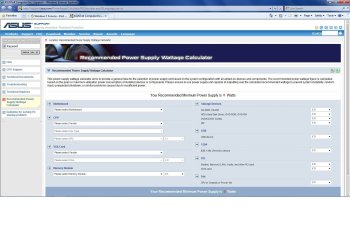
  • ASSUS SUPPORT.jpg
    ASSUS SUPPORT.jpg
    158.8 KB · Views: 189

My Computer

Computer Manufacturer/Model Number
Custom Build
OS
Windows 7 7600 1 X64
CPU
AMD PHENOM II X 550 PROCESSOR 3.1 ghz
Motherboard
ASUS M4A78-TE
Memory
Corsair 4 gig ddr 3
Graphics Card(s)
ati radeon 3300
Sound Card
ati hd
Monitor(s) Displays
syncmaster 2033sw
Screen Resolution
1600X900 60 hz refresh
Hard Drives
twin_seagates SATA's 1 TB & 500 Gig, hitachi_slimline 160 gig
PSU
antec_550 watt
Case
cooler master GLite
Cooling
stock_heat sink
Internet Speed
20mbs up/ 1.5mbs down
Other Info
favorite child "stewie"
favorite dog "brian"

My Computer

Computer Manufacturer/Model Number
Self-Built in July 2009
OS
Windows 7 Ultimate x64
CPU
Intel Q9550 2.83Ghz OC'd to 3.40Ghz
Motherboard
Gigabyte GA-EP45-UD3R rev. 1.1, F12 BIOS
Memory
8GB G.Skill PI DDR2-800, 4-4-4-12 timings
Graphics Card(s)
EVGA 1280MB Nvidia GeForce GTX570
Sound Card
Realtek ALC899A 8 channel onboard audio
Monitor(s) Displays
23" Acer x233H
Screen Resolution
1920x1080
Hard Drives
Intel X25-M 80GB Gen 2 SSD
Western Digital 1TB Caviar Black, 32MB cache. WD1001FALS
PSU
Corsair 620HX modular
Case
Antec P182
Cooling
stock
Keyboard
ABS M1 Mechanical
Mouse
Logitech G9 Laser Mouse
Internet Speed
15/2 cable modem
Other Info
Windows and Linux enthusiast. Logitech G35 Headset.

My Computer

Computer Manufacturer/Model Number
Custom Build
OS
Windows 7 7600 1 X64
CPU
AMD PHENOM II X 550 PROCESSOR 3.1 ghz
Motherboard
ASUS M4A78-TE
Memory
Corsair 4 gig ddr 3
Graphics Card(s)
ati radeon 3300
Sound Card
ati hd
Monitor(s) Displays
syncmaster 2033sw
Screen Resolution
1600X900 60 hz refresh
Hard Drives
twin_seagates SATA's 1 TB & 500 Gig, hitachi_slimline 160 gig
PSU
antec_550 watt
Case
cooler master GLite
Cooling
stock_heat sink
Internet Speed
20mbs up/ 1.5mbs down
Other Info
favorite child "stewie"
favorite dog "brian"
The Asus calculator seriously outbids/overestimates the OuterVision Extreme site and all other calcs I have used.
 
Last edited:
I've always used this one online and it's worked well for me.

eXtreme Power Supply Calculator Lite v2.5

Yes. In fact, I recommend purchasing the pro version, this is so good.

BUT - like all of these calculators, they don't really provide for overhead (so the PSU is not maxed out all the time), future hardware additions, user's computing habits, or aging of the electronics. So, using my canned text, I recommend the following to ensure your next PSU purchase will carry you through YEARS of service and upgrades:


Use the eXtreme PSU Calculator Lite to determine your power supply unit (PSU) requirements. Plug in all the hardware you think you might have in 2 or 3 years (extra drives, bigger or 2nd video card, more RAM, etc.). Be sure to read and heed the notes at the bottom of the page. I recommend setting Capacitor Aging to 30%, and if you participate in distributive computing projects (e.g. BOINC or Folding@Home), I recommend setting TDP to 100%. These steps ensure the supply has adequate head room for stress free operation and future demands. Research your video card and pay particular attention to the power supply requirements for your card listed on your video card maker's website. If not listed, check a comparable card (same graphics engine and RAM) from a different maker. The key specifications, in order of importance are:
  1. Current (amperage or amps) on the +12V rail,
  2. Efficiency,
  3. Total wattage.
Then look for power supply brands listed under the "Good" column of PC Mechanic's PSU Reference List. Ensure the supplied amperage on the +12V rails of your chosen PSU meets the requirements of your video card. Don't try to save a few dollars by getting a cheap supply. Digital electronics, including CPUs, RAM, and today's advanced graphics cards, need clean, stable power. A good, well chosen supply will provide years of service and upgrade wiggle room. I strongly recommend you pick a supply with an efficiency rating equal to, or greater than 80%. Look for the 80 Plus - EnergyStar Compliant label. And don't forget to budget for a good UPS with AVR (automatic voltage regulation).

***
 

My Computer

Computer Manufacturer/Model Number
BrightWorks Systems B4
OS
Windows 7 Profession 64-bit
CPU
Intel Core i7-860 Quad
Motherboard
Gigabyte P55-UD4P
Memory
Mushkin 4x2Gb PC12800
Graphics Card(s)
Gigabyte GTX260 896Mb
Sound Card
Integrated 7.1 HD Dolby
Monitor(s) Displays
2 Samsung 2220wm-HAS 22"
Screen Resolution
1680 x 1050 | 1680 x 1050
Hard Drives
WD HE 1Tb
PSU
Corsair TX-750W
Case
Ultra M998
Cooling
OEM
Keyboard
MS Wireless Comfort 5000
Mouse
MS Wireless 5000
Internet Speed
Cable and pretty darn fast
Back
Top