Purchase and install W7

ah100

New member
Local time
3:24 PM
Messages
20
I have a Toshiba Satellite P105 laptop, ca 2006, running XP3. It works, but there are problems. I would like to purchase and install Windows7. Where is a good place to buy (online is good). I looked at NewEgg, but they are offering a supplier's version, and it looks like you need special software to install. I'm not too techy, as you can see. What I want is a CD that I stick in my drive and say go. I assume this machine will handle W7. I'm also assuming it would require the 32-bit version. Right?
 

My Computer

Computer type
Laptop
Computer Manufacturer/Model Number
Lenovo G500
OS
W7
CPU
64
Memory
2G
Antivirus
AVG
Browser
FIrefox
Welcome to SevenForums ah100,
You should run this on your lappy to see if it's a good fit. I can say W7 should but for what you'll pay for the OS you may find it just better to upgrade the whole lappy. I use a Intel i3 HP with W7 64 bit and for something similar discounted pricing starts in the high 300's.

http://www.microsoft.com/en-us/download/details.aspx?id=20
 

My Computer

Computer type
PC/Desktop
Computer Manufacturer/Model Number
A blend of brains, brawn and dumb luck.
OS
Windows 7 Ultimate 64
CPU
i7 3770k OC'd 4.6 @ 1.17v, also FX 8120 & i5 miniITX
Motherboard
MSI P67A-GD80 b3
Memory
32 gb G.Skill Sniper DDR3 10-12-12-31 @ 2133
Graphics Card(s)
XFX Radeon 7870 2GB DDR5
Sound Card
Sound Blaster Z Series Card
Monitor(s) Displays
(2) LG LED 23" 1920 x 1080 2ms Monitors via mini d-port
Screen Resolution
1680 X 1050 p
Hard Drives
Samsung 256 gb 830 SSD sata III
(1) 1 tb WD Black
(2) 1 tb Hitachi deskmates/sata II
(2) 1 tb WD green/sata II
(2) 3 tb Seagate Barracuda
(1) 120 gb OCZ Vertex SS
(1) Drobo 5N w/5 Seagate 3tb
PSU
EVGA modular 1000G2 80% gold rating & APC 1200 RS
Case
CoolerMaster Storm Styker
Cooling
7 case fans 140mm & 120mm, NZXT Kraken X60
Keyboard
(2) Logitech Illuminated Keyboards (1) usb (1) wireless
Mouse
Logitech G700 & T-BC21 - nano nx for the laptop
Internet Speed
Basic 120mbps down
Antivirus
Trend Micro Titanium Max Security & Malwarebytes Premium
Browser
Chrome and IE 10
Other Info
5 Noctua case fans + 3 Noctua in p/p on NZXT cooler
Integrated hot swap drive bays for 2.5" Drives
(2) Lite-on dvd/cd/Blu Ray optical 22X
Integrated fan controller and led on/off
HP Officejet Pro 8630 all-n-one
Hot-swappable 3.5" hard drive bay
Netgear Nighthawk router
Asus USB 3 & sata 6 PCIe card
Vantec IDE to sata adptr./Ultra sata adptr
Lenovo L420 i5 lappy with m sata
Drobo 5N advanced NAS
You should be able to get win7 retail license for not too much, though you would need to download the iso file, burn it to dvd and install. I assume you can do that, it is very easy.
 

My Computers

System One System Two

  • Computer type
    PC/Desktop
    OS
    7 X64
    CPU
    i5 8400
    Motherboard
    gigabyte b365m ds3h
    Memory
    2x8gb 3200mhz
    Hard Drives
    various
    PSU
    pure power 11 400w cm
    Case
    Coolermaster
    Cooling
    cryorig m9i
  • Computer type
    PC/Desktop
    OS
    7x64
    CPU
    g5400
    Motherboard
    ga b365m ds3h
    Memory
    8gb ddr4 2400
    PSU
    xfx pro 450w
Hi and welcome to SevenForums,
2 gigs of ram is a bare minimum for win-7 64 bit and 1 gig for 32 bit but if you use a windows classic theme just about like x-p I believe you'll be fine,
Aero effect soak up allot of ram so just keep that in mind unless your lappy's ram is upgradeable ?
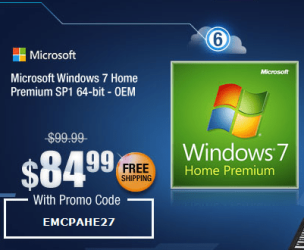
But looks as though TigerDirect has some 32 bit Home Premium disks available,
Microsoft Windows 7 Home Premium 32BIT Operating System Software - OEM DVD, English at TigerDirect.com

http://www.sevenforums.com/tutorials/1649-clean-install-windows-7-a.html

I suppose you can thank Microsoft for not having win-7 disk available in local stores after releasing win-8 they were pulled off shelves ;)
 

My Computer

Computer type
PC/Desktop
Computer Manufacturer/Model Number
Custom assembled by me :}
OS
Win-7-Pro64bit 7-H-Prem-64bit
CPU
i7-5930K 2nd i9-9940x both water blocked VRM's too
Motherboard
ASUS SABERTOOTH X99 2nd ASUS x299 Apex
Memory
Trident-z 3200C14 2nd Trident-z 3600C16
Graphics Card(s)
EVGA 1080ti ftw3 2nd Titan Xp both water blocked
Sound Card
Built-in Realtek
Monitor(s) Displays
1-AOC G2460PG 24"G-Sync 144Hz/ 2nd 1-ASUS VG248QE 24" 144Hz
Screen Resolution
1920 x 1080 144Hz
Hard Drives
2-Samsung M.2 Evo & Evo Plus
2-Samsung 850 EVO 500GB SSD's/ 3-2.5 W.D. Black 1tb-&3-1tb/3-3.5 WD Black 1tb hdd's
PSU
EVGA SuperNOVA 1000-P2 2nd 1200-P2
Case
2-Corsair Obsidian Series 450D Black ATX Mid Tower
Cooling
Custom water loops
Keyboard
Logitech G710+/ 2nd Logitech G910
Mouse
2-RedDragon M901 Perdition 16400 dpi Gaming mouse = wired
Internet Speed
Comcast Ping 19ms 89.31mbps download speed 6.12mbps upload
Antivirus
Malwarebytes Pro/ Superantispyware Pro
Browser
FireFox & Pale moon
Other Info
2nd ASUS X299 Apex/Intel i9-9940x with Custom water loop/7H-Prem-x64/Corsair 450D case/Ram Trident-z 3600C16 4x8gb / Samsung970Evo plus 500gb SSD/Dual ssd EZ swap evo/PSU EVGA SuperNova 1200w-P2 80+Platinum/GPU Titan Xp /8-ML-140 on push-pull on 2-280GTX rads
Welcome
Run the Microsoft Windows Upgrade Advisor. Get it from the Microsoft site. This will tell you if you can upgrade to Windows 7 and what drivers will be needed (that's the hard part).
To make susre everyone understands - Microsoft no longer sells media or licenses for the retail version of Windows 7. Tiger Direct and NewEgg have the OEM license. for ~$140. The end of October is the current cutoff for all retail/OEM versions except Professional as I understand it.
There are a number of Windows 7 laptops available "new in box" from HP and Lenovo at very attractive pricing. Other vendors may also have them. We just bought a nice one on Amazon. Worth considering and also converting the current machine to Linux if you want.
Just my 2 cents.
 

My Computer

Computer type
PC/Desktop
Computer Manufacturer/Model Number
Custom Desktop (2 alike) Dell inspiron 13" W10 Laptop Dell Inspiron 17 5759
OS
Windows 7 Enterprise 64bit Desktops; Windows 7 Professional 64Bit 17"Laptop
CPU
AMD Athlon 2 X3; I5-6200 6th gen (Dell)
Motherboard
Gigabyte GA 78LMT-USB3 (2 Desktops)
Memory
8 Gig Desktop, 8Gig Laptop, 16Gig Laptop
Graphics Card(s)
Radeon R5450 1Gig
Sound Card
Creative SB X-Fi Titanium Extreme Audio Desktop 1
Monitor(s) Displays
Dell 2419
Screen Resolution
1920x1080
Hard Drives
Crucial M500 500GB SSD Desktop 1 and Laptops
Samsung 850EVO 250GB - Desktop 2
PSU
Thermaltake 600watt
Case
Rosewill
Cooling
Scythe Typhoon 120mm
Keyboard
Kensington
Mouse
Logitech M310
Internet Speed
50/50
Antivirus
Avast
Browser
Firefox 68
The TigerDirect version has some strings attached. I would spend the extra $10 and get it from Newegg. This is a completely normal OEM version. Installation is straight forward and as usual.

Microsoft Windows 7 Home Premium SP1 32-bit - Operating Systems - Newegg.com

Retail versions are hard to come by and extremely expensive.

And run the Upgrade Advisor first. Linnemeyerhere posted the link.
 

My Computer

Computer Manufacturer/Model Number
HP, Dell, Gateway, Toshiba - 4 laptops and 2 desktops
OS
Vista, Windows7, Mint Mate, Zorin, Windows 8
CPU
from 1.6GHz Duo to i7
Monitor(s) Displays
2x HP w2207
Hard Drives
5x HDD, 7x SSD, 12x Externals
Keyboard
with trackball - no mices
Mouse
Trackball mice
Internet Speed
DSL 6000
I missed any strings attached for this version :/
But anywhere win-7 is still available is okay by me :)
 

My Computer

Computer type
PC/Desktop
Computer Manufacturer/Model Number
Custom assembled by me :}
OS
Win-7-Pro64bit 7-H-Prem-64bit
CPU
i7-5930K 2nd i9-9940x both water blocked VRM's too
Motherboard
ASUS SABERTOOTH X99 2nd ASUS x299 Apex
Memory
Trident-z 3200C14 2nd Trident-z 3600C16
Graphics Card(s)
EVGA 1080ti ftw3 2nd Titan Xp both water blocked
Sound Card
Built-in Realtek
Monitor(s) Displays
1-AOC G2460PG 24"G-Sync 144Hz/ 2nd 1-ASUS VG248QE 24" 144Hz
Screen Resolution
1920 x 1080 144Hz
Hard Drives
2-Samsung M.2 Evo & Evo Plus
2-Samsung 850 EVO 500GB SSD's/ 3-2.5 W.D. Black 1tb-&3-1tb/3-3.5 WD Black 1tb hdd's
PSU
EVGA SuperNOVA 1000-P2 2nd 1200-P2
Case
2-Corsair Obsidian Series 450D Black ATX Mid Tower
Cooling
Custom water loops
Keyboard
Logitech G710+/ 2nd Logitech G910
Mouse
2-RedDragon M901 Perdition 16400 dpi Gaming mouse = wired
Internet Speed
Comcast Ping 19ms 89.31mbps download speed 6.12mbps upload
Antivirus
Malwarebytes Pro/ Superantispyware Pro
Browser
FireFox & Pale moon
Other Info
2nd ASUS X299 Apex/Intel i9-9940x with Custom water loop/7H-Prem-x64/Corsair 450D case/Ram Trident-z 3600C16 4x8gb / Samsung970Evo plus 500gb SSD/Dual ssd EZ swap evo/PSU EVGA SuperNova 1200w-P2 80+Platinum/GPU Titan Xp /8-ML-140 on push-pull on 2-280GTX rads
I'm still a little confused. I think there are some problems with my whole installation. I attempted to reinstall the original XP from scratch (with the Toshiba disc), but it wouldn't work (even though it is only possible to reinstall with reformat). Some programs won't work at all (Adobe 10, Google Earth), so after screwing around with this for awhile, I am entertaining a complete reformat and then installing W7. I have done this beore, using the Toshiba disc, but now that doesn't work. NewEgg offers W7-32 for $99, but says it needs an installation program. Do I have to buy that, too? My hope would be to reformat, insert CD, and hit "GO", with maybe some custom installation to omit programs I don't want. Appreciate your replies.
 

My Computer

Computer type
Laptop
Computer Manufacturer/Model Number
Lenovo G500
OS
W7
CPU
64
Memory
2G
Antivirus
AVG
Browser
FIrefox

My Computer

Computer type
PC/Desktop
Computer Manufacturer/Model Number
Custom assembled by me :}
OS
Win-7-Pro64bit 7-H-Prem-64bit
CPU
i7-5930K 2nd i9-9940x both water blocked VRM's too
Motherboard
ASUS SABERTOOTH X99 2nd ASUS x299 Apex
Memory
Trident-z 3200C14 2nd Trident-z 3600C16
Graphics Card(s)
EVGA 1080ti ftw3 2nd Titan Xp both water blocked
Sound Card
Built-in Realtek
Monitor(s) Displays
1-AOC G2460PG 24"G-Sync 144Hz/ 2nd 1-ASUS VG248QE 24" 144Hz
Screen Resolution
1920 x 1080 144Hz
Hard Drives
2-Samsung M.2 Evo & Evo Plus
2-Samsung 850 EVO 500GB SSD's/ 3-2.5 W.D. Black 1tb-&3-1tb/3-3.5 WD Black 1tb hdd's
PSU
EVGA SuperNOVA 1000-P2 2nd 1200-P2
Case
2-Corsair Obsidian Series 450D Black ATX Mid Tower
Cooling
Custom water loops
Keyboard
Logitech G710+/ 2nd Logitech G910
Mouse
2-RedDragon M901 Perdition 16400 dpi Gaming mouse = wired
Internet Speed
Comcast Ping 19ms 89.31mbps download speed 6.12mbps upload
Antivirus
Malwarebytes Pro/ Superantispyware Pro
Browser
FireFox & Pale moon
Other Info
2nd ASUS X299 Apex/Intel i9-9940x with Custom water loop/7H-Prem-x64/Corsair 450D case/Ram Trident-z 3600C16 4x8gb / Samsung970Evo plus 500gb SSD/Dual ssd EZ swap evo/PSU EVGA SuperNova 1200w-P2 80+Platinum/GPU Titan Xp /8-ML-140 on push-pull on 2-280GTX rads
NewEgg offers Windows 7-32 for $99, but says it needs an installation program.
Where does it say that. I have installed OEM versions from Newegg several times and never had a problem. It was a straight forward installation.
 

My Computer

Computer Manufacturer/Model Number
HP, Dell, Gateway, Toshiba - 4 laptops and 2 desktops
OS
Vista, Windows7, Mint Mate, Zorin, Windows 8
CPU
from 1.6GHz Duo to i7
Monitor(s) Displays
2x HP w2207
Hard Drives
5x HDD, 7x SSD, 12x Externals
Keyboard
with trackball - no mices
Mouse
Trackball mice
Internet Speed
DSL 6000
"This software is intended for pre-installation on the hard drive of the fully assembled computer system, using the OEM pre-installation tools. For information using pre-installation OEM tools, see www.Microsoft.com/oem/opk....."
I looked at the instructions for a clean W7 install (http://www.sevenforums.com/tutorials/1649-clean-install-windows-7-a.html), and that looks like a great tutorial. Thanks to whoever wrote it. I'm now assuming I can buy the OEM version of W7 from NewEgg for $99 and install it easily. Tell me if I am wrong.
 

My Computer

Computer type
Laptop
Computer Manufacturer/Model Number
Lenovo G500
OS
W7
CPU
64
Memory
2G
Antivirus
AVG
Browser
FIrefox

My Computer

Computer type
PC/Desktop
Computer Manufacturer/Model Number
home built
OS
Multi-Boot W7_Pro_x64 W8.1_Pro_x64 W10_Pro_x64 +Linux_VMs +Chromium_VM
CPU
AMD Athlon II x4 620
Motherboard
Gigabyte GA-MA785G-UD3H
Memory
6GB GSkill DDR2 800
Graphics Card(s)
AMD 4670 GPU + AMD 4200 IGP
Sound Card
on board Realtek ALC889A
Monitor(s) Displays
RCA 40" LCD TV, Insignia 32" LCD TV, HP 15" LCD monitor
Screen Resolution
1680 x 1050
Hard Drives
OCZ Vertex 3 120GB,
Samsung F3 1TB (3),
Several others - WD, Seagate, Hitachi, ...
PSU
Corsair 500 W
Case
Rosewill mid tower
Cooling
CM 90mm rifle
Keyboard
Gyration wireless, Logitech wireless, Dell USB wired
Mouse
Gyration wireless, Logitech wireless, V7 USB wired
Internet Speed
Spectrum - 100Mbps D / 10Mbps U
Antivirus
Avast, MBAM3, EMET, WinPatrol
Browser
Pale Moon, Firefox, IE
Other Info
2 multi-boot PC's
Mainly HTPC/Office/Gen purpose (no gaming).
Trendnet USB KVM.
LG DVD burner/Blue Ray Player.
Tray system for removable SATA backup drives.

Not currently OCd, under-volted.
I use Hybrid sleep, rarely re-boot or shutdown.

Hauppauge HD-PVR, Avermedia PCIe TV Tuner, Hauppauge PCI TV Tuner.

My Computer

Computer type
PC/Desktop
Computer Manufacturer/Model Number
Custom assembled by me :}
OS
Win-7-Pro64bit 7-H-Prem-64bit
CPU
i7-5930K 2nd i9-9940x both water blocked VRM's too
Motherboard
ASUS SABERTOOTH X99 2nd ASUS x299 Apex
Memory
Trident-z 3200C14 2nd Trident-z 3600C16
Graphics Card(s)
EVGA 1080ti ftw3 2nd Titan Xp both water blocked
Sound Card
Built-in Realtek
Monitor(s) Displays
1-AOC G2460PG 24"G-Sync 144Hz/ 2nd 1-ASUS VG248QE 24" 144Hz
Screen Resolution
1920 x 1080 144Hz
Hard Drives
2-Samsung M.2 Evo & Evo Plus
2-Samsung 850 EVO 500GB SSD's/ 3-2.5 W.D. Black 1tb-&3-1tb/3-3.5 WD Black 1tb hdd's
PSU
EVGA SuperNOVA 1000-P2 2nd 1200-P2
Case
2-Corsair Obsidian Series 450D Black ATX Mid Tower
Cooling
Custom water loops
Keyboard
Logitech G710+/ 2nd Logitech G910
Mouse
2-RedDragon M901 Perdition 16400 dpi Gaming mouse = wired
Internet Speed
Comcast Ping 19ms 89.31mbps download speed 6.12mbps upload
Antivirus
Malwarebytes Pro/ Superantispyware Pro
Browser
FireFox & Pale moon
Other Info
2nd ASUS X299 Apex/Intel i9-9940x with Custom water loop/7H-Prem-x64/Corsair 450D case/Ram Trident-z 3600C16 4x8gb / Samsung970Evo plus 500gb SSD/Dual ssd EZ swap evo/PSU EVGA SuperNova 1200w-P2 80+Platinum/GPU Titan Xp /8-ML-140 on push-pull on 2-280GTX rads
OK, I'm ready to install the new Windows7. Checked out the tutorial Windows 7: Clean Install Windows 7,and it says to back up all the drivers. Sounds like a good idea. So I went to a recommended site--SourceForge DriverBackup! | SourceForge.net, and it looks like what I need. Now, if I get this and do the backup, will these drivers from my XP system be usable for the new W7 system? If not, what do you suggest I do to get the new drivers. Or, better yet, is there a way to replace the XP system with the W7 system without losing all the drivers? Is that option on the W7 disc I will be receiving? Is that a good idea? I wouldn't mind buying a program that would load the drivers automatically, as long as I can get on the internet. I do have another computer hooked up to the net. I do appreciate your help.
 

My Computer

Computer type
Laptop
Computer Manufacturer/Model Number
Lenovo G500
OS
W7
CPU
64
Memory
2G
Antivirus
AVG
Browser
FIrefox
No need to do that. Just proceed with the http://www.sevenforums.com/tutorials/1649-clean-install-windows-7-a.html plugged in by ethernet cable (which increases the chance of it starting up ready to connect), deleting all partitions using the Drive Options pictured in Steps 7/8. If you want a certain partition scheme then create and format your new partitions with those same tools, or just click Next and Win7 will do it for you.

If the install starts up ready to connect, then enable Automatically deliver drivers via Windows Update (Step 3) and Check for Updates, install all rounds of Important and Optional Updates except Bing. After reboots keep checking back for more updates until no more are offered. Then import any missing drivers from Satellite P105-S6024 Support | Toshiba. Make sure the model extension is correct or change it first. Click on the Drivers tab.

If the new install needs a network driver to connect get it from the same location above. Only Vista wireless drivers are available there but they should work, or Win7 will provide a newer one, or we can help you find it if you determine the exact make/model of device you have from the list by looking in Dev Mgr before install, tracing Hardware Identification, or just trying all of them from list until one installs and you can connect to network.

Plugging in by ethernet increases the chance the installer will have your driver to about 75%, while the chance for wireless driver being provided during install is about 50% or better. If only one is provided you can use it to get your Updates which likely will have the other, or import it from Toshiba's web page.

Ask back any questions you have. Also read over these steps which compile how to get and keep a perfect http://www.sevenforums.com/tutorials/219487-clean-reinstall-factory-oem-windows-7-a.html#post1839164 which also apply here as well.

 
Last edited:
Hi,
Just know your webcam is likely not going to work if it has one,
Manufactures often switch venders of hardware like this it's unavoidable
Thanks Greg for straightening out the process :)
 

My Computer

Computer type
PC/Desktop
Computer Manufacturer/Model Number
Custom assembled by me :}
OS
Win-7-Pro64bit 7-H-Prem-64bit
CPU
i7-5930K 2nd i9-9940x both water blocked VRM's too
Motherboard
ASUS SABERTOOTH X99 2nd ASUS x299 Apex
Memory
Trident-z 3200C14 2nd Trident-z 3600C16
Graphics Card(s)
EVGA 1080ti ftw3 2nd Titan Xp both water blocked
Sound Card
Built-in Realtek
Monitor(s) Displays
1-AOC G2460PG 24"G-Sync 144Hz/ 2nd 1-ASUS VG248QE 24" 144Hz
Screen Resolution
1920 x 1080 144Hz
Hard Drives
2-Samsung M.2 Evo & Evo Plus
2-Samsung 850 EVO 500GB SSD's/ 3-2.5 W.D. Black 1tb-&3-1tb/3-3.5 WD Black 1tb hdd's
PSU
EVGA SuperNOVA 1000-P2 2nd 1200-P2
Case
2-Corsair Obsidian Series 450D Black ATX Mid Tower
Cooling
Custom water loops
Keyboard
Logitech G710+/ 2nd Logitech G910
Mouse
2-RedDragon M901 Perdition 16400 dpi Gaming mouse = wired
Internet Speed
Comcast Ping 19ms 89.31mbps download speed 6.12mbps upload
Antivirus
Malwarebytes Pro/ Superantispyware Pro
Browser
FireFox & Pale moon
Other Info
2nd ASUS X299 Apex/Intel i9-9940x with Custom water loop/7H-Prem-x64/Corsair 450D case/Ram Trident-z 3600C16 4x8gb / Samsung970Evo plus 500gb SSD/Dual ssd EZ swap evo/PSU EVGA SuperNova 1200w-P2 80+Platinum/GPU Titan Xp /8-ML-140 on push-pull on 2-280GTX rads
Me again. I backed up everything (I hope), inserted my W7 OEM CD, fired up the computer, clicked to load from CD drive. Whirr.........Loaded files, whirred some more, then the computer shut down completely. Now what?
 

My Computer

Computer type
Laptop
Computer Manufacturer/Model Number
Lenovo G500
OS
W7
CPU
64
Memory
2G
Antivirus
AVG
Browser
FIrefox
You'll want to see if this repeats. If so is it overheating? Check if the vents need to be cleared of dust. If you can still get into the OS install Core Temp to your System tray to monitor temps while it is under load.
 
Update 10/11--Installed W7 from OEM disc from NewEgg. Installed ok. I had some minor problems with the fact that W7 is a little different from XP, but worked them out. Still have two problems. A couple of my very old DOS programs would not work (we're talking 1994 or so). Simple game programs. I get a message that "This system does not support full screen mode". I selected the box on the compatibility tab to make compatible with Windows 7, and also to run in Window mode. Not the end of the world, but I would like to make them work, as they did in XP.
Second, don't have any sound. I went to Toshiba
(Satellite P105-S6104 Support | Toshiba)
and found driver updates, but not for W7. Maybe somebody could give me a clue on what to look for. Other than those two items, things seem be working ok.
Incidentally, I had a billing problem with NewEgg; called them up and they were extremely helpful in working it out.
Thanks in advance.
 

My Computer

Computer type
Laptop
Computer Manufacturer/Model Number
Lenovo G500
OS
W7
CPU
64
Memory
2G
Antivirus
AVG
Browser
FIrefox
BTW, I installed CoreTemp as suggested, and it was reading around 86C (before I reloaded). Now it is reading around 54C, which is quite a bit less. I did blow out the laptop as suggested; maybe the vents were clogged. Maybe this was the problem with some of the programs not working well beforehand (GoogleEarth, Adobe). Not sure what the temp should be.
 

My Computer

Computer type
Laptop
Computer Manufacturer/Model Number
Lenovo G500
OS
W7
CPU
64
Memory
2G
Antivirus
AVG
Browser
FIrefox
Back
Top