Solved Question about an upgrade

I was giving you options for rolling back to Home Premium if that's necessary or preferred at any point.

You said MS provided you with a Win7 installation DVD for reinstalling Home Premium with the Product Key on the COA sticker on machine, correct?

You can use that DVD to clean reinstall or roll back to Home Premium using the workaround I posted earlier. Or we can provide you with a move recent Win7 installation DVD ISO with SP1 which will save hours of updating.

Is this clearer now?
Yes, sorry about my misunderstandings. I do have a key on the cd package the dvd they sent, but nothing on my actual machine. So if I rolled back, I wouldn't lose anything? It would just be like doing an upgrade, but the opposite?
 

My Computer

Computer Manufacturer/Model Number
HP
OS
Windows 8 Pro
Memory
8gb
Monitor(s) Displays
23 inch Acer
And, will it be a problem to use that key again, or does it recogize that It the same machine
 

My Computer

Computer Manufacturer/Model Number
HP
OS
Windows 8 Pro
Memory
8gb
Monitor(s) Displays
23 inch Acer
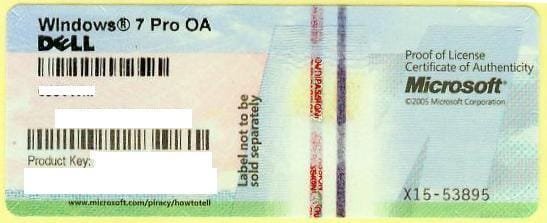
If Home Premium came preinstalled on the machine then there must be a COA sticker on the machine with a Product Key which looks something like this:

1270558000_86224332_1-Pictures-of--Buying-Windows-7-Prof-COA-Sticker-Only-100pcs-up-Needed.jpg

The only reason a Product Key would be with the disks is if you bought a retail copy or got the Win7 upgrade kit after buying a Vista machine. Where exactly did you get these disk(s) and what does it say on them?
 
Okay, I found my key on the machine. The disks came from microsoft. I had started email contact with customer service trouble shooting my problem and they offered to send replacement disks . This is what they sent, and what I installed over the premium I already had that was giving me problems.I never knew there was a key on the machine, so I never used that one, only the ones from the disks. They sent 32 bit and 64.
IMAG0304.jpg
 

My Computer

Computer Manufacturer/Model Number
HP
OS
Windows 8 Pro
Memory
8gb
Monitor(s) Displays
23 inch Acer
What key on disks? MS sent you disks to reinstall with the Product Key on COA sticker. They wouldn't also provide a key for this.

What is it you would like to do now?
 
The disks came in a package, the key was on it. I never used the key that was on my pc, I guess they thought that one was corrupt because of the problems. My goal is to upgrade to ultimate, but it looks as if upgrading from premium to ultimate would be cheaper (that's what I have found). So, i'd have to downgrade back to premium. But as you posted earlier, it looks as if I could do so without having to lose any existing software. My question is, do I downgrade to the disks key, or the factory, or does it matter. It seemed kind of difficult for someone that hasn't a lot of experience doing uninstalls and downgrades, but I am sure I could manage. I hope!

 

My Computer

Computer Manufacturer/Model Number
HP
OS
Windows 8 Pro
Memory
8gb
Monitor(s) Displays
23 inch Acer
If MS sent you replacement disks with a new Product Key then I would use that key if it's the one you used before.
 
Okay great, thanks for the help. you have been great!
 

My Computer

Computer Manufacturer/Model Number
HP
OS
Windows 8 Pro
Memory
8gb
Monitor(s) Displays
23 inch Acer
Back
Top