MadMaxData
Banned
Howdy Members,
I have a question concerning running programs in 32-Bit mode. The OS I'm running is Windows 7 Ultimate x64 (Retail version). The current HDD setup on my machine is two internal HDD's. The first HDD is C:\ & the second is D:\.
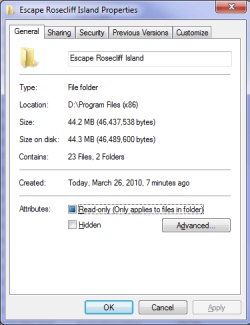
I run the OS on C:\ drive & have D:\ drive set up as a storage drive [pretty basic setup]. What I need to know is this. I would like to run program applications from D:\ drive in 32-Bit mode, but I'm not certain as to how I should set it up. How does the C:\ Program Files (x86) run applications in 32-Bit mode? In other words, is there some file in the C:\ Program Files (x86) folder that I should copy over to the D:\ drive folder that I want to run 32-Bit applications from, that will tell the OS to run them in 32-Bit mode? I want to make a directory of D:\ Program Files (x86) to run 32-Bit applications from. I'm sure there is a simple way to do this.
All comments are welcome, but please don't post a "guess" as a solution. If you've actually done this procedure successfully, I would really like to know how you did it. And yes, I know I could find the answer online, or find it by simply testing things out, but I thought I would save myself the time, and ask our knowledgeable members first. Any input would be appreciated though.
Thank you,
Max
I have a question concerning running programs in 32-Bit mode. The OS I'm running is Windows 7 Ultimate x64 (Retail version). The current HDD setup on my machine is two internal HDD's. The first HDD is C:\ & the second is D:\.
I run the OS on C:\ drive & have D:\ drive set up as a storage drive [pretty basic setup]. What I need to know is this. I would like to run program applications from D:\ drive in 32-Bit mode, but I'm not certain as to how I should set it up. How does the C:\ Program Files (x86) run applications in 32-Bit mode? In other words, is there some file in the C:\ Program Files (x86) folder that I should copy over to the D:\ drive folder that I want to run 32-Bit applications from, that will tell the OS to run them in 32-Bit mode? I want to make a directory of D:\ Program Files (x86) to run 32-Bit applications from. I'm sure there is a simple way to do this.
All comments are welcome, but please don't post a "guess" as a solution. If you've actually done this procedure successfully, I would really like to know how you did it. And yes, I know I could find the answer online, or find it by simply testing things out, but I thought I would save myself the time, and ask our knowledgeable members first. Any input would be appreciated though.
Thank you,
Max
My Computer
- Computer Manufacturer/Model Number
- NVIDIA
- OS
- Windows 7 Enterprise x64
- CPU
- AMD Athlon 64X2 Dual Core 3800+
- Motherboard
- GeForce 6100-M9
- Memory
- OCZ Platinum Dual Channel - 4x1Gb
- Graphics Card(s)
- NVIDIA GeForce 8800 GT PCI Express x16
- Sound Card
- Creative Audigy Sound Blaster Extreme PCI
- Monitor(s) Displays
- Compaq 7500
- Screen Resolution
- 1024x768
- Hard Drives
- C: Seagate ST3250318AS SataII - 250Gb
D: Seagate ST3500418AS SataII - 500Gb
- PSU
- OCZ 600w Dual 12v Rails
- Case
- Thermaltake
- Cooling
- OCZ Heatsinks, Fans, and Thermal Paste on CPU & Chipsets
- Keyboard
- Logitech
- Mouse
- Radio Shack PS2
- Internet Speed
- Cable
- Other Info
- Dual Pioneer DVD/RW optical drives. LG CD/RW optical drive.