

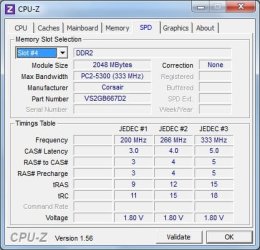
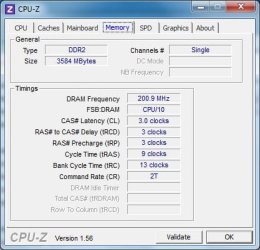
I have here an Acer Aspire T180-UB7Z, and it has a stick of RAM that isn't listed on the RAM manufacturer's website as being compatible with the motherboard. I don't know if this is because they haven't tested this particular stick with this motherboard, or if it is incompatible.
Basically, no memory tests (Memtest86, Memtest86+, Windows Memory Diagnostic) report any errors or problems, but I suspect this ram may be the cause of many random errors, and BSODs etc.
Having the ram installed makes the system run a lot better, so I really don't want to remove it unless absolutely necessary.
Any advice as to what steps I need to take next? I only have this machine for another 12 hours or so, and pretty much need a solution by then, such as whether the ram is the culprit of these errors, and if the ram needs to be removed.
Thanks a lot, in advance.
Tom.
Basically, no memory tests (Memtest86, Memtest86+, Windows Memory Diagnostic) report any errors or problems, but I suspect this ram may be the cause of many random errors, and BSODs etc.
Having the ram installed makes the system run a lot better, so I really don't want to remove it unless absolutely necessary.
Any advice as to what steps I need to take next? I only have this machine for another 12 hours or so, and pretty much need a solution by then, such as whether the ram is the culprit of these errors, and if the ram needs to be removed.
Thanks a lot, in advance.
Tom.
My Computer
- OS
- Windows 7 Ultimate (x64) Service Pack 1
- CPU
- AMD Athlon 64 X2 Dual Core Processor 5600+ 2.80 GHz
- Motherboard
- GIGABYTE GA-M720-US3
- Memory
- 4GB, Dual Channel, DDR2
- Graphics Card(s)
- NVIDIA GeForce 8600 GT
- Sound Card
- Creative SB X-Fi
- Monitor(s) Displays
- Dual Screen - Dell SE198WFP (19"), & GRUNDIG GU37BLKSE (37")
- Screen Resolution
- 1440x900, 1600x1200
- Hard Drives
- Hitachi HDS722020ALA330 (2TB Internal), WD 15EADS (1.5TB External)
- Keyboard
- Microsoft Wireless Laser Keyboard 7000
- Mouse
- Microsoft Wireless Laser Mouse 7000


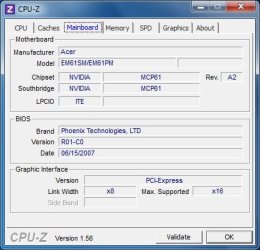
 ). Is there any action that can be taken to make it work as it should, or is it doomed to be removed?

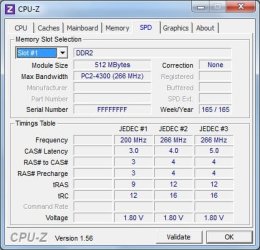
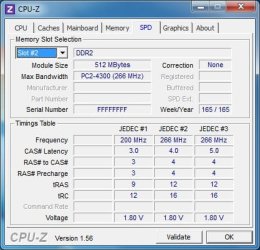
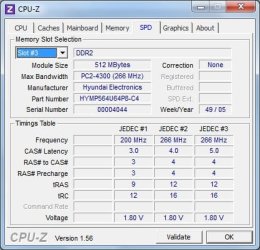

 . Here is a 'configurator' that will help you find compatible RAM: