tbh, i have no idea what is causing this because it happens all the time. even when i restart my computer, even when i do factory resets. (cpu spikes too, but thats recent so i will get to that)
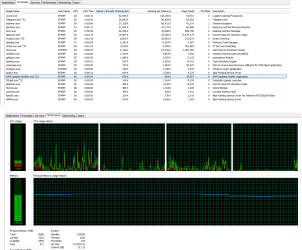
a couple years ago, my RAM usage would spike. when i turn on my laptop, my usage would be about 1-2gb.
from there, since i like saving things to watch for later and i game a lot since im too broke to afford a new computer; i leave my laptop on for very long times (sometimes days).
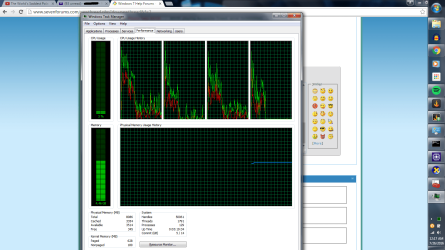
from the beginning to the end of the day, my RAM usage spikes from 1-2gb to 6-7gb. everything would run perfectly fine until i start running out of memory. thats when my games crash or dont run properly and eventually my computer runs slow or it commits seppuku (BSOD).
i've tried everything to find the cause of the issue. i've ran multiple virus scans from multiple anti-viruses, i've done factory resets with the CD, checked multiple guides and solutions online, ALL to no avail.
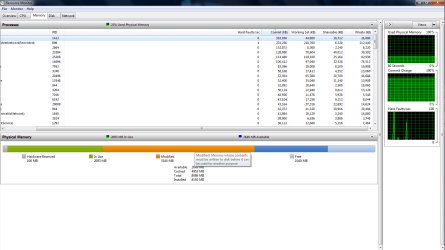
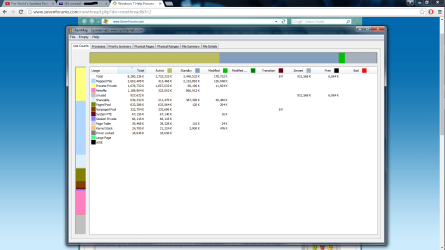
(rammap is very weird, because it shows me that the memory is in use, but not whats using it)
(one guide said to try disabling superfetch, tried it out and still nothing)
so eventually i got tired of looking for a solution and i brushed it off since the computer could last me a day or two before i had to restart it.
fast forward a couple years to the recent present, it happens so often i cant run my computer anymore.
for example, i turned on this laptop a few hours ago at 8pm est and it is now 12am est and my ram usage has jumped from 2gb to 5gb.
about four days ago is when i started getting CPU problems as well. i used to be able to run programs and application normally without any cpu spikes.
i used to able to run games like elite dangerous on very low settings around acceptable CPU loads (hey this baby ran crysis years ago like a charm). now i can't even run simple side scroller games like starbound or terraria without my cpu bottlenecking. ((E : D has directx problems after my RAM usage gets high))
everything lags like i just set movie like quality graphics settings.
------------------------------------
to make a long story short::
been passing by these forums for a very long time, decided to throw in the towel and ask for help.
please help me get my baby back into working condition, because i cannot afford another computer.
please and thank you
a couple years ago, my RAM usage would spike. when i turn on my laptop, my usage would be about 1-2gb.
from there, since i like saving things to watch for later and i game a lot since im too broke to afford a new computer; i leave my laptop on for very long times (sometimes days).
from the beginning to the end of the day, my RAM usage spikes from 1-2gb to 6-7gb. everything would run perfectly fine until i start running out of memory. thats when my games crash or dont run properly and eventually my computer runs slow or it commits seppuku (BSOD).
i've tried everything to find the cause of the issue. i've ran multiple virus scans from multiple anti-viruses, i've done factory resets with the CD, checked multiple guides and solutions online, ALL to no avail.
(rammap is very weird, because it shows me that the memory is in use, but not whats using it)
(one guide said to try disabling superfetch, tried it out and still nothing)
so eventually i got tired of looking for a solution and i brushed it off since the computer could last me a day or two before i had to restart it.
fast forward a couple years to the recent present, it happens so often i cant run my computer anymore.
for example, i turned on this laptop a few hours ago at 8pm est and it is now 12am est and my ram usage has jumped from 2gb to 5gb.
about four days ago is when i started getting CPU problems as well. i used to be able to run programs and application normally without any cpu spikes.
i used to able to run games like elite dangerous on very low settings around acceptable CPU loads (hey this baby ran crysis years ago like a charm). now i can't even run simple side scroller games like starbound or terraria without my cpu bottlenecking. ((E : D has directx problems after my RAM usage gets high))
everything lags like i just set movie like quality graphics settings.
------------------------------------
to make a long story short::
been passing by these forums for a very long time, decided to throw in the towel and ask for help.
please help me get my baby back into working condition, because i cannot afford another computer.
please and thank you
Attachments
Last edited:
My Computer
At a glance
Windows 7 Home Premium 64 bitIntel(R) Core(TM) i5-2430M CPU @ 2.40GHz Sand...8192MB (8GB) DDR3-1333 RAMIntel(R) HD Graphics 3000
- Computer type
- Laptop
- Computer Manufacturer/Model Number
- Dell Inspiron N7110
- OS
- Windows 7 Home Premium 64 bit
- CPU
- Intel(R) Core(TM) i5-2430M CPU @ 2.40GHz Sandy Bridge
- Motherboard
- Dell 0YH79Y Motherboard
- Memory
- 8192MB (8GB) DDR3-1333 RAM
- Graphics Card(s)
- Intel(R) HD Graphics 3000
- Hard Drives
- wdc wd6400bpvt-75hxzt3
- Antivirus
- avast anti-virus with malwarebytes
- Browser
- Chrome