Random Lockups in Windows 7

Allplay1997

New member
Local time
4:49 PM
Messages
26
Location
Portugal
Heyyy guys! hope I can get some help in this issue as this problem has been plaguing me for a long time

so I installed Windows 7 Professional in my rig, x86 and whenever I turn the computer on it can be 10 minutes to 5 or even 2 or 20 and then it locksup and doesn't respond, the keyboard, mouse, everything freezes and my only chance is to restart the computer

I am aware my graphics card is seriously old and that I have been following guides to make the Windows 2000 drivers work in 7 but still it doesn't solve my problem, I am seriously worried it may be either the CPU or the Graphics card, both are old but I saw that the AMD Sempron 3000+ runs on Windows 7, choppy but it runs, so I'm leaning more towards the graphics card

furthermore sometimes a BSOD appears and the the location is always "2070" in terms of error and it may have the message "Memory Management" or "IRQL_Not_Less_Or_Equal" somewhere along those lines

I am seriously frustrated by this problem, could I get some help please? or is my only chance to return to XP? I had Windows XP Professional x86 and it ran perfectly but due to no longer having support and my paranoia or cybernetic attacks I decided to make the jump to Windows 7 but now I have this problem

P.S - I wrote all that above on a rush to get it done before the pc crashes again :roflmao:
 

My Computer

Computer type
PC/Desktop
Computer Manufacturer/Model Number
Custom Build
OS
Windows 7 Ultimate 32 Bits
CPU
Intel Pentium D 925
Motherboard
Foxconn 662 7MA
Memory
2x DDR2 1GB
Graphics Card(s)
ATI Radeon X1050/EAX1050
Antivirus
AVG + MalwareBytes
Browser
Mozilla Firefox
Hi ALLplay1997,
I express my deep excuses because I will probably not able to help you with this issue. The reason is I am not familiar with this kind of problem. Hope there are some more proffesional people who will help you. Wish you best
 

My Computer

Computer type
PC/Desktop
OS
Windows 7 Home Premium 32bit
Hi ALLplay1997,
I express my deep excuses because I will probably not able to help you with this issue. The reason is I am not familiar with this kind of problem. Hope there are some more proffesional people who will help you. Wish you best

it is fine Aska, at least you tried, right now the computer crashed right after 1 minute after it was on
furthermore another BSOD with the message "Page Fault in None Paged Area" and then rebooted, this is seriously annoying me as I cannot have the computer more than 1 minute to 5 minutes on before it locks up
hope someone else can help me

thanks anyways, Cheers
Allplay1997
 

My Computer

Computer type
PC/Desktop
Computer Manufacturer/Model Number
Custom Build
OS
Windows 7 Ultimate 32 Bits
CPU
Intel Pentium D 925
Motherboard
Foxconn 662 7MA
Memory
2x DDR2 1GB
Graphics Card(s)
ATI Radeon X1050/EAX1050
Antivirus
AVG + MalwareBytes
Browser
Mozilla Firefox
Heyyy guys! hope I can get some help in this issue as this problem has been plaguing me for a long time

so I installed Windows 7 Professional in my rig, x86 and whenever I turn the computer on it can be 10 minutes to 5 or even 2 or 20 and then it locksup and doesn't respond, the keyboard, mouse, everything freezes and my only chance is to restart the computer

I am aware my graphics card is seriously old and that I have been following guides to make the Windows 2000 drivers work in 7 but still it doesn't solve my problem, I am seriously worried it may be either the CPU or the Graphics card, both are old but I saw that the AMD Sempron 3000+ runs on Windows 7, choppy but it runs, so I'm leaning more towards the graphics card

furthermore sometimes a BSOD appears and the the location is always "2070" in terms of error and it may have the message "Memory Management" or "IRQL_Not_Less_Or_Equal" somewhere along those lines

I am seriously frustrated by this problem, could I get some help please? or is my only chance to return to XP? I had Windows XP Professional x86 and it ran perfectly but due to no longer having support and my paranoia or cybernetic attacks I decided to make the jump to Windows 7 but now I have this problem

P.S - I wrote all that above on a rush to get it done before the pc crashes again :roflmao:

Let's get some info from you first. I need to see your Disk Management. Follow this Tutorial and post a Screen Shot of it. Be sure and spread the columns so we can read all of the print.
http://www.sevenforums.com/tutorials/274797-disk-management-post-screen-capture-image.html ==
Your System Specs say you have no Anti-Virus. That needs to be fixed NOW. Download it from this link and run it. Microsoft Security Essentials - Microsoft Windows Then post your Disk Management.
 

My Computer

Computer type
PC/Desktop
Computer Manufacturer/Model Number
Custom Build
OS
Windows 7 Home Premium 32-Bit - Build 7600 SP1
CPU
Intel Core i3-2120 3.30Ghz
Motherboard
Asus P8Z68-V LX Intel Z68 Socket H2 ATX
Memory
Kingston 4 GB DDR3 1333 mhz
Graphics Card(s)
AMD Radeon HD6670
Sound Card
Sound Blaster Audigy SE 24-Bit
Monitor(s) Displays
Asus VE228
Screen Resolution
1440 X 900
Hard Drives
OCZ Vertex 3 120 GB Sata 3 SSD ==
Kingston SH103/S3 120 G Hyper X 120 GB SSD ==
Western Digital 500 GB Caviar Green 7200 RPM ==
PSU
Corsair CX600M == 600 Watt
Case
NZXT Apollo - Silver with Clear Side Panel
Cooling
Three 120 mm Fans
Keyboard
Microsoft Natural 4000
Mouse
Microsoft Custom Optical 3000
Internet Speed
AT&T Fiber Optic Wireless Network
Antivirus
Microsoft Security Essentials
Browser
Chrome
Other Info
120 mm Blue LED Fan -- Three Blue LED Lazer Light Sticks
This is a longshot without seeing additional information and you having a different board that I have but I was plagued by lockups too, and it wasn't caused by overclocking, video card, etc... It was caused by my network card having incorrect settings using default and recommended drivers.

Do your lockups occur when transferring data on the network? One way you can test this is by restarting ( tap f8 during restart to open boot menu if you're running Windows 7 or earlier; for windows 8 and later you'll need to restart into safe mode using your shutdown options [ hold shift if I recall correctly ] ) and start into safe mode without networking and see if lockups occur. If not, try safe mode with networking and see what happens when you try transferring data from one computer to the other ( if you don't have another pc try connecting your cell phone [ if you have one ] to your network and try transferring data to it ).

Another way to test is if you lockup during any type of streaming ( a good piece of software is Open Broadcaster Software which can "stream" to a local file, or one of many internet sites such as twitch, use the internet site option ). I had lockups during streaming when I tried resolutions above 720p or so but it didn't lockup when I saved to a local file.

Here's the file with references ( see if you have a similar network card in device manager ): https://dl.dropboxusercontent.com/u/26074909/_utilities/fixes/Network lockups on pc.txt

This took a long time for me to figure out because the lockups didn't happen often enough to be bothered until I started streaming or when I needed to transfer files between my networked computers. Haven't had a lockup in years since resolving the settings issue. Your issue may be the same or it may be completely different. This is a shot in the dark in the event you're having the same issue, but I'm also posting this because the more well-known or well-documented this is, the better chances there are to others with this issue to find a resolution.
 

My Computer

Computer type
PC/Desktop
Computer Manufacturer/Model Number
Acecool Company
OS
Windows 7 Professional x64
CPU
Intel Q6600 ( Quad Core ) @ 2.4 to 3.0 OC GHz
Motherboard
Asus P5K
Memory
Kingston 8GB ( 2x 4GB )
Graphics Card(s)
NVidia 750 TI SC 2GB
Sound Card
Onboard + USB 7.1 Simulated Surround Headset
Monitor(s) Displays
Samsung TV, HP TV ( Until PS Caps repaired 2x LG )
Screen Resolution
Primary: 1920 x 1080, Secondary ( left ): 1680 x 1050
Hard Drives
Seagate ( 1TB x2 - 1 [ logic board issue ], 3TB x 1, 320GB x 1, 500GB x 1 ) @ 7200RPM
PSU
500W
Case
Antec 900
Cooling
Air
Keyboard
Logitech K350 Wireless and MS KU-0108 Wired ( Gaming )
Mouse
Logitech MX510 Blue
Internet Speed
50MBit
Antivirus
Custom
Browser
Google Chrome
Other Info
Logitech devices have an issue with gaming when using SetPoint software ( Uninstalled because of this ) where a depressed-key registers as an unpress event after a short period of time meaning if you hold right click to aim, it stops randomly until you re-press. It is one of the most annoying pieces of software because you either need to write your own to use the extra functionality of the keyboar
With Windows 7 you are not going to be able to anything with 1 gig of ram.

Memory 2 DDR 512MB for 1GB total
 

My Computer

Computer type
PC/Desktop
Computer Manufacturer/Model Number
Home made Desktop
OS
Windows 10 Pro. 64/ version 1709 Windows 7 Pro/64
CPU
Intel i7-6800K @ 4.3
Motherboard
ASUS X-99 Deluxe II
Memory
Corsair Platinum 16 gig @2400
Graphics Card(s)
EVGA GTX 1070 OC
Monitor(s) Displays
Asus 27" LED LCD/VE278Q
Screen Resolution
1920-1080 or 1280-720 HDMI
Hard Drives
INTEL SSD 730-240 Gb Sata 3.0/
PSU
EVGA Platium 1200W
Case
Phanteks Luxe Tempered Glass 8 fans/ one radiator
Cooling
XSPC/ Water Cooled CPU
Keyboard
Das 4 Professional
Mouse
Logitech M705/MX Anywhere 2-S
Internet Speed
100 mbits
Antivirus
Microsoft Security Essentials/ Malwarebytes Premium 3.0/ SAS
Browser
I.E. 11 default/Firefox/ ISP Time Warner Cable/Spectrum
Other Info
LG BluRay Burner/
Sound system-KLipsch-THX/
Icy Dock ssd Hot Swap bays.
With Windows 7 you are not going to be able to anything with 1 gig of ram.

Memory 2 DDR 512MB for 1GB total

Allplay1997 does meet the minimum requirements: Windows 7 system requirements - Windows Help of 1GB for 32bit ( and has a video card on top ) so if the visual effects are disabled ( ie set to performance mode, classic view, etc.. and Aero will likely be disabled automatically ) then it wouldn't be idea and could be usable but it shouldn't cause lockups or BSODs.
 

My Computer

Computer type
PC/Desktop
Computer Manufacturer/Model Number
Acecool Company
OS
Windows 7 Professional x64
CPU
Intel Q6600 ( Quad Core ) @ 2.4 to 3.0 OC GHz
Motherboard
Asus P5K
Memory
Kingston 8GB ( 2x 4GB )
Graphics Card(s)
NVidia 750 TI SC 2GB
Sound Card
Onboard + USB 7.1 Simulated Surround Headset
Monitor(s) Displays
Samsung TV, HP TV ( Until PS Caps repaired 2x LG )
Screen Resolution
Primary: 1920 x 1080, Secondary ( left ): 1680 x 1050
Hard Drives
Seagate ( 1TB x2 - 1 [ logic board issue ], 3TB x 1, 320GB x 1, 500GB x 1 ) @ 7200RPM
PSU
500W
Case
Antec 900
Cooling
Air
Keyboard
Logitech K350 Wireless and MS KU-0108 Wired ( Gaming )
Mouse
Logitech MX510 Blue
Internet Speed
50MBit
Antivirus
Custom
Browser
Google Chrome
Other Info
Logitech devices have an issue with gaming when using SetPoint software ( Uninstalled because of this ) where a depressed-key registers as an unpress event after a short period of time meaning if you hold right click to aim, it stops randomly until you re-press. It is one of the most annoying pieces of software because you either need to write your own to use the extra functionality of the keyboar
I'm with Layback Bear, having only minimum RAM will very likely yield minimum Windows. Your pagefile.sys is going to get lots and lots of workout, reminds me of HD thrashing. Along with adding RAM, let acecool's post guide you through some troubleshooting. :)
 

My Computer

Computer type
PC/Desktop
Computer Manufacturer/Model Number
Antec desktop; Acer Aspire laptops
OS
Windows 7 Professional 64-bit
CPU
Desktop i5; Acers i5 & i7
Memory
desktop 16GB; 1 Acer 8GB & 1 Acer 16GB
Hard Drives
1TB split into 2 equal partitions [OS and data] usable by RJS
Internet Speed
AT&T DSL
Browser
FF, GChrome, msIE
Other Info
Windows 7 Firewall, Emsisoft AM/AV, MSE [scan-only], SpywareBlaster, Ruiware/BillP combine
Acecool I well aware of what Microsoft has for minimum specs.
Now try to get Windows 7 do anything with 1gb of ram.
Not going to happen.

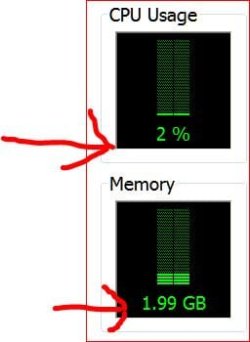
I have nothing but this web page open, my security programs running and I'm using 1.8 gb of ram.

Now I have added the Snipping Tool and Task Manager and this is my usage which is normal.
You can't do anything with 1 gb of ram.


Just for today.JPG
 

My Computer

Computer type
PC/Desktop
Computer Manufacturer/Model Number
Home made Desktop
OS
Windows 10 Pro. 64/ version 1709 Windows 7 Pro/64
CPU
Intel i7-6800K @ 4.3
Motherboard
ASUS X-99 Deluxe II
Memory
Corsair Platinum 16 gig @2400
Graphics Card(s)
EVGA GTX 1070 OC
Monitor(s) Displays
Asus 27" LED LCD/VE278Q
Screen Resolution
1920-1080 or 1280-720 HDMI
Hard Drives
INTEL SSD 730-240 Gb Sata 3.0/
PSU
EVGA Platium 1200W
Case
Phanteks Luxe Tempered Glass 8 fans/ one radiator
Cooling
XSPC/ Water Cooled CPU
Keyboard
Das 4 Professional
Mouse
Logitech M705/MX Anywhere 2-S
Internet Speed
100 mbits
Antivirus
Microsoft Security Essentials/ Malwarebytes Premium 3.0/ SAS
Browser
I.E. 11 default/Firefox/ ISP Time Warner Cable/Spectrum
Other Info
LG BluRay Burner/
Sound system-KLipsch-THX/
Icy Dock ssd Hot Swap bays.
Hmmm thank you for your help, I am currently on the phone and unable to acess my computer, will update when I get access to the pc to follow Acecool's guide
Layback Bear, regarding what you said, well Windows 7 WAS installed when my rig had 1.5GB RAM furthermore, last time I checked, the system reported me having 2GB instead of showing that I had 1GB it showed I had 2GB, when the pc still had the 1.5GB in, System displayed info showing I had 9GB but only 1.5 useable.

Can that have something to do? As soon as possible I will follow Acecool's post guide and update on my findings.
Thank you all so far for your help
 

My Computer

Computer type
PC/Desktop
Computer Manufacturer/Model Number
Custom Build
OS
Windows 7 Ultimate 32 Bits
CPU
Intel Pentium D 925
Motherboard
Foxconn 662 7MA
Memory
2x DDR2 1GB
Graphics Card(s)
ATI Radeon X1050/EAX1050
Antivirus
AVG + MalwareBytes
Browser
Mozilla Firefox
Disk_Management.png


here is the photograph as promised, as I am Portuguese the system is in Portuguese but here's a short translation (as I speak I am also using Safe Mode with Networking to check on what Acecool said, so here's the translation:

from left to right the collumn names:

Volume
Layout
Type
Archive System
Status
Capacity
Free Space
Free %
Fault Tolerance
Overload (or something along those lines)

I am going to now transfer and install Microsoft Security Essentials and test it out, so far Safe Mode with Networking has been working just fine with no lock ups

EDIT: I tried using normal boot again in order to install Microsoft Security Essentials but the computer locks up and freezes, second attempt gave me a BSOD, using Safe Mode with Networking seems to make the computer run better
in Device Manager under Net Adaptors this is the name that comes up: "VIA Velocity Compatible Management Adapter" and the resolution is at the lowest possible when in Safe Mode.

Furthermore also, my Graphics Card comes up as "RADEON 9250" and under "Other Devices" the device "Video Controller/Driver" comes up, this also happens when in normal boot, also, it doesn't matter if the computer is transferring/downloading things off the internet or just resting in the Desktop, it locked up in the desktop seconds after it booted and I rebooted it in normal mode to install Security Essentials, resulting in a lock up
 
Last edited:

My Computer

Computer type
PC/Desktop
Computer Manufacturer/Model Number
Custom Build
OS
Windows 7 Ultimate 32 Bits
CPU
Intel Pentium D 925
Motherboard
Foxconn 662 7MA
Memory
2x DDR2 1GB
Graphics Card(s)
ATI Radeon X1050/EAX1050
Antivirus
AVG + MalwareBytes
Browser
Mozilla Firefox
The Disk Management looks OK. == In your Device Manager, did you see any "Yellow Exclamation Marks"? This will indicate something is wrong. Check that out and let us know.
 

My Computer

Computer type
PC/Desktop
Computer Manufacturer/Model Number
Custom Build
OS
Windows 7 Home Premium 32-Bit - Build 7600 SP1
CPU
Intel Core i3-2120 3.30Ghz
Motherboard
Asus P8Z68-V LX Intel Z68 Socket H2 ATX
Memory
Kingston 4 GB DDR3 1333 mhz
Graphics Card(s)
AMD Radeon HD6670
Sound Card
Sound Blaster Audigy SE 24-Bit
Monitor(s) Displays
Asus VE228
Screen Resolution
1440 X 900
Hard Drives
OCZ Vertex 3 120 GB Sata 3 SSD ==
Kingston SH103/S3 120 G Hyper X 120 GB SSD ==
Western Digital 500 GB Caviar Green 7200 RPM ==
PSU
Corsair CX600M == 600 Watt
Case
NZXT Apollo - Silver with Clear Side Panel
Cooling
Three 120 mm Fans
Keyboard
Microsoft Natural 4000
Mouse
Microsoft Custom Optical 3000
Internet Speed
AT&T Fiber Optic Wireless Network
Antivirus
Microsoft Security Essentials
Browser
Chrome
Other Info
120 mm Blue LED Fan -- Three Blue LED Lazer Light Sticks
The Disk Management looks OK. == In your Device Manager, did you see any "Yellow Exclamation Marks"? This will indicate something is wrong. Check that out and let us know.

Yes indeed it appears, under "Other Devices" the "Video Driver/controller" appears with a yellow exclamation mark, indicating there are no drivers for the card, this I knew from the start, apparently running the computer in Safe Mode with Networking doesn't make it hang up or lock up but using normal mode will cause it to lock up within minutes of operation
 

My Computer

Computer type
PC/Desktop
Computer Manufacturer/Model Number
Custom Build
OS
Windows 7 Ultimate 32 Bits
CPU
Intel Pentium D 925
Motherboard
Foxconn 662 7MA
Memory
2x DDR2 1GB
Graphics Card(s)
ATI Radeon X1050/EAX1050
Antivirus
AVG + MalwareBytes
Browser
Mozilla Firefox
Go to the site of your Video Card and see if you can get a Driver for it. Like others have said here, until you get more RAM, you will have a problem.
 

My Computer

Computer type
PC/Desktop
Computer Manufacturer/Model Number
Custom Build
OS
Windows 7 Home Premium 32-Bit - Build 7600 SP1
CPU
Intel Core i3-2120 3.30Ghz
Motherboard
Asus P8Z68-V LX Intel Z68 Socket H2 ATX
Memory
Kingston 4 GB DDR3 1333 mhz
Graphics Card(s)
AMD Radeon HD6670
Sound Card
Sound Blaster Audigy SE 24-Bit
Monitor(s) Displays
Asus VE228
Screen Resolution
1440 X 900
Hard Drives
OCZ Vertex 3 120 GB Sata 3 SSD ==
Kingston SH103/S3 120 G Hyper X 120 GB SSD ==
Western Digital 500 GB Caviar Green 7200 RPM ==
PSU
Corsair CX600M == 600 Watt
Case
NZXT Apollo - Silver with Clear Side Panel
Cooling
Three 120 mm Fans
Keyboard
Microsoft Natural 4000
Mouse
Microsoft Custom Optical 3000
Internet Speed
AT&T Fiber Optic Wireless Network
Antivirus
Microsoft Security Essentials
Browser
Chrome
Other Info
120 mm Blue LED Fan -- Three Blue LED Lazer Light Sticks
Go to the site of your Video Card and see if you can get a Driver for it. Like others have said here, until you get more RAM, you will have a problem.

I went to AMD's site and downloaded the display driver and installed it manually from the Device Manager for the device showing the exclamation mark, it now shows up as "RADEON 9250 - Secondary" any clues? and I may get more RAM soon, my board has two slots and I can possibly get two sticks, each with 1GB that would be ideal yes?
 

My Computer

Computer type
PC/Desktop
Computer Manufacturer/Model Number
Custom Build
OS
Windows 7 Ultimate 32 Bits
CPU
Intel Pentium D 925
Motherboard
Foxconn 662 7MA
Memory
2x DDR2 1GB
Graphics Card(s)
ATI Radeon X1050/EAX1050
Antivirus
AVG + MalwareBytes
Browser
Mozilla Firefox
Go to the site of your Video Card and see if you can get a Driver for it. Like others have said here, until you get more RAM, you will have a problem.

I went to AMD's site and downloaded the display driver and installed it manually from the Device Manager for the device showing the exclamation mark, it now shows up as "RADEON 9250 - Secondary" any clues? and I may get more RAM soon, my board has two slots and I can possibly get two sticks, each with 1GB that would be ideal yes?

If you can afford to get 2 sticks of 2 GB, that would be the way to go. The minimum for Windows 7 is 2 GB. If you get 2 X 1GB, you are only at the minimum and not guaranteed much improved performance. Memory is cheap here in USA. I don't know what it is like in Portugal. == What you should do before you buy memory is download this program, the Windows 7 Upgrade Advisor. It scans what is in your PC and tells you what is OK for Windows 7 and what you need to upgrade to make Win 7 run better. Windows 7 Upgrade Advisor - Download Get the file at the link I just posted and run it. It will either have a Green Check Mark (OK) or a Red X (Not OK) next to various things. Post which ones have the Red X if any and we can discuss it.
 

My Computer

Computer type
PC/Desktop
Computer Manufacturer/Model Number
Custom Build
OS
Windows 7 Home Premium 32-Bit - Build 7600 SP1
CPU
Intel Core i3-2120 3.30Ghz
Motherboard
Asus P8Z68-V LX Intel Z68 Socket H2 ATX
Memory
Kingston 4 GB DDR3 1333 mhz
Graphics Card(s)
AMD Radeon HD6670
Sound Card
Sound Blaster Audigy SE 24-Bit
Monitor(s) Displays
Asus VE228
Screen Resolution
1440 X 900
Hard Drives
OCZ Vertex 3 120 GB Sata 3 SSD ==
Kingston SH103/S3 120 G Hyper X 120 GB SSD ==
Western Digital 500 GB Caviar Green 7200 RPM ==
PSU
Corsair CX600M == 600 Watt
Case
NZXT Apollo - Silver with Clear Side Panel
Cooling
Three 120 mm Fans
Keyboard
Microsoft Natural 4000
Mouse
Microsoft Custom Optical 3000
Internet Speed
AT&T Fiber Optic Wireless Network
Antivirus
Microsoft Security Essentials
Browser
Chrome
Other Info
120 mm Blue LED Fan -- Three Blue LED Lazer Light Sticks
Without a video driver, you'll likely encounter sticky windows ( trying to move a window and the screen doesn't update as quickly as the window is moving so during each screen refresh the window jumps ).

Another issue I had with an earlier computer was with my sound card... I had the wrong driver ( you mentioned not having a video driver then installing one ) and it would cause lockups in certain games during certain scenes. Definitely double-check all drivers: Make sure the chipset driver is correct, sound driver, video and so on. There are some utilities that'll help you find proper drivers now-a-days.
 

My Computer

Computer type
PC/Desktop
Computer Manufacturer/Model Number
Acecool Company
OS
Windows 7 Professional x64
CPU
Intel Q6600 ( Quad Core ) @ 2.4 to 3.0 OC GHz
Motherboard
Asus P5K
Memory
Kingston 8GB ( 2x 4GB )
Graphics Card(s)
NVidia 750 TI SC 2GB
Sound Card
Onboard + USB 7.1 Simulated Surround Headset
Monitor(s) Displays
Samsung TV, HP TV ( Until PS Caps repaired 2x LG )
Screen Resolution
Primary: 1920 x 1080, Secondary ( left ): 1680 x 1050
Hard Drives
Seagate ( 1TB x2 - 1 [ logic board issue ], 3TB x 1, 320GB x 1, 500GB x 1 ) @ 7200RPM
PSU
500W
Case
Antec 900
Cooling
Air
Keyboard
Logitech K350 Wireless and MS KU-0108 Wired ( Gaming )
Mouse
Logitech MX510 Blue
Internet Speed
50MBit
Antivirus
Custom
Browser
Google Chrome
Other Info
Logitech devices have an issue with gaming when using SetPoint software ( Uninstalled because of this ) where a depressed-key registers as an unpress event after a short period of time meaning if you hold right click to aim, it stops randomly until you re-press. It is one of the most annoying pieces of software because you either need to write your own to use the extra functionality of the keyboar
Back
Top