
Random Network Connection Drop

jstouder

New member
Local time
1:14 PM
Messages
2
I've read seemingly hundreds of posts about this topic and none of them have helped me. We just deployed 10 new Dell Optiplex 380's with Windows 7. We have a Windows Server 2003 that is our file/print share but we are moving back to a WORKGROUP setup.

Network connectivity drops at seemingly random times. I've performed all of the usual tasks (driver check, network card advanced option tweaking, disable IPv6, etc.) and nothing has worked.

We have no physical router in the building, our ISP provides the hosted router virtually. We do have a Linksys SR2024C switch. I've attached my ipconfig /all printout.

Please can someone help me? I've bought a new switch to test but I have a feeling it is something else. I'm also going to try using OpenDNS to rule that out as well.

The server is sitting at 10.10.17.180.
 

Attachments
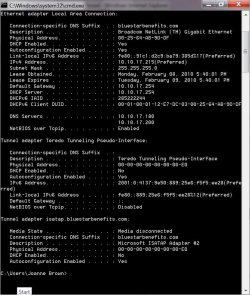
  • ipconfigall.jpg
    ipconfigall.jpg
    238.6 KB · Views: 98

My Computer

Computer Manufacturer/Model Number
Dell Optiplex 360
OS
Windows 7
CPU
Intel Core 2 Duo E7500
Memory
4.00 GB
Graphics Card(s)
Onboard
Sound Card
Onboard
Monitor(s) Displays
Dell 21" Widescreen
Join the club. Have you had Vista running on any machines and run into a similar problem?
 

My Computer

OS
Windows 7
Can you try and ping the default gateway/DHCP?
 

My Computer

Computer Manufacturer/Model Number
Lenovo ThinkPad T60
OS
Windows 7 Ultimate 64Bit
CPU
GenuineIntel Intel(R) Core(TM) DuoCore T2400 @ 1.83GHz
Motherboard
Intel(R) 82801G (ICH7 Family)
Memory
2.00 GB
Graphics Card(s)
Mobile Intel(R) 945 Express Chipset
Sound Card
SoundMAX Integrated Digital HD Audio
Monitor(s) Displays
ThinkPad Display
Screen Resolution
1400x1050
Hard Drives
100Gb SATA
Keyboard
Standard Keyboard
Mouse
HID-compliant Mouse
Internet Speed
Cable Broadband - 54Mbps
Other Info
Intel(R) PRO/1000 PL Network Connection
11a/b/g Wireless LAN Mini PCI Express Adapter
I think I figured it out.

This only started happening with Windows 7. I believe I figured it out though. I've got a NetGear WiFi router setup as an access point only. It gets one feed from the Linksys switch and broadcasts the wireless signal. At some point during the PC refresh it started demanding to be the network gateway.

I disconnected the wireless router, ran an ipconfig /release /renew, and so far so good.

Thanks for the replies and good luck with your troubleshooting.
 

My Computer

Computer Manufacturer/Model Number
Dell Optiplex 360
OS
Windows 7
CPU
Intel Core 2 Duo E7500
Memory
4.00 GB
Graphics Card(s)
Onboard
Sound Card
Onboard
Monitor(s) Displays
Dell 21" Widescreen
The router is what will broadcast the network, so if your machines lie behind it, the machines will be getting what the router gives them. By passing the router and going to the switch( a switch is a dumb device somewaht, it doesn't have as much configuration as the router) you should be able to communicate clearly to the ISP via the modem. Thanks for getting back to us.
 

My Computer

Computer Manufacturer/Model Number
Lenovo ThinkPad T60
OS
Windows 7 Ultimate 64Bit
CPU
GenuineIntel Intel(R) Core(TM) DuoCore T2400 @ 1.83GHz
Motherboard
Intel(R) 82801G (ICH7 Family)
Memory
2.00 GB
Graphics Card(s)
Mobile Intel(R) 945 Express Chipset
Sound Card
SoundMAX Integrated Digital HD Audio
Monitor(s) Displays
ThinkPad Display
Screen Resolution
1400x1050
Hard Drives
100Gb SATA
Keyboard
Standard Keyboard
Mouse
HID-compliant Mouse
Internet Speed
Cable Broadband - 54Mbps
Other Info
Intel(R) PRO/1000 PL Network Connection
11a/b/g Wireless LAN Mini PCI Express Adapter
Back
Top